Home / School transport
School transportSchool transport: bus enrolment by stop, dated diversions and the daily list for each route
The transport service describes its routes, stops and timetables once. Each family enrols its child from a phone by choosing the morning stop and the evening stop. Bus capacity, diversions, occasional trips and absences are carried onto the daily list of each bus, and the subscription is invoiced to the paying parent, pro rata for the remaining months.
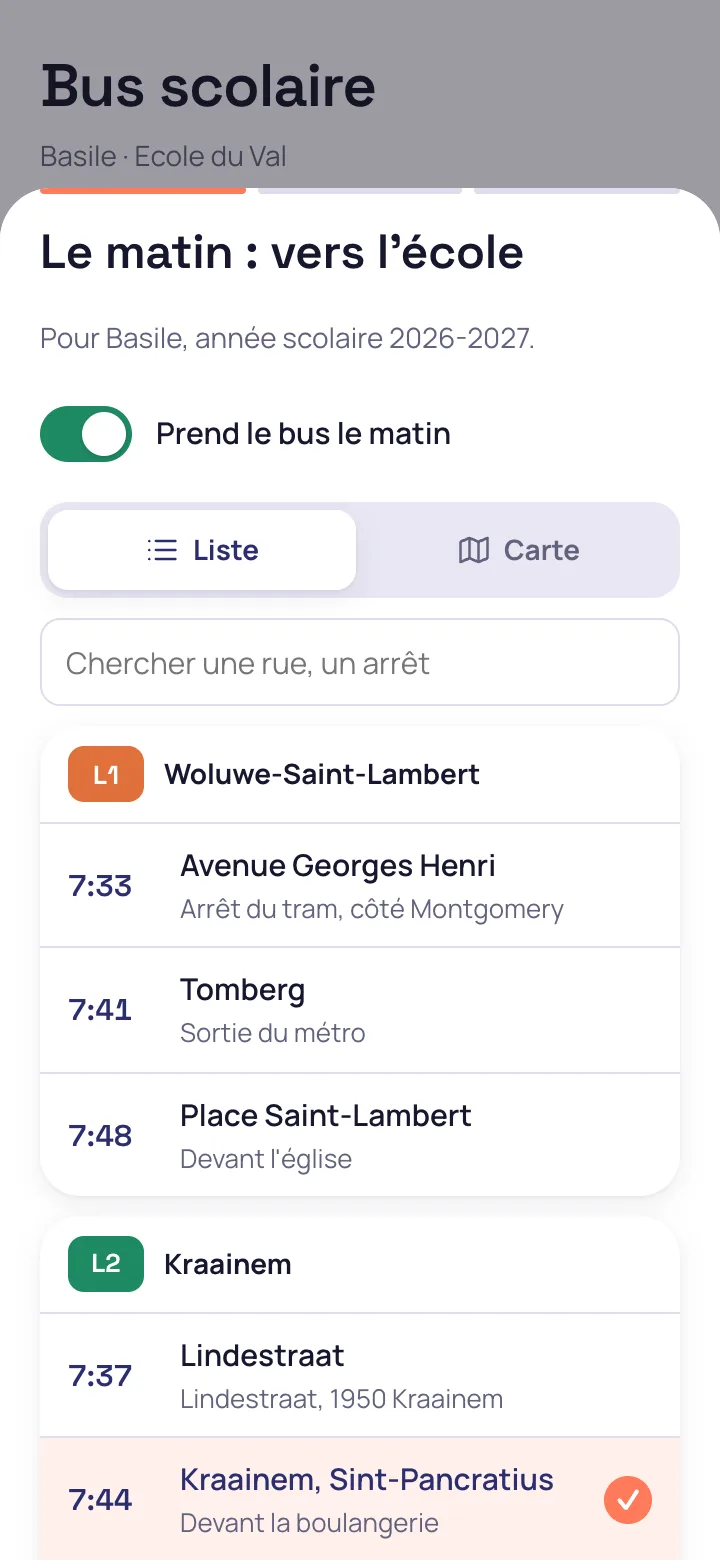
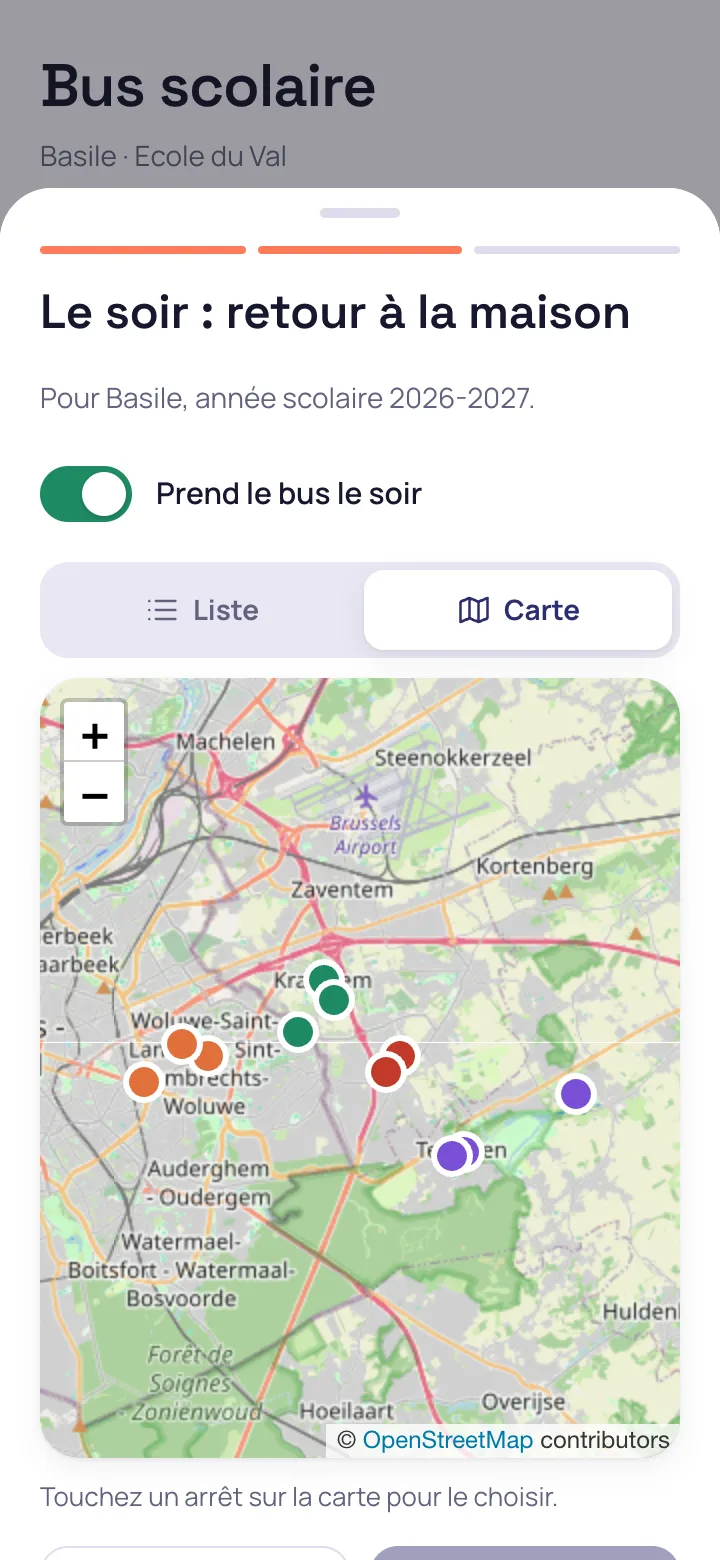
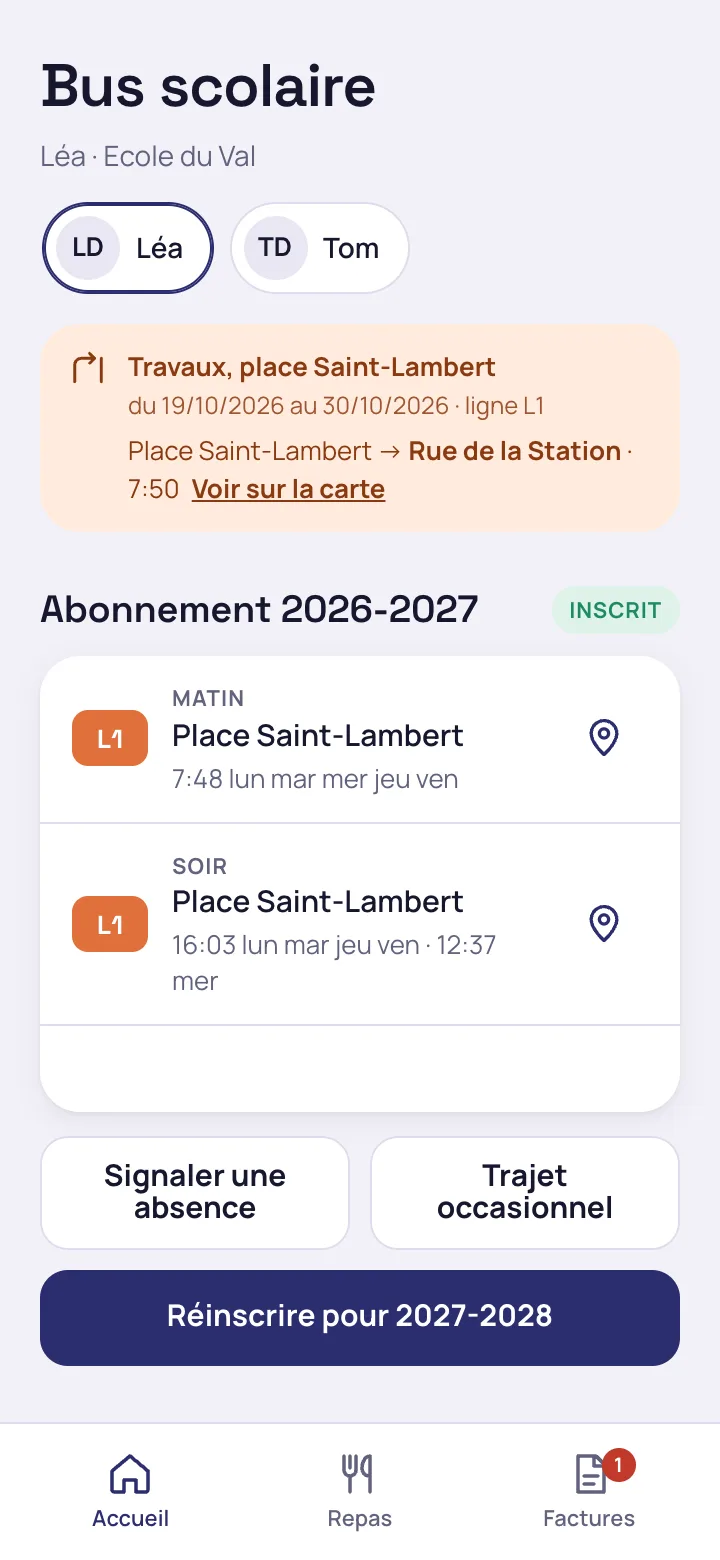
The transport service creates its routes with their seats and timetables for each direction
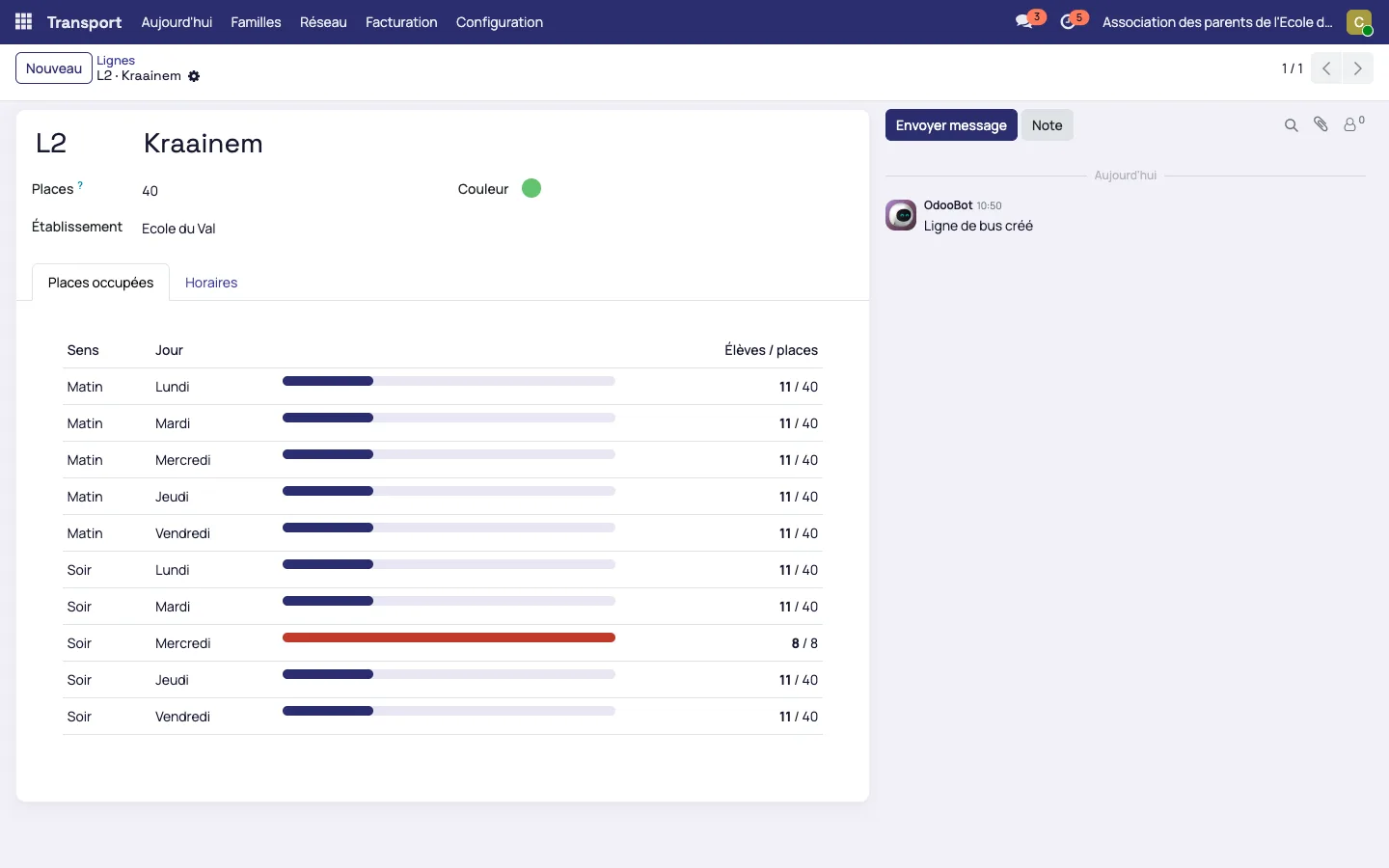
Each route has its code, colour, seats and timetables
Timetables are entered for each direction, with a separate timetable for Wednesday. The route page shows the seats taken for each day, morning and evening, and flags a full trip in red.
The family enrols its child on the bus from the app, stop by stop
The morning stop is chosen in a list or on a map
In the family app, the parent taps “School bus”, then “Enrol on the bus”. The list is grouped by route with the passing time of each stop. The OpenStreetMap map lets the parent tap the stop directly. The evening stop is chosen in the same way and may differ from the morning one.
A day when the bus is full is greyed out
The parent ticks the days the child rides the bus. When a route has reached its capacity on a given day, that day is marked “Full” and cannot be chosen.
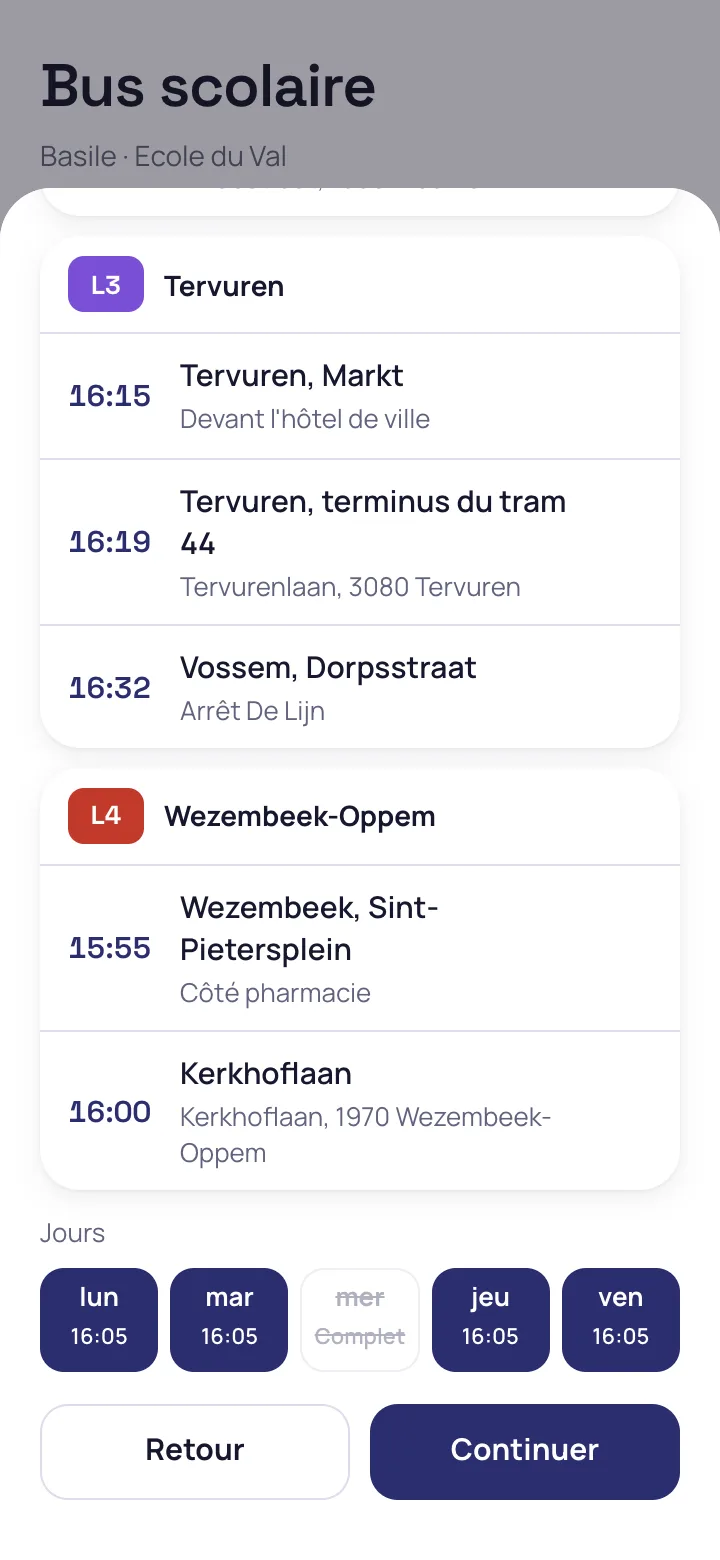
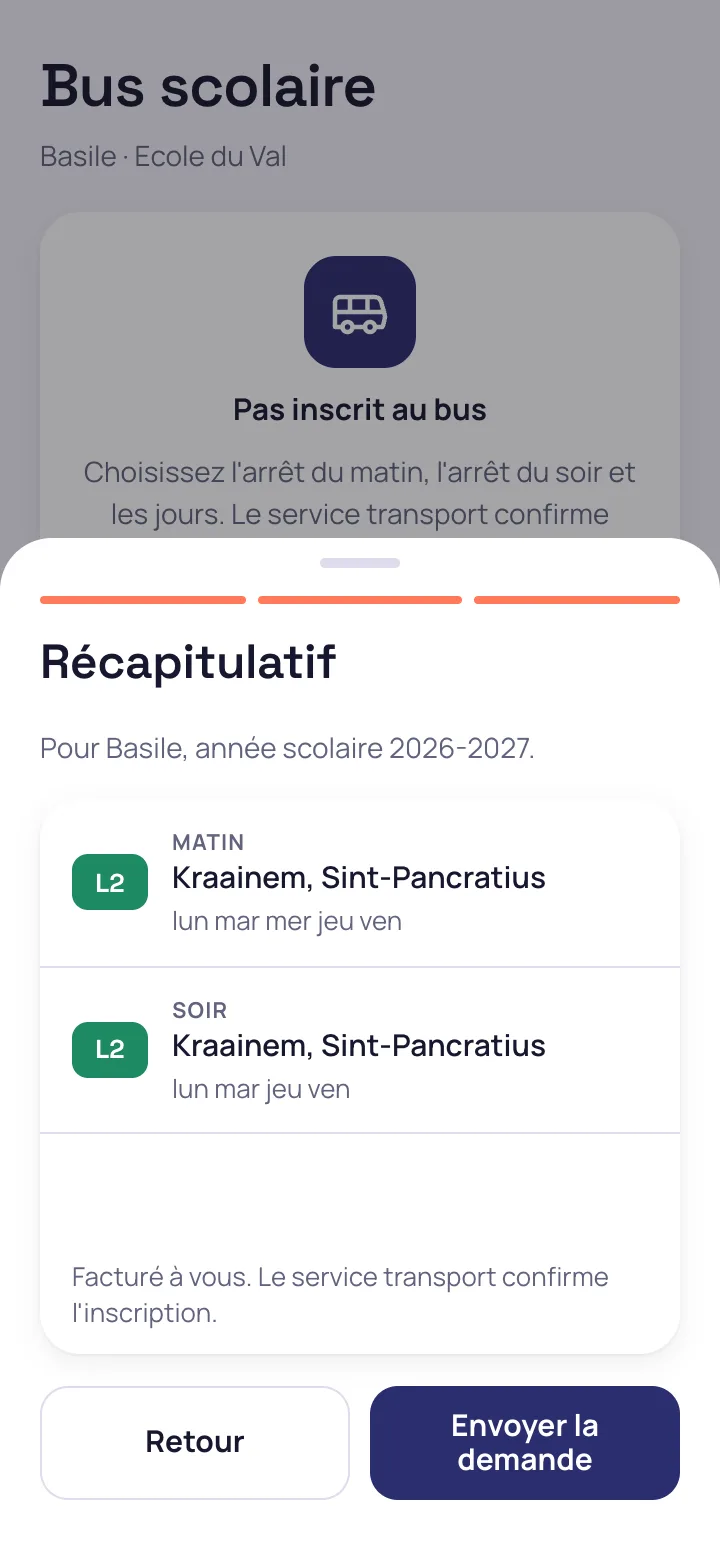
The summary gives the trips and the days before sending
The request goes to the transport service, which approves it in a single step. The parent is told that the invoice is addressed to them and that the enrolment is confirmed by the service.
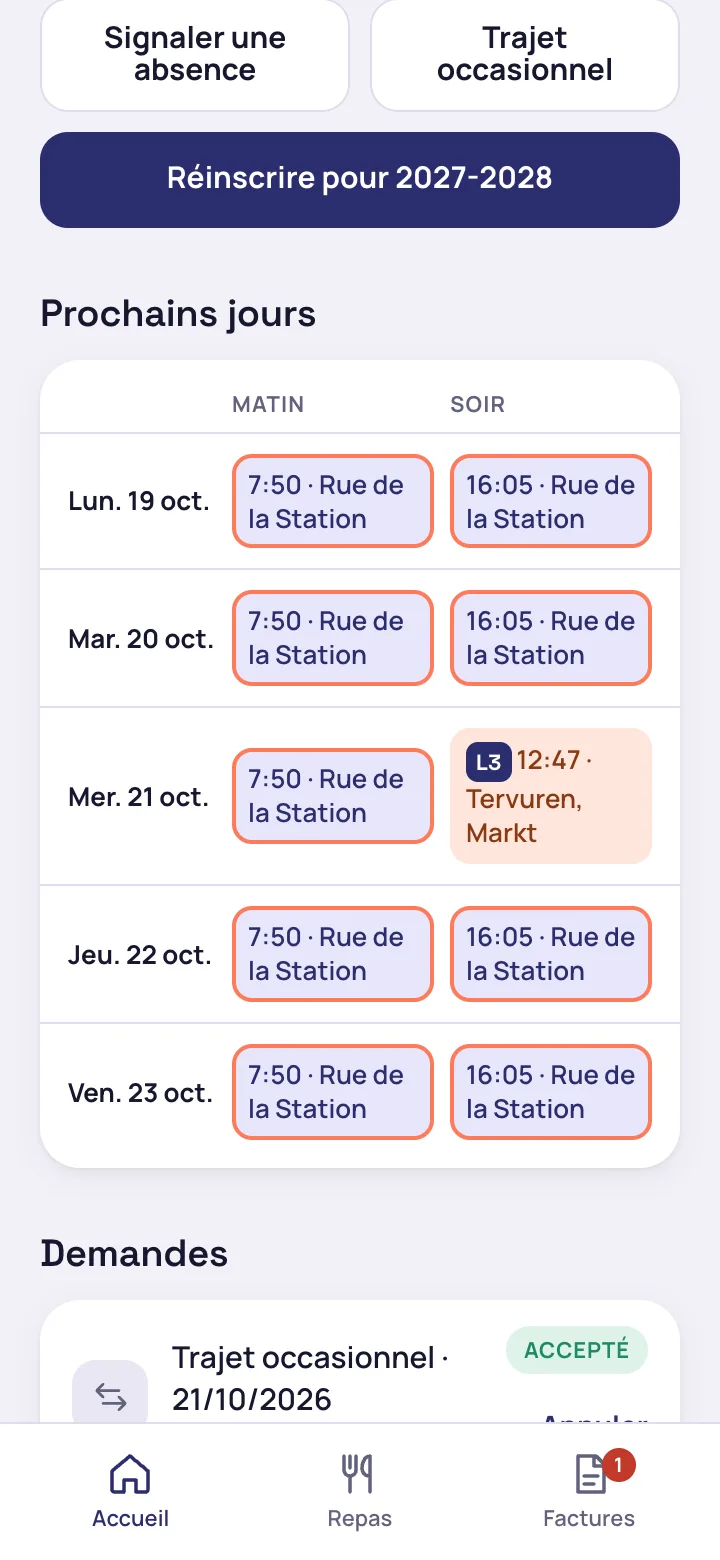
A diversion is shown day by day, with the new stop
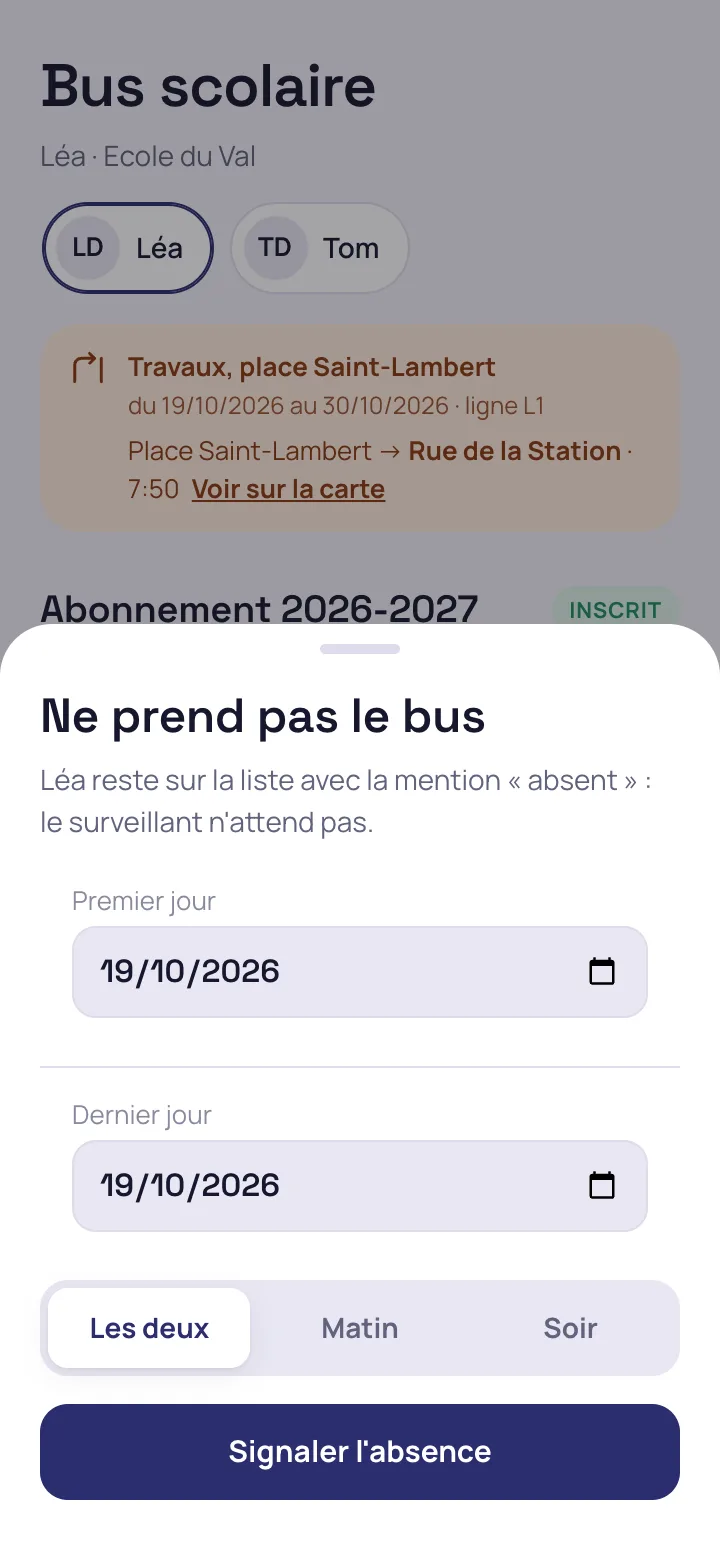
For roadworks, the service declares a diversion and the families of the children concerned are notified. Their screen shows the replaced stop, the replacement stop and the child's coming days.
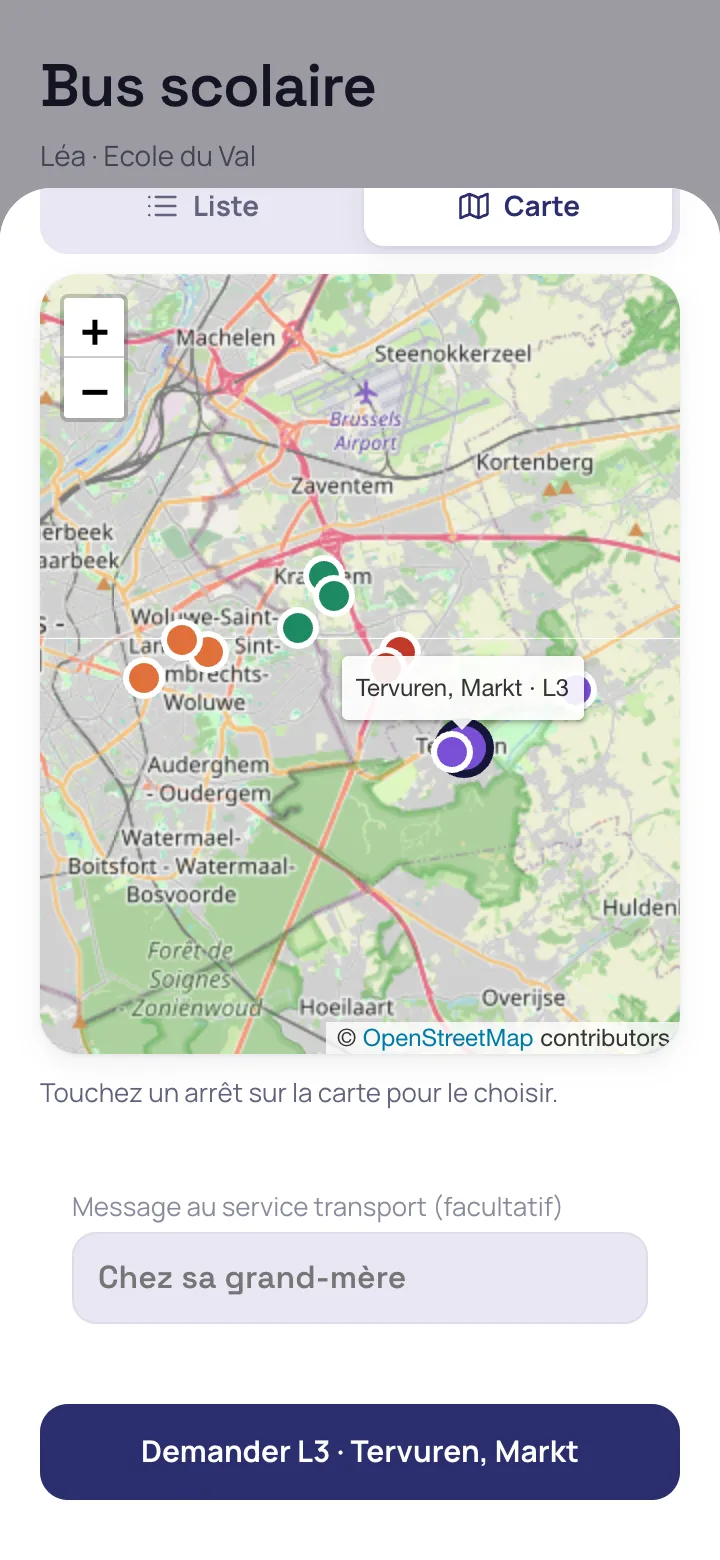
An occasional trip is requested on another route
For a Wednesday at a grandparent's, the parent picks a stop on the map, the day or days and an optional message. The service accepts the request if a seat is left, and the child is placed on the other bus's list for that day.
An absence is reported up to 30 minutes before the bus passes
The deadline is a setting of the school. The child stays on the list marked “absent”, so that the supervisor and the carrier know the child is not expected.
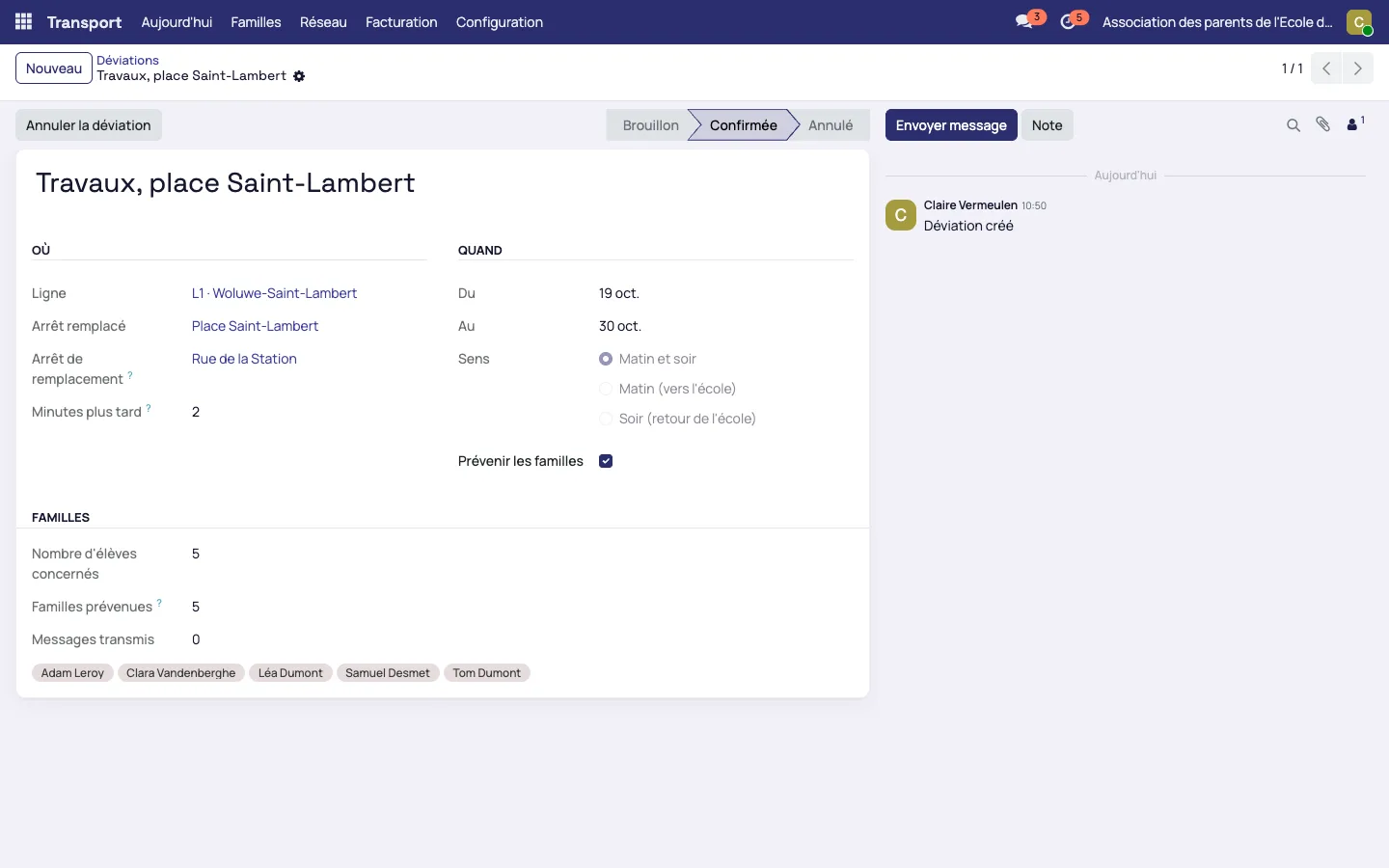
Roadworks close a stop: the diversion is declared without recreating the route
The service gives the replaced stop, the replacement stop, the dates and the direction concerned. It can add a few minutes to the usual time. The route stays in place, the families of the children concerned receive a message, and the bus list includes the replacement stop for the whole period.
- A diversion only affects its days and its direction
- Once cancelled, it restores the original stop and notifies the families
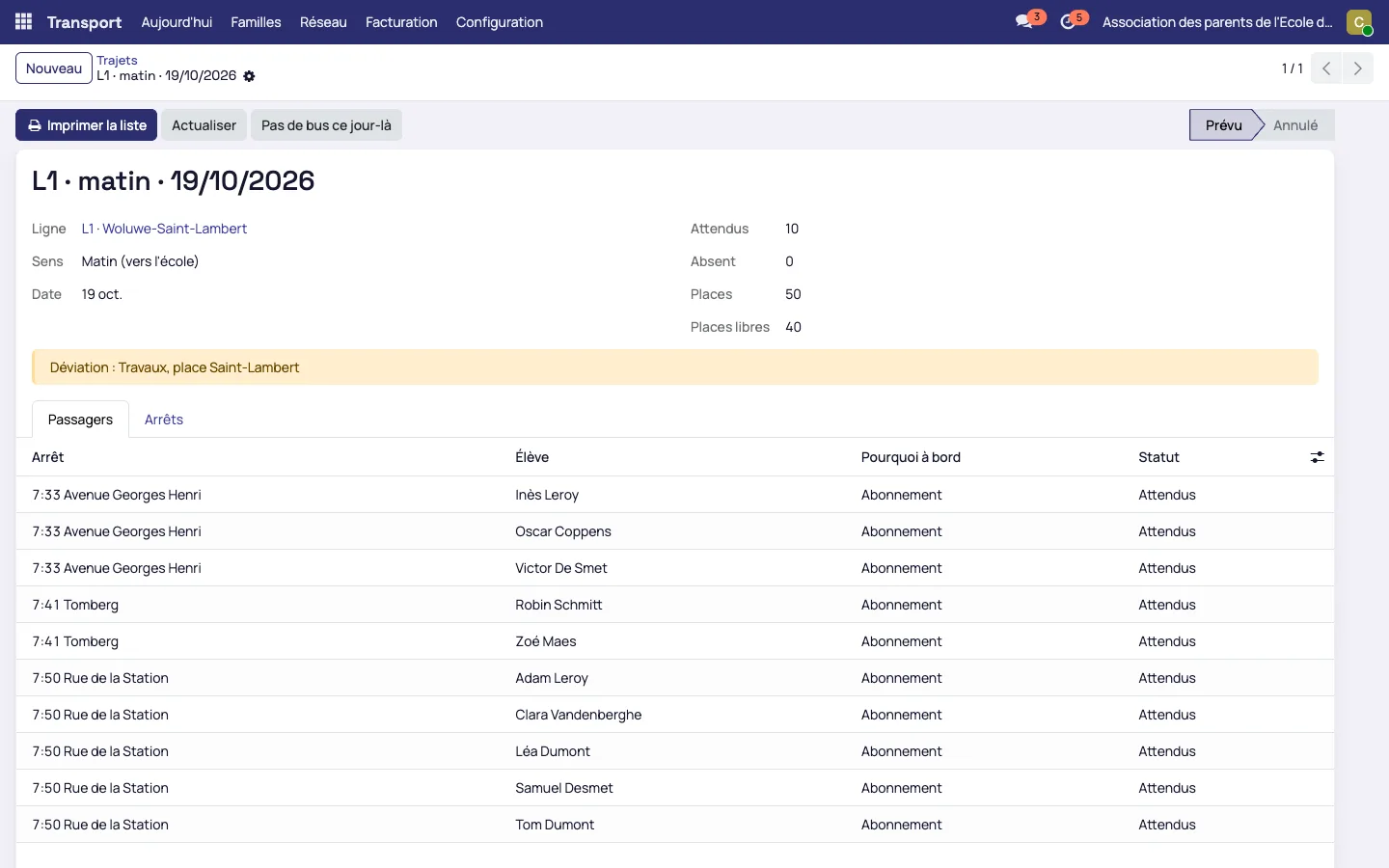
Every morning, the list of each route is printed for the carrier and the supervisor
The daily list is read by route, by direction and stop by stop
It counts the pupils expected, the absentees, the seats and the free seats, and recalls the diversion in force. The reason for being on board (subscription or occasional trip) appears on each line.
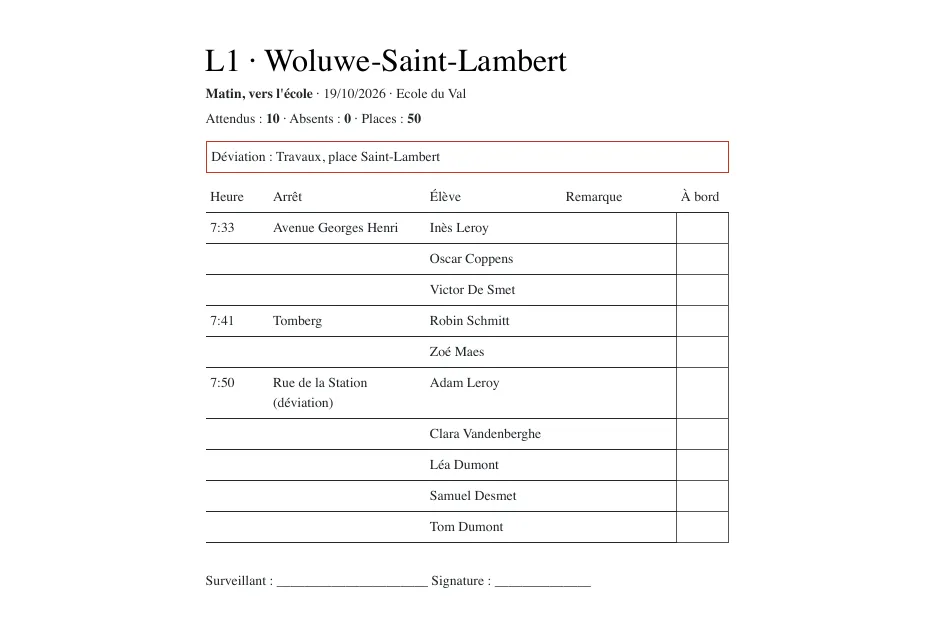
The same list is printed as a PDF with an “On board” column
The document gives the time and name of each stop, the pupils expected, a column for remarks, an “On board” column to tick, and a line for the supervisor's name and signature.
The subscription is invoiced by the year, the term or the month, pro rata for a mid-year arrival
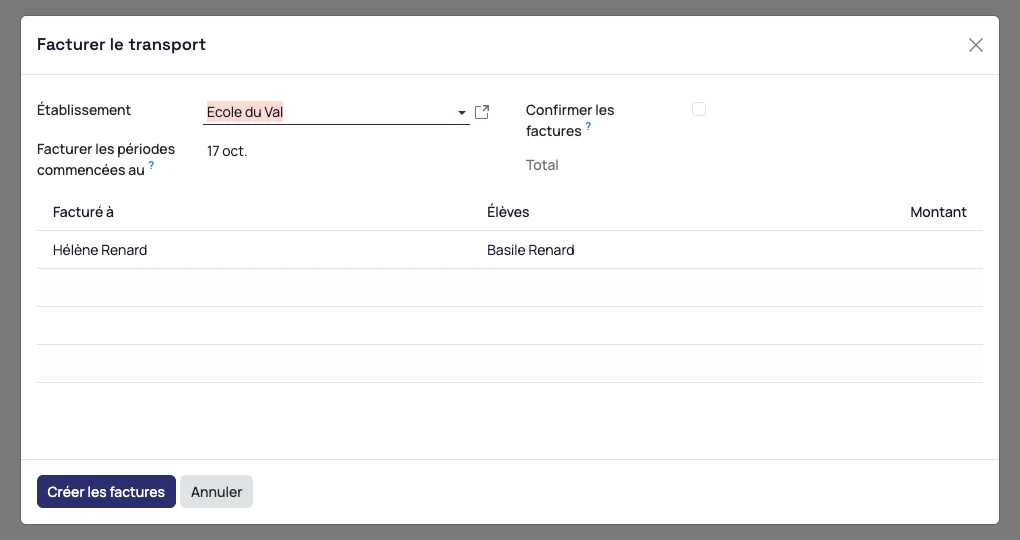
The service starts the transport invoicing wizard: it lists the families to invoice, the paying parent for each pupil and the calculated amount. On the demo, which uses fictitious data, a child enrolled on 17 October is invoiced for 9 months out of 10. The invoice can also be addressed to an organisation.
The amounts in the screenshots are demo data. Invoices and payments are recorded in Odoo with their accounting codes, then extracted to the accounting software already in place.
The capacity and access rules also apply when two requests arrive together
- Two families ask for the last seat at the same moment: only one gets it, the other sees the day greyed out
- A pending request keeps its seat against an occasional trip
- On the demo, the Wednesday return trip of a route has 8 pupils for 8 seats: Wednesday is refused for the ninth, who keeps the other four days
- A child who changes school during the year keeps the subscription with the school that runs the bus
- A parent whose access to the child is restricted sees neither the stop nor the time, and does not receive the messages
- A family that enrols in June enrols for September
The route recreated at every roadwork, the table of enrolled pupils and the pro rata by hand
The transport service no longer has to recreate a route when a stop closes, send the carrier the table of enrolled pupils by stop every week, write to the families of a closed stop, take trip requests for a grandparent's by phone or calculate the pro rata of each arrival. Family enrolments open from the family portal and invoicing follows the administrative and accounting management.
Request a demo of Mensavo
About thirty minutes to see the routes, enrolment by stop, a diversion and the daily list on the cases you choose.
Request a demo