Home / Extracurricular activities
Extracurricular activitiesExtracurricular activities: enrolment by families, waiting list and exchange with credit note
Sport, arts, science and music, at lunchtime and after school: the organiser publishes the term programme, each family only sees the activities its child can attend and enrols the child from their phone. Mensavo refuses timetable clashes, manages the waiting list, invoices pro rata for the sessions left and issues the credit note of an exchange.
The organiser publishes the term programme with places and cancellation terms
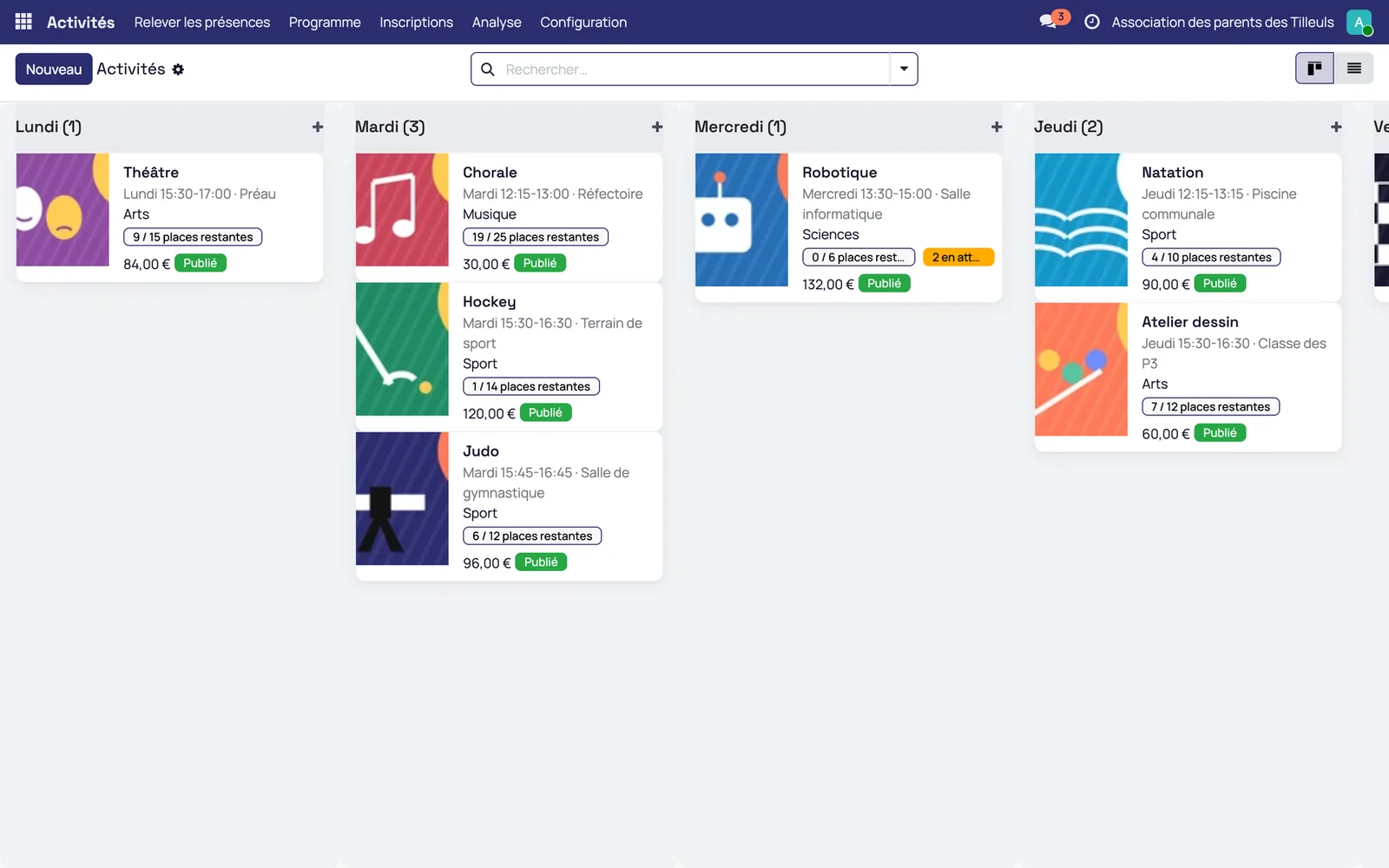
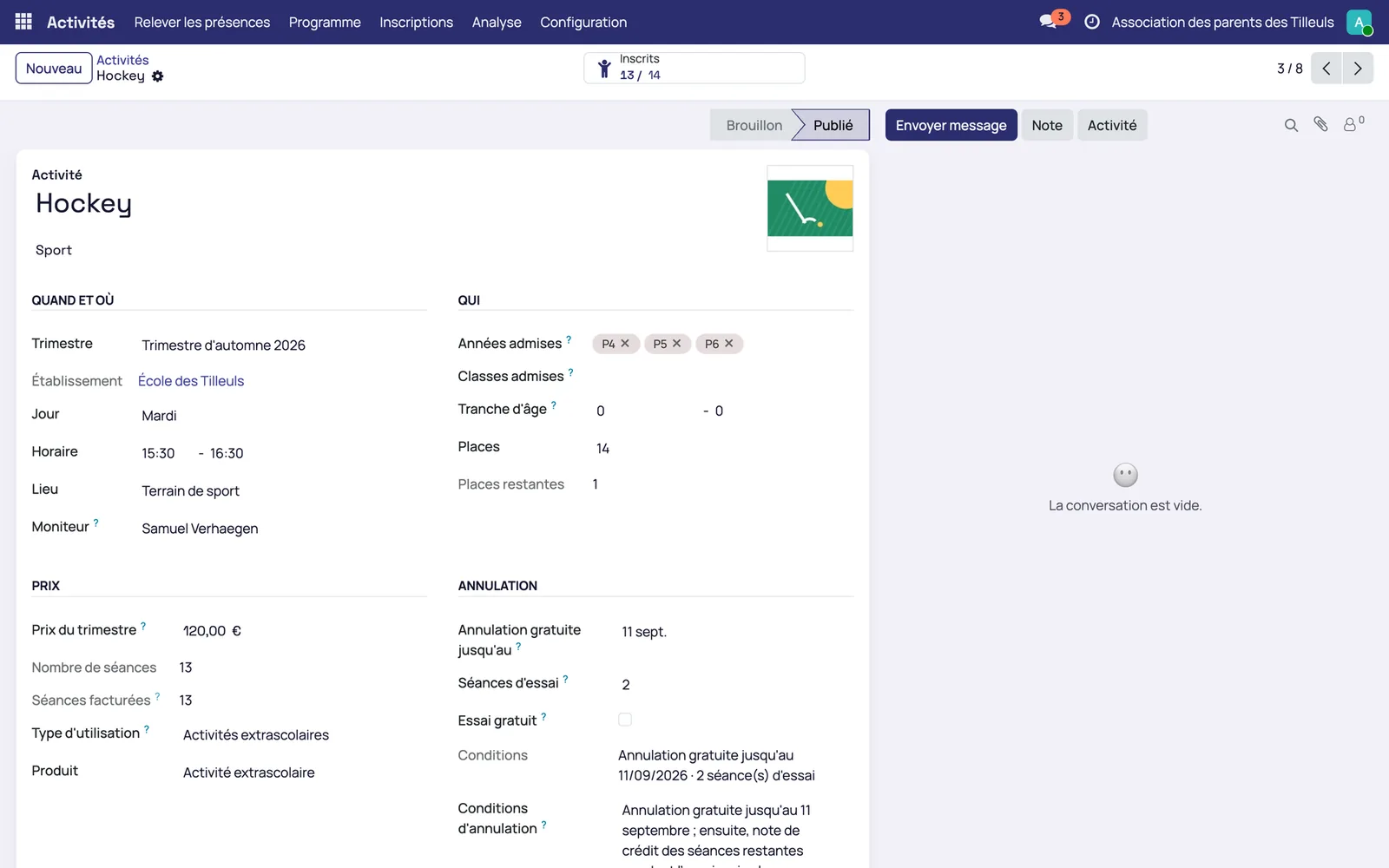
Each activity has its day, time, place and instructor
The programme is read by day, with the places left and the waiting list on each card. An activity has its category, description, photo, the eligible years or classes and the number of places.
The page sets the term price and the cancellation terms
It shows the free cancellation deadline and the number of trial sessions. After that date, online cancellation is no longer offered.
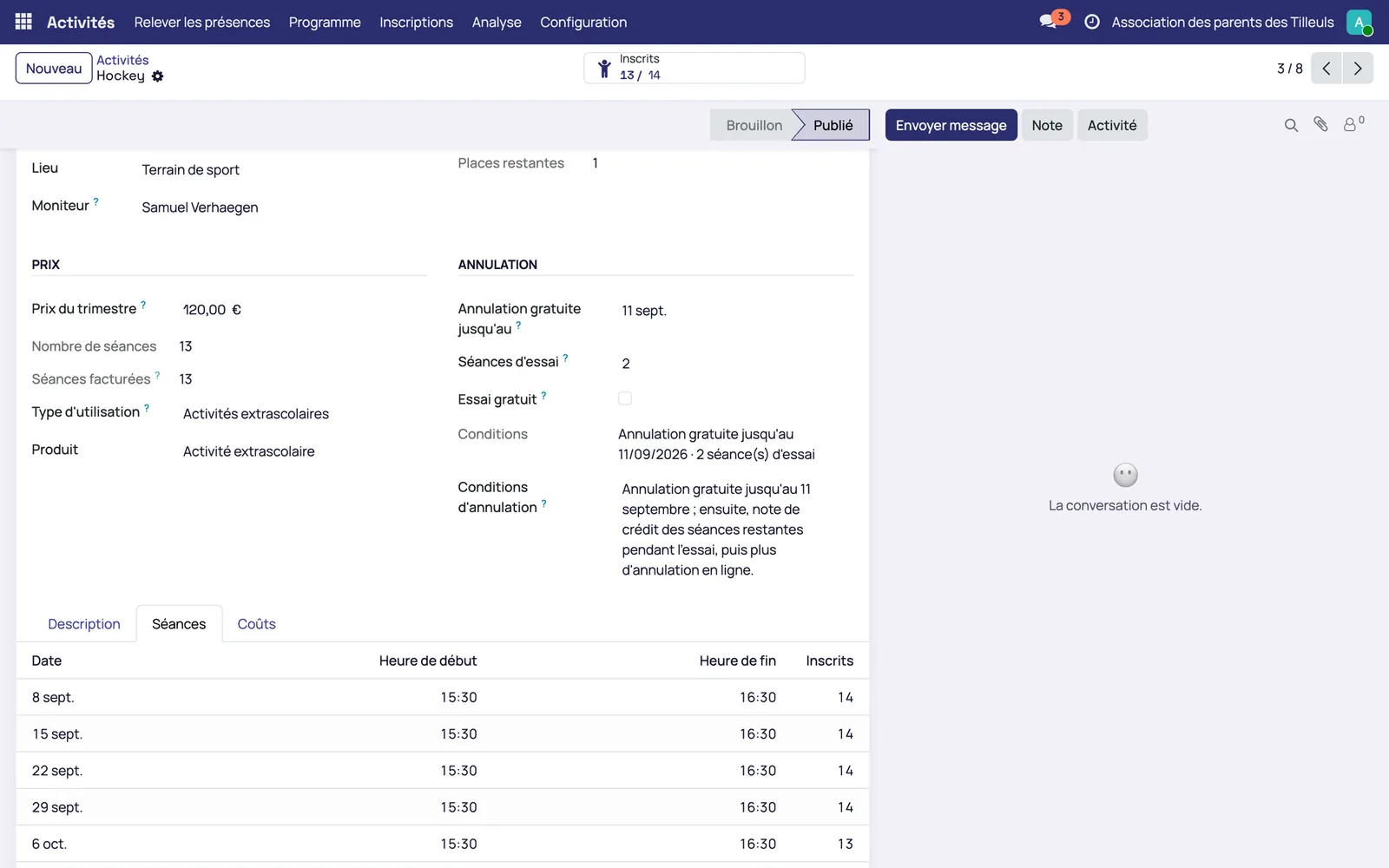
Sessions are generated on the term dates, excluding school holidays
Each session counts its enrolled children. This calendar is what calculates the pro rata for a late arrival and takes the roll call.
The family chooses its child's activity and enrols the child from their phone
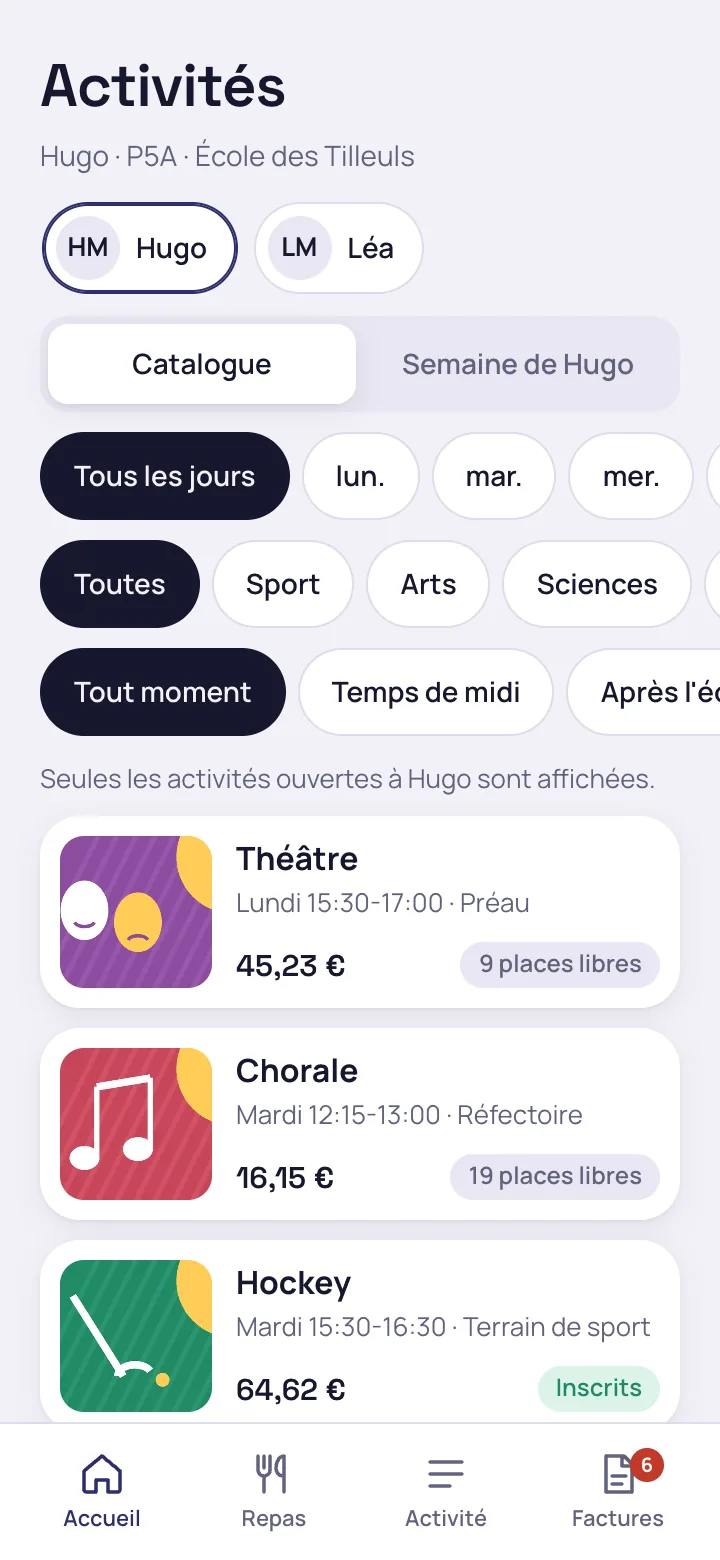
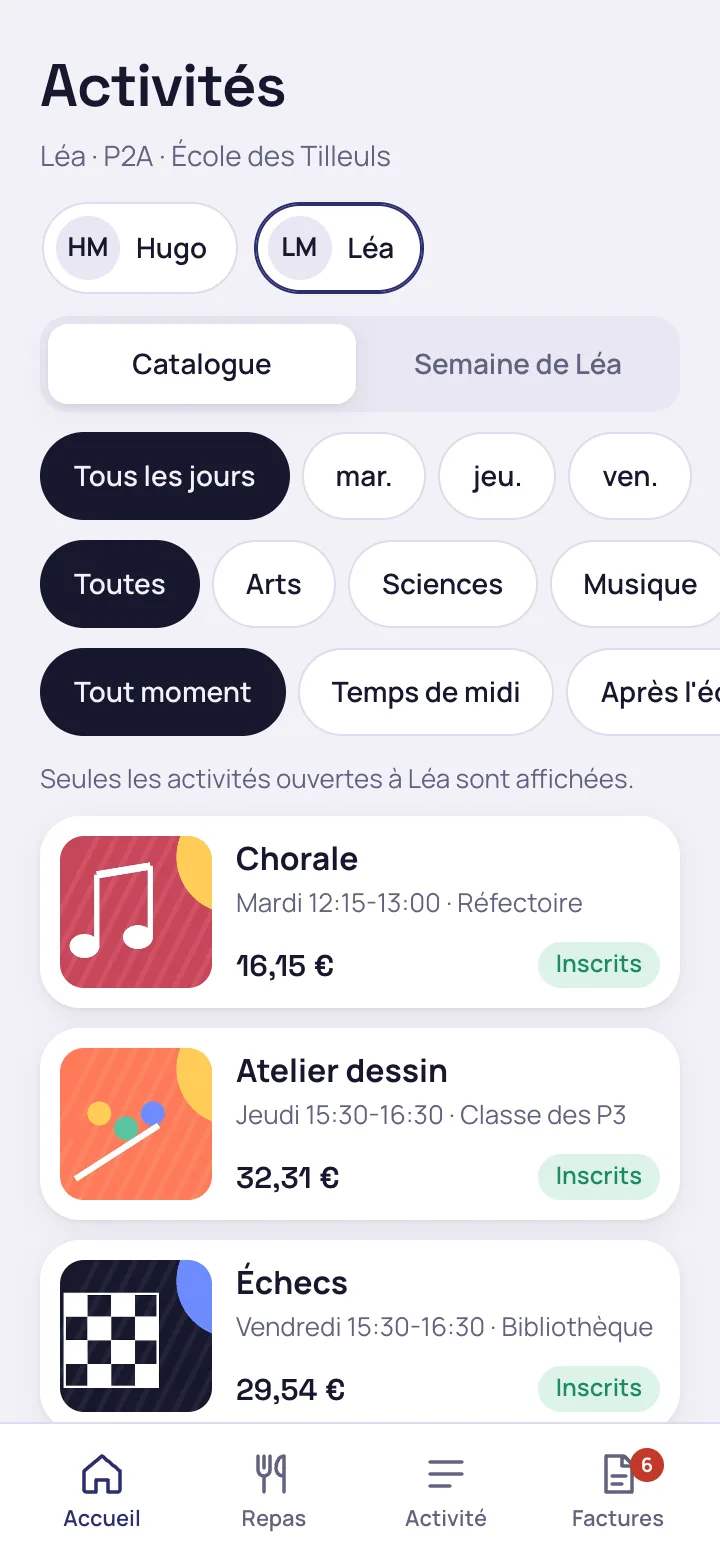
The catalogue only shows the activities open to the child
The parent switches from one child to another: the activities shown are those for their year and age. Filters by day, by category and by time of day (lunchtime, after school) narrow the list, showing the places left and the price of the sessions left.
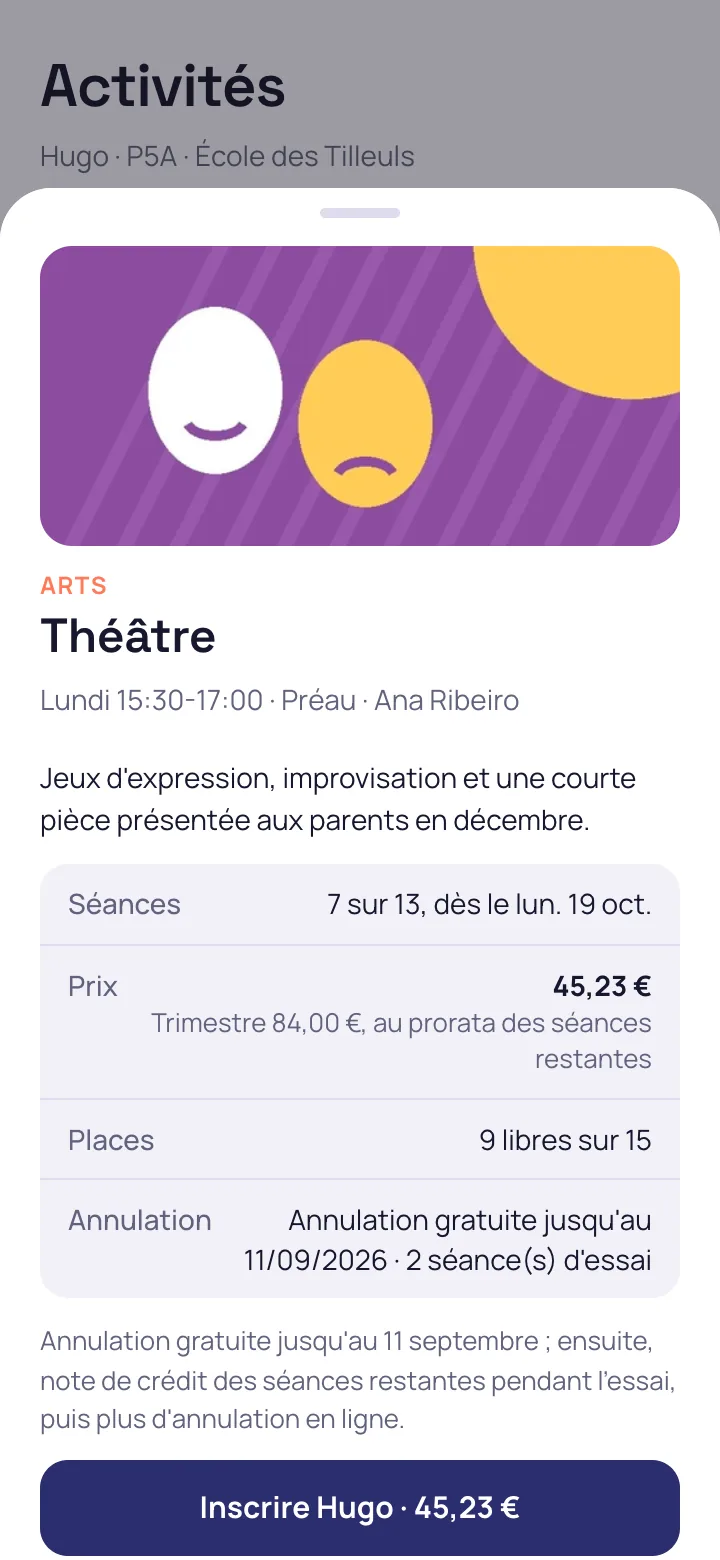
An enrolment is made from the activity page, with the price pro rata
The page shows the sessions left, the price calculated on those sessions, the places and the cancellation terms. A single button enrols the child, and the invoice goes to the parent who pays.
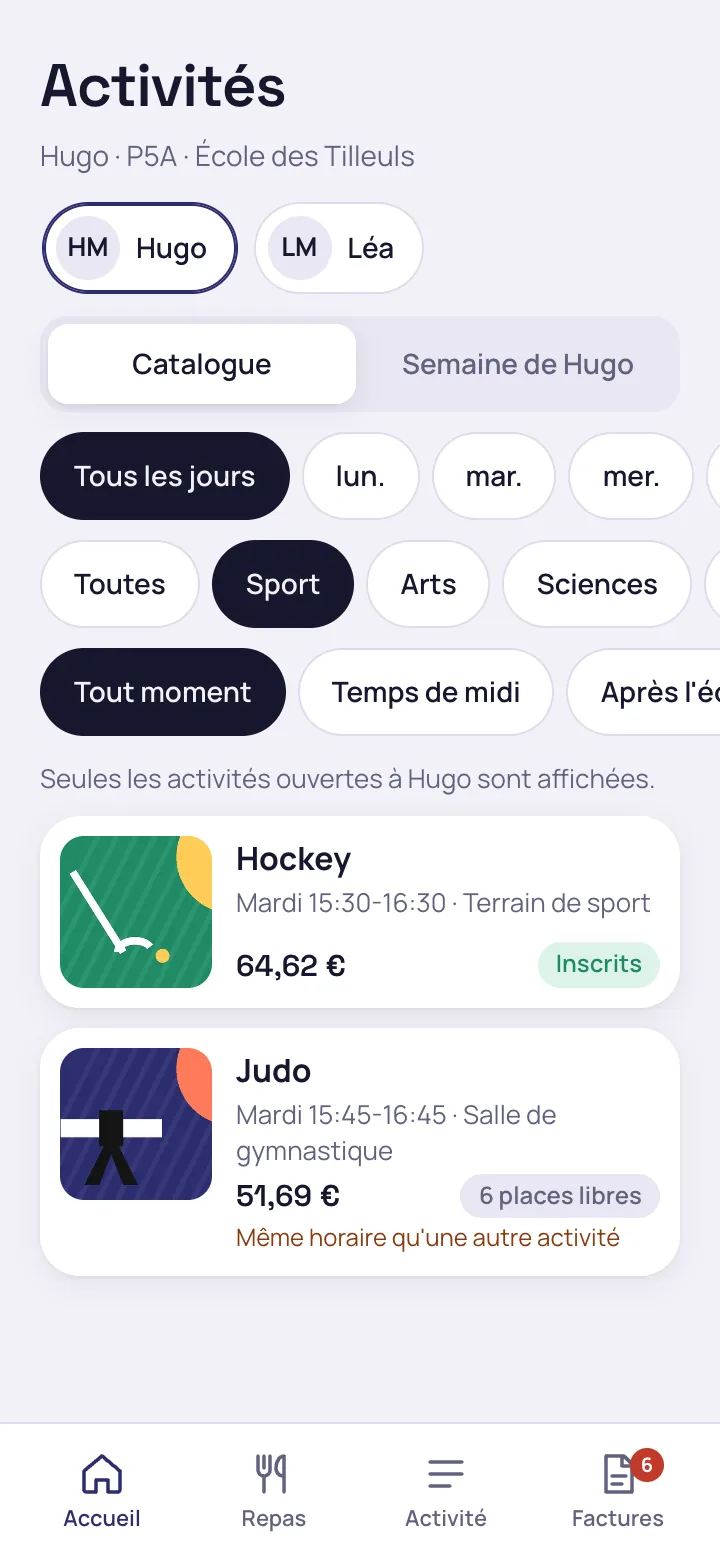
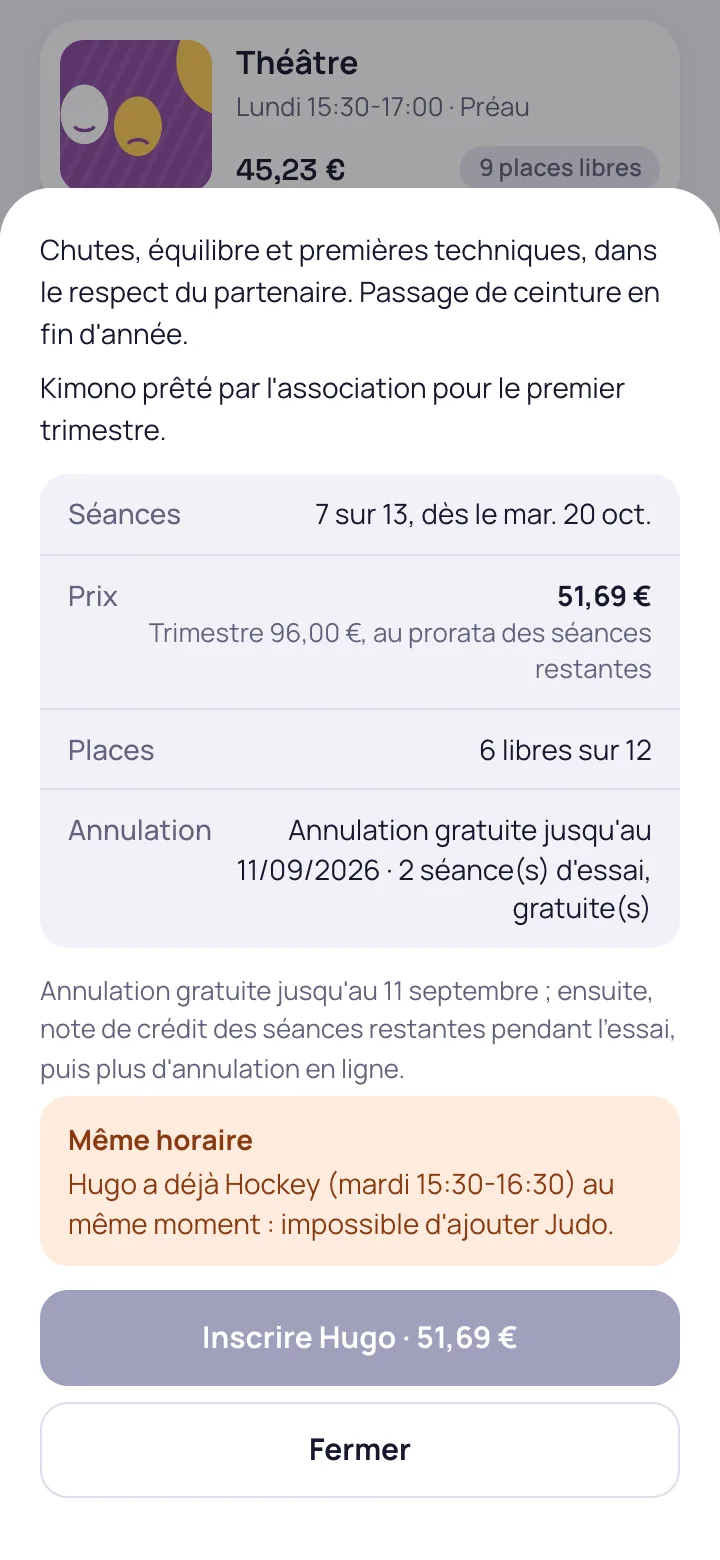
Two activities at the same time are refused, with the name and time of the clash
The catalogue flags the activity that falls at the same time as another, and the refusal names the activity already attended, its day and its time.
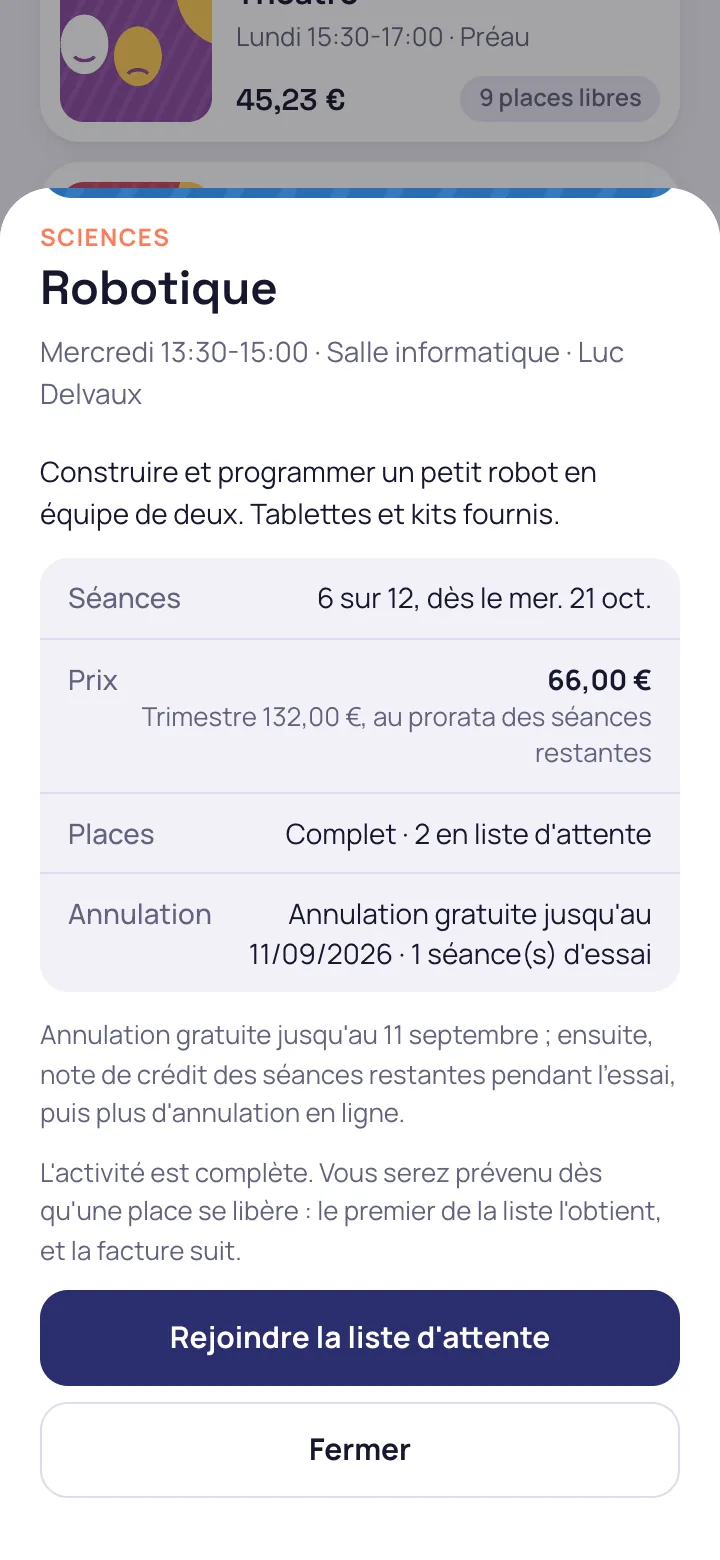
A full activity offers the waiting list
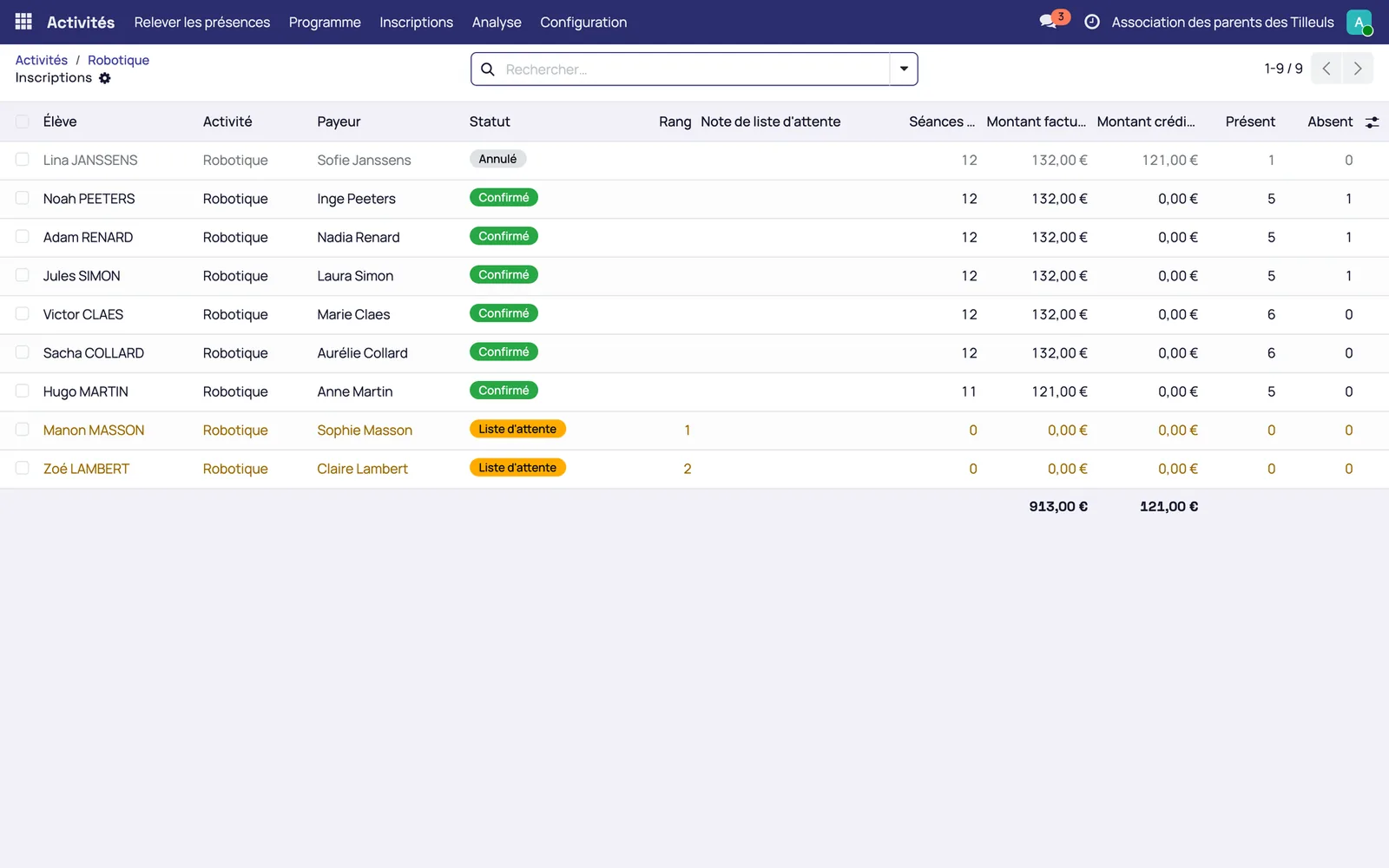
The child joins the waiting list with one tap. When a place frees up, the first child on the list who is still eligible is enrolled and invoiced, and the family receives a message.
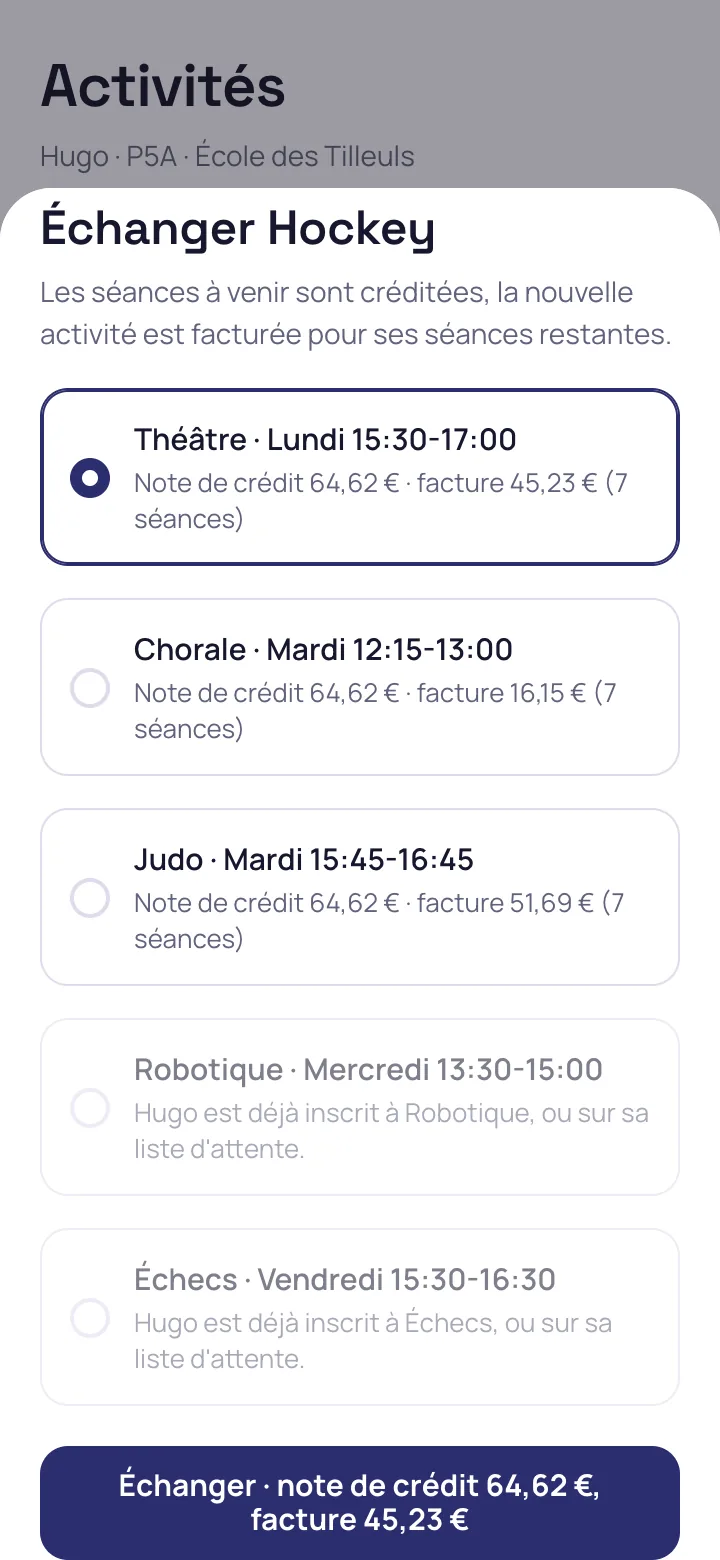
During the term, the family exchanges one activity for another
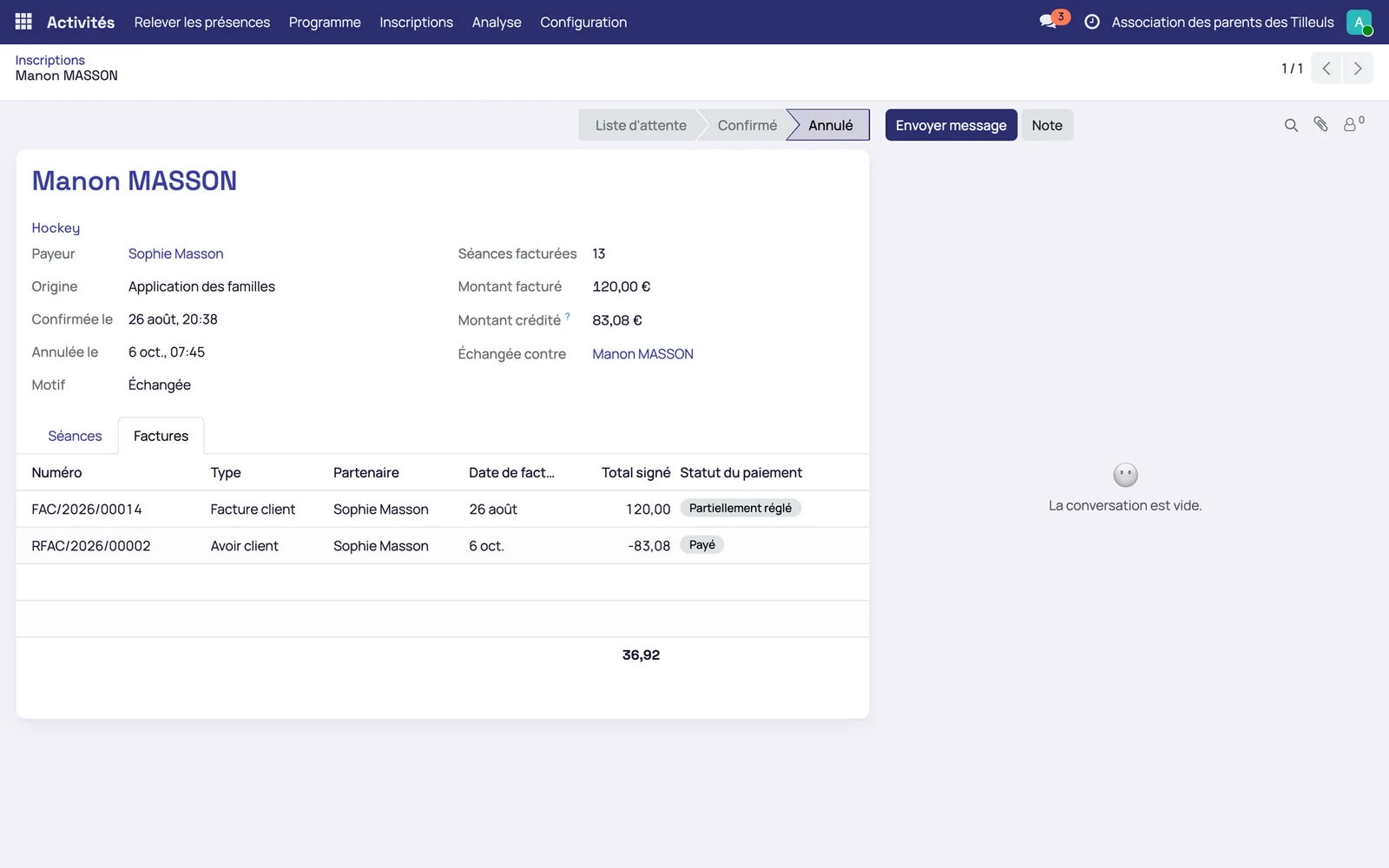
The credit note and the new invoice are displayed before validation. An impossible option (activity already attended, timetable clash, class not eligible) is greyed out with its reason.
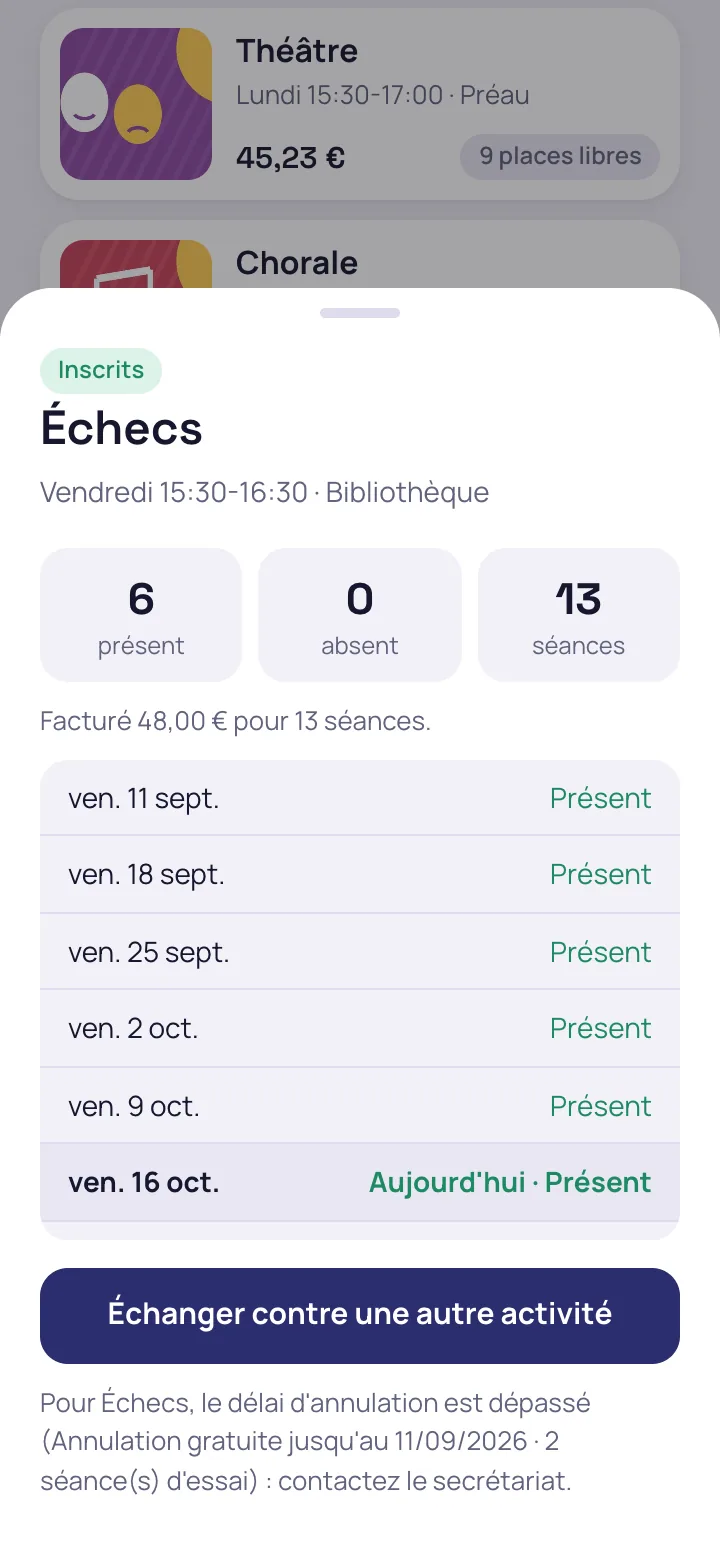
The child's week and attendance can be checked the same day
The parent sees the week's sessions in order, then the attendance recorded session by session.

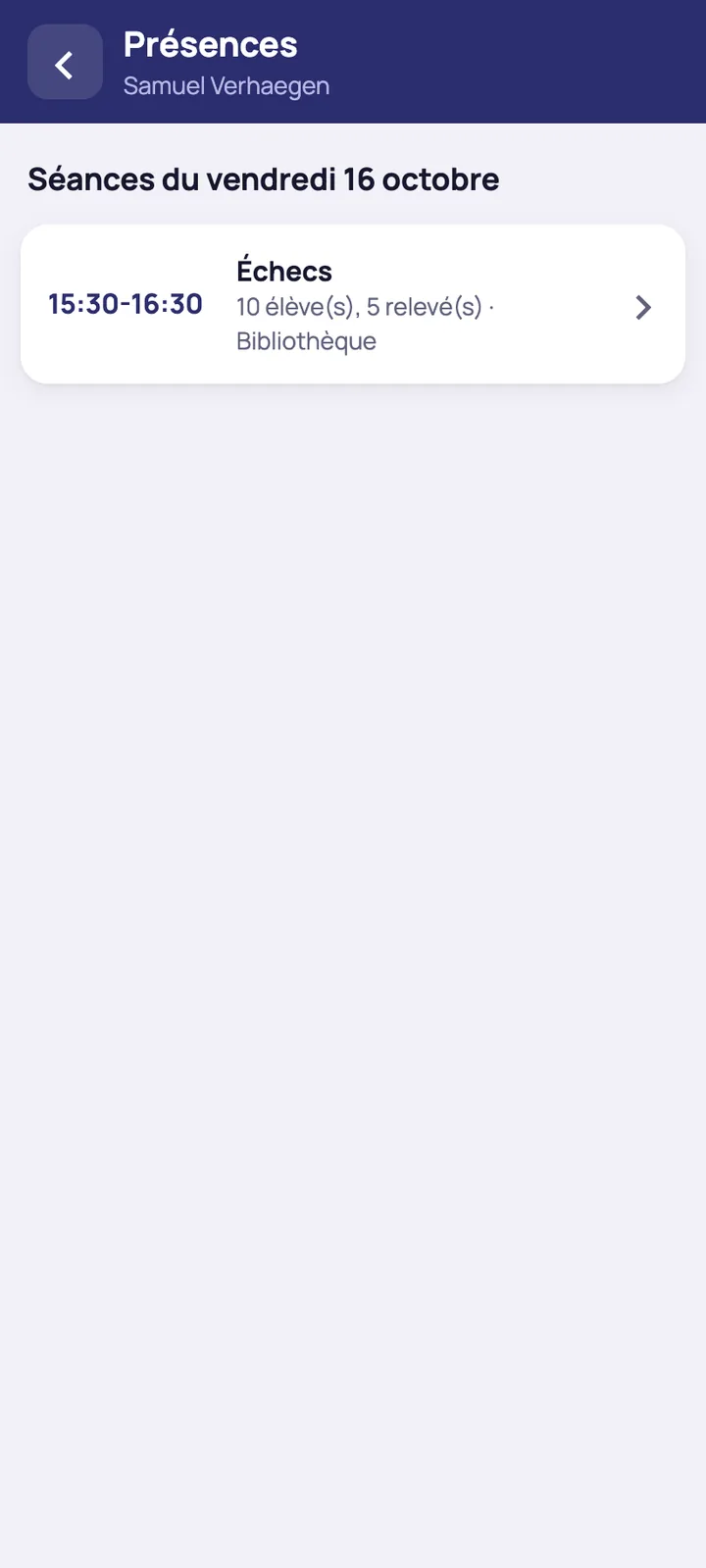
The instructor takes the roll call on their phone, with one hand
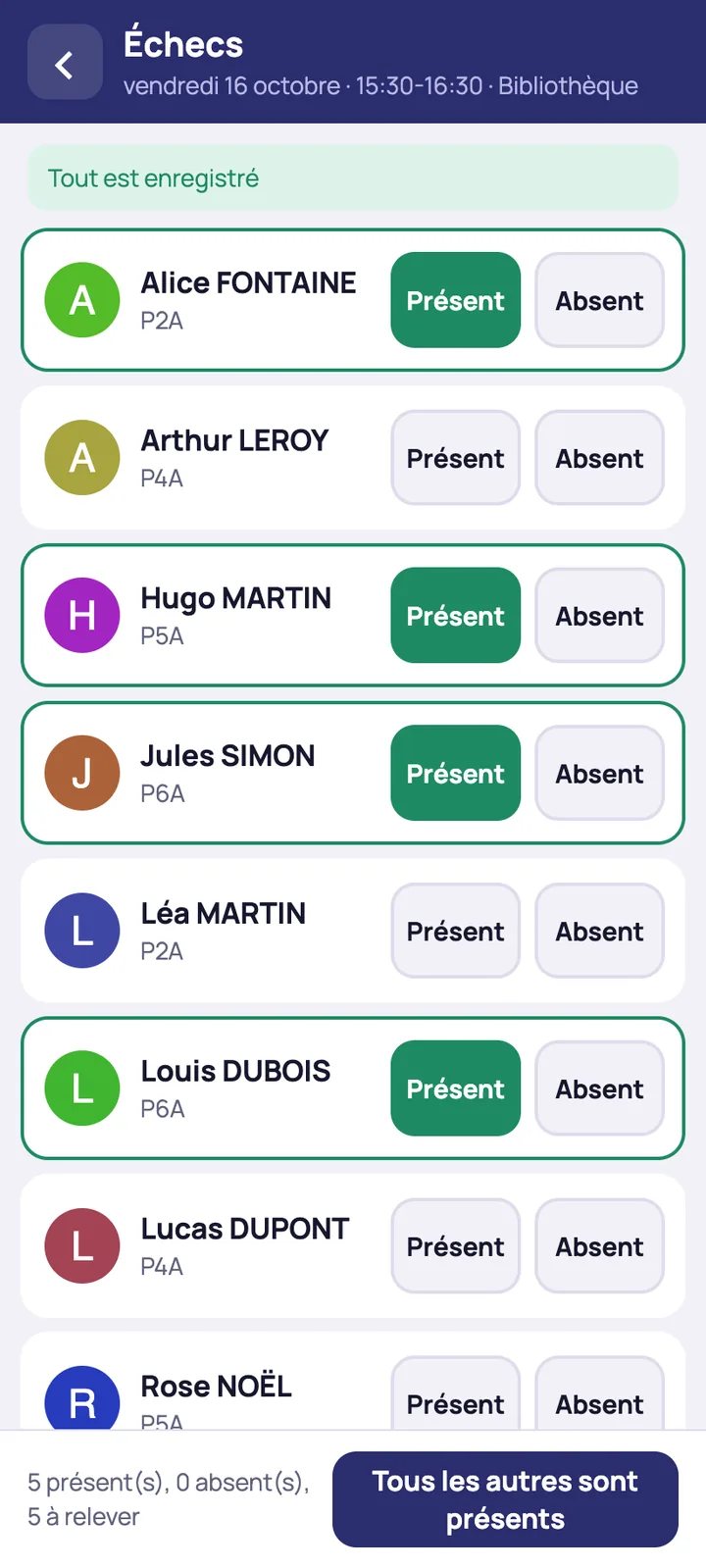
The instructor opens today's sessions, taps Present or Absent for each child and corrects on the spot. The button ‘All the others are present’ closes the roll call. Without a network, the actions are time-stamped, then replayed in order as soon as the connection returns, and the parent sees the attendance the same day.
Pro rata and the credit note of an exchange are calculated automatically
The price of a late enrolment is the term price multiplied by the sessions left, divided by the sessions in the term
In the demonstration, which uses fictitious data, an enrolment for the last seven sessions of a thirteen-session term is invoiced at 7/13 of the term price. Exchanging an activity before the fifth session credits the 9 sessions not attended out of 13 and invoices the 4 sessions attended.
- A cancellation during the trial frees the place, and the first child on the waiting list is enrolled and invoiced for the remaining sessions
- The child who left receives a credit note for the same amount
The amounts in the screenshots are demonstration data.
The treasurer tracks the profitability of each activity
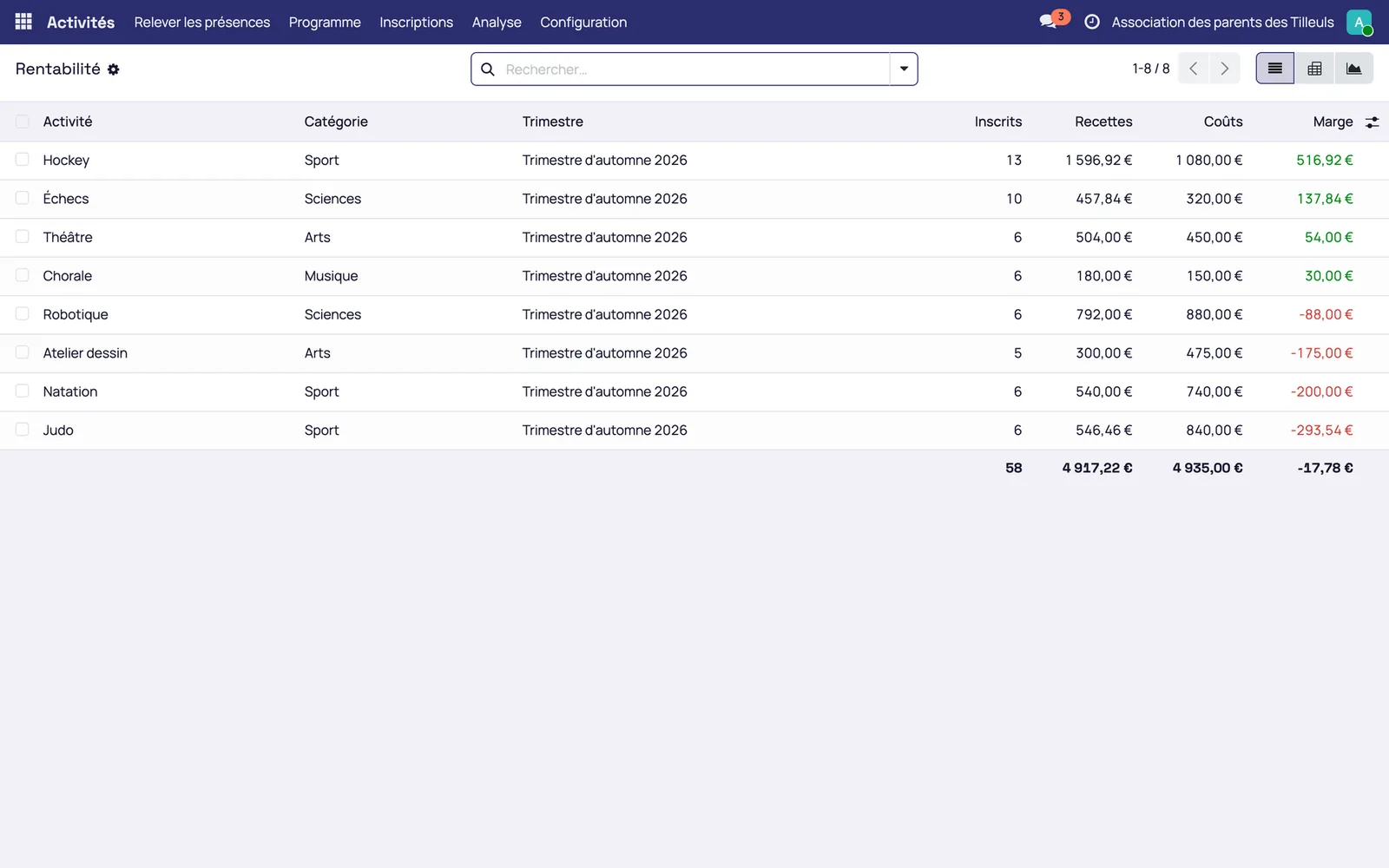
The invoiced income, net of credit notes, is compared with the costs entered: instructor, equipment, transport. Invoices and credit notes are recorded in Odoo with their accounting codes, then exported to the accounting software already in use.
The rules apply everywhere, at the school office as well as in the families app
- Timetable clash: refused in the app, at the school office and from the waiting list, with the name, day and time of the conflicting activity
- Year or age outside the target: the activity does not appear for the child, and a forced enrolment at the school office is refused, with the rule in question
- Full activity: waiting list with rank, promotion of the first child still eligible and message to the family
- Cancellation deadline passed: no more online cancellation, the family is referred to the school office; during trial sessions, the cancellation gives a credit note for the sessions left
- Exchange not possible: the option is greyed out with its reason
- Instructor loses the network: the actions are replayed in order
The enrolment sheet, paper lists and pro rata worked out on a calculator
The organiser no longer has to count places by hand, spot timetable clashes, write a credit note for each exchange, email the next family on the waiting list or redo the profitability table at the end of the term. Families enrol through the families portal and invoicing is covered by the administrative and accounting management.
Request a Mensavo demo
About thirty minutes to see the term programme, enrolment by families, the instructor's roll call and invoicing on the cases you choose.
Request a demo