Home / Administrative and accounting management
Bursar's office and accountingSchool fee invoicing, reminders, debt collection and accounting reports
Mandatory and optional fees, day trips and school trips, reminders and collection files: everything is invoiced and followed in Odoo, with the codes of the Belgian chart of accounts. The movements are then exported to the school's accounting software.
Validate family registrations before creating the records
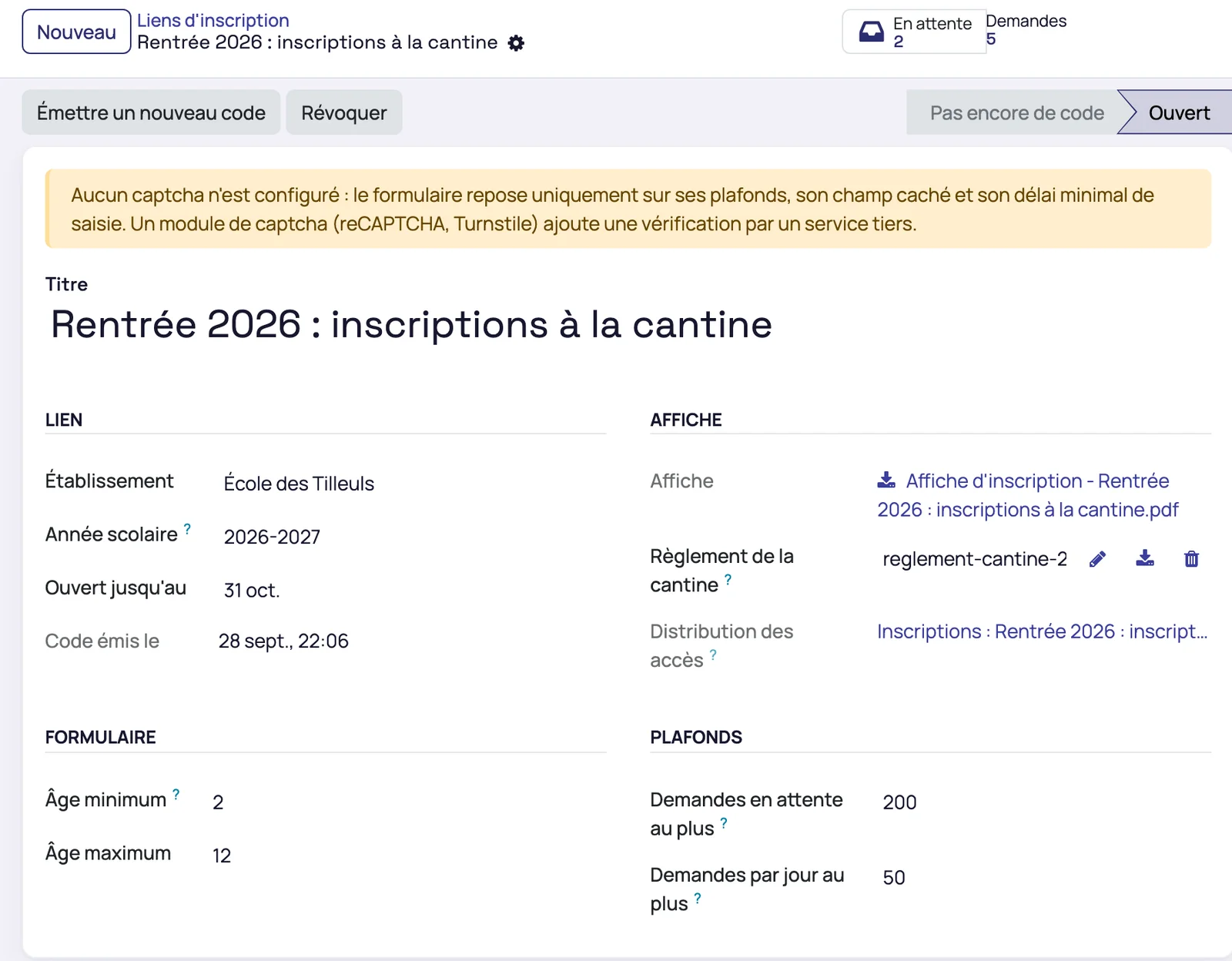
The bursar creates the registration link for the school year
The link carries the school, the school year, an end date, the rules in PDF, the ages accepted and limits on requests. Mensavo produces the poster with its QR code and a code to type by hand. Families fill in the form from their phone, which replaces typing up paper forms at the start of the year.
Pending requests flag possible duplicates
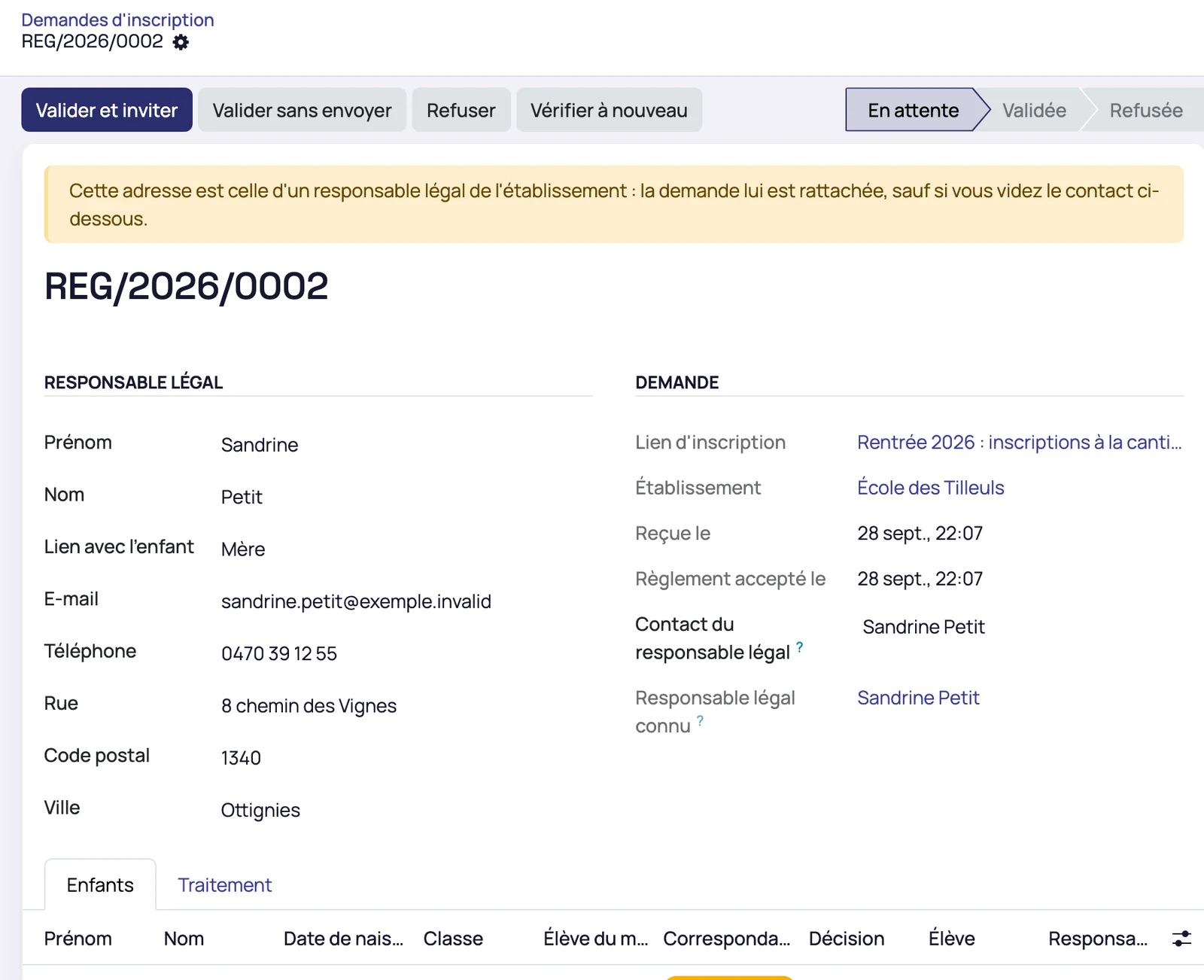
The bursar sees the list of requests received, with a “Duplicate?” column. Nothing is created until they have validated.

A parent already known is recognised by their address, their child by their surname and date of birth
The request is attached to the existing record and the child is proposed for merging with the pupil already present, without duplicate. When a child already has a parent, they are never attached in advance to a newcomer: the bursar is alerted to check parental authority before validating.
Validation creates the parent, the pupils, their class, their links and their sub-wallets
The usual activation invitation is then sent to the family. The bursar can also attach a child to an existing pupil, or refuse the request with a reason.
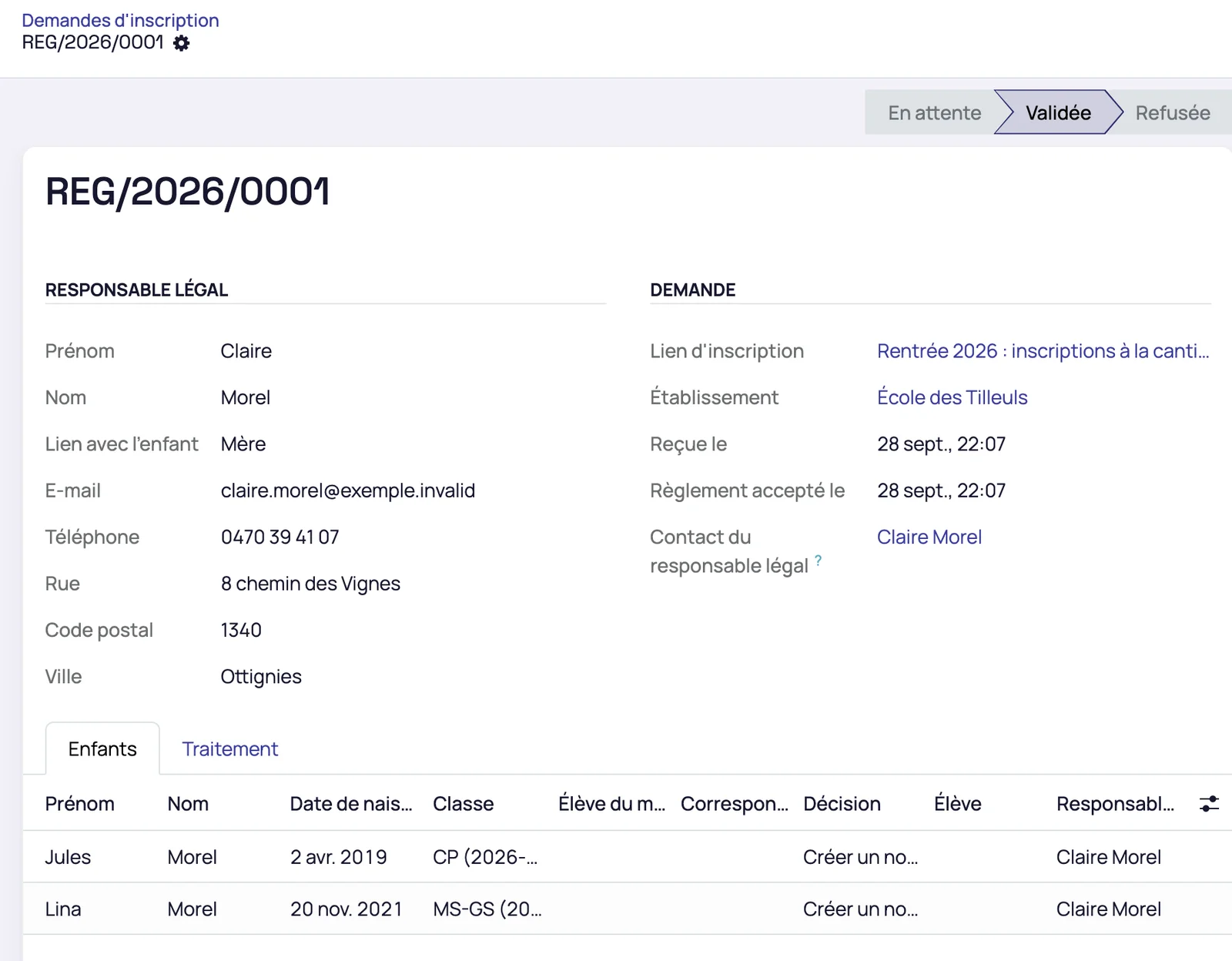
The family side of the process is described on the page families portal. The names shown in these screenshots are fictitious demonstration data.
Invoice a fee to a group of pupils
Each fee has its type, its accounting code and its group of pupils
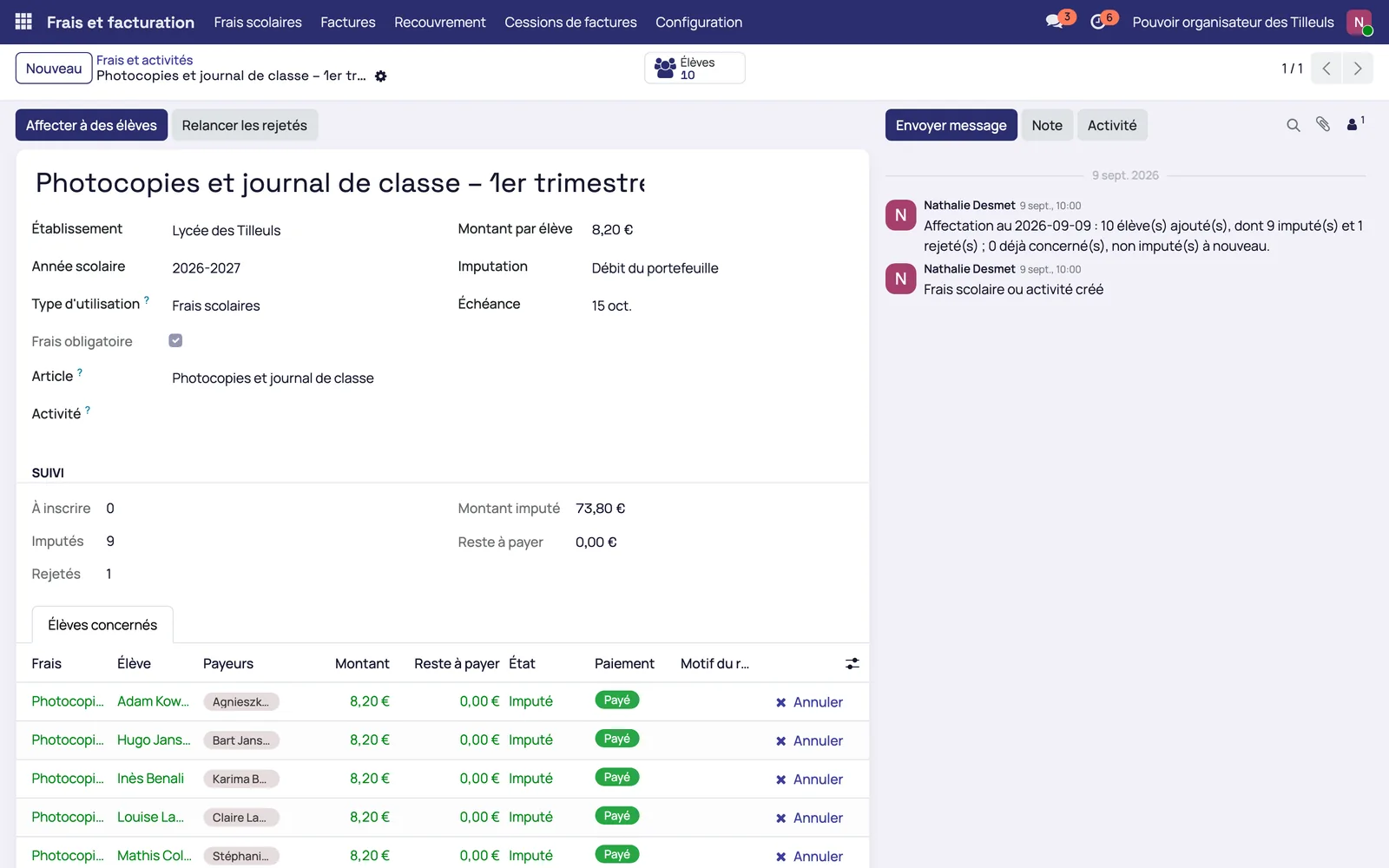
A fee is mandatory or optional from the moment it is created. It is attached to a class, a year, an option or a list of pupils, and is invoiced on the due date set, based on the enrolments and payments already recorded.
- Day trips and overnight trips, with their attachments
- Photocopies debited when the card is scanned at the copier
- New types of use added through configuration, without development
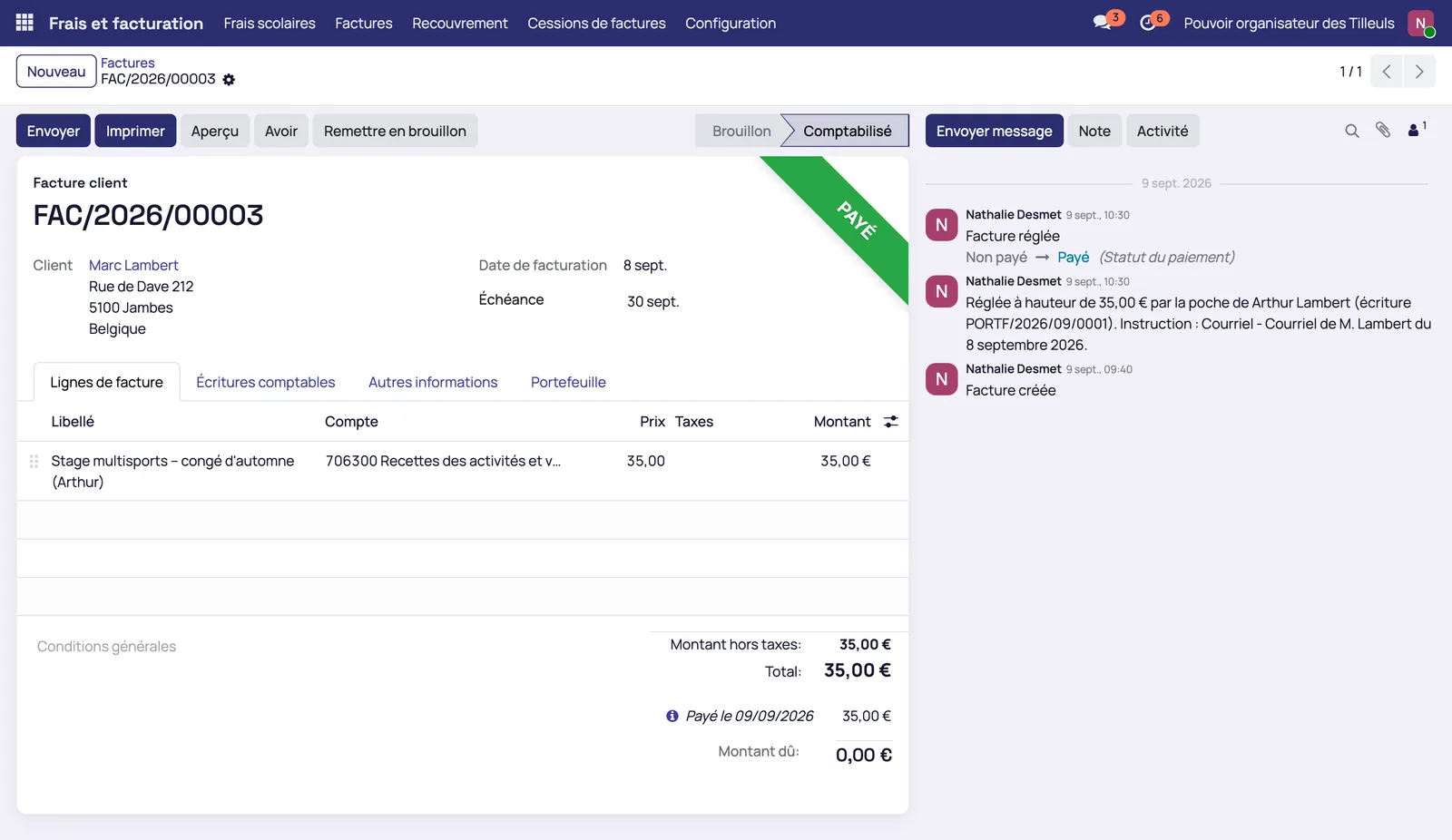
A trip is paid in several instalments before it is invoiced
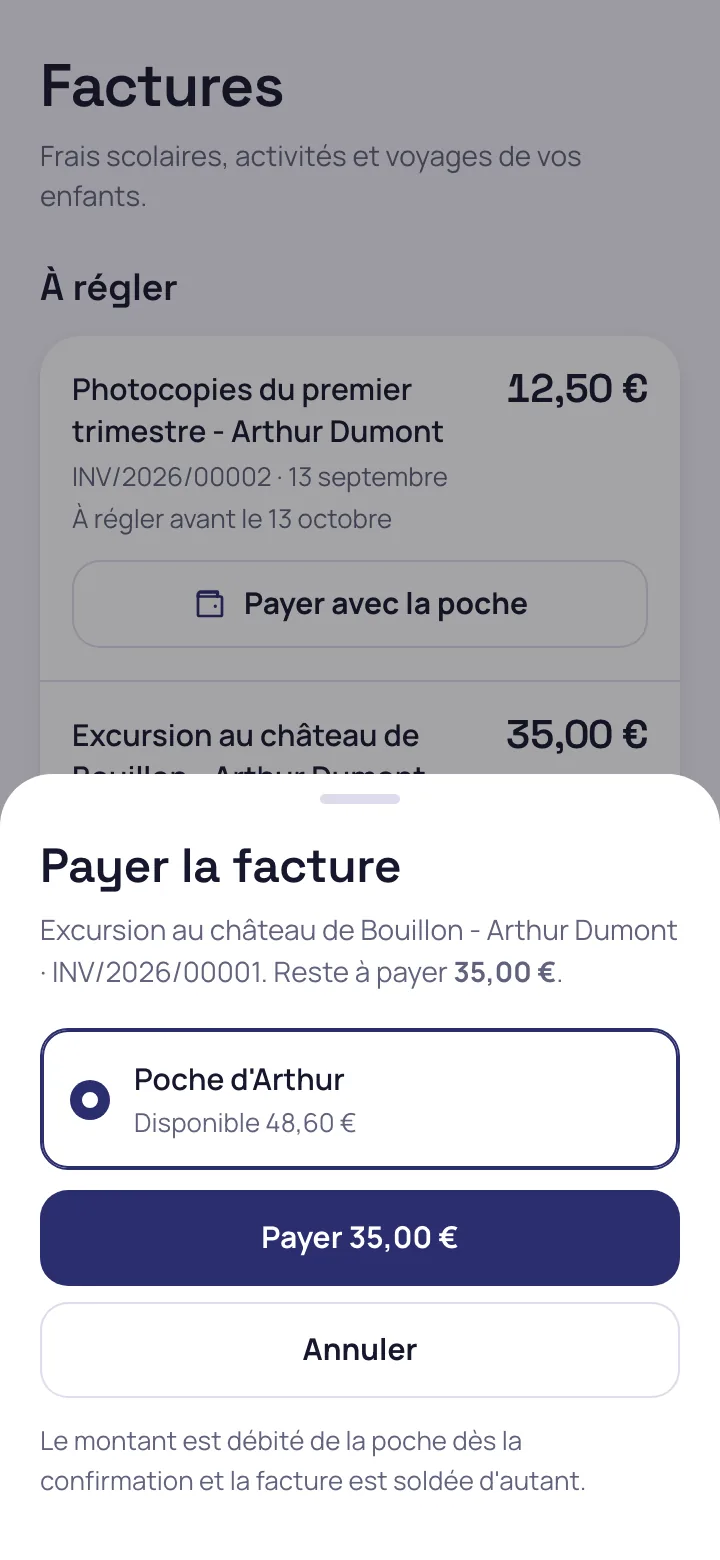
A year-end trip is funded in advance from September to March. The money paid is set aside for that trip and is not used to buy a meal. Each pupil has their share, tracked instalment by instalment.
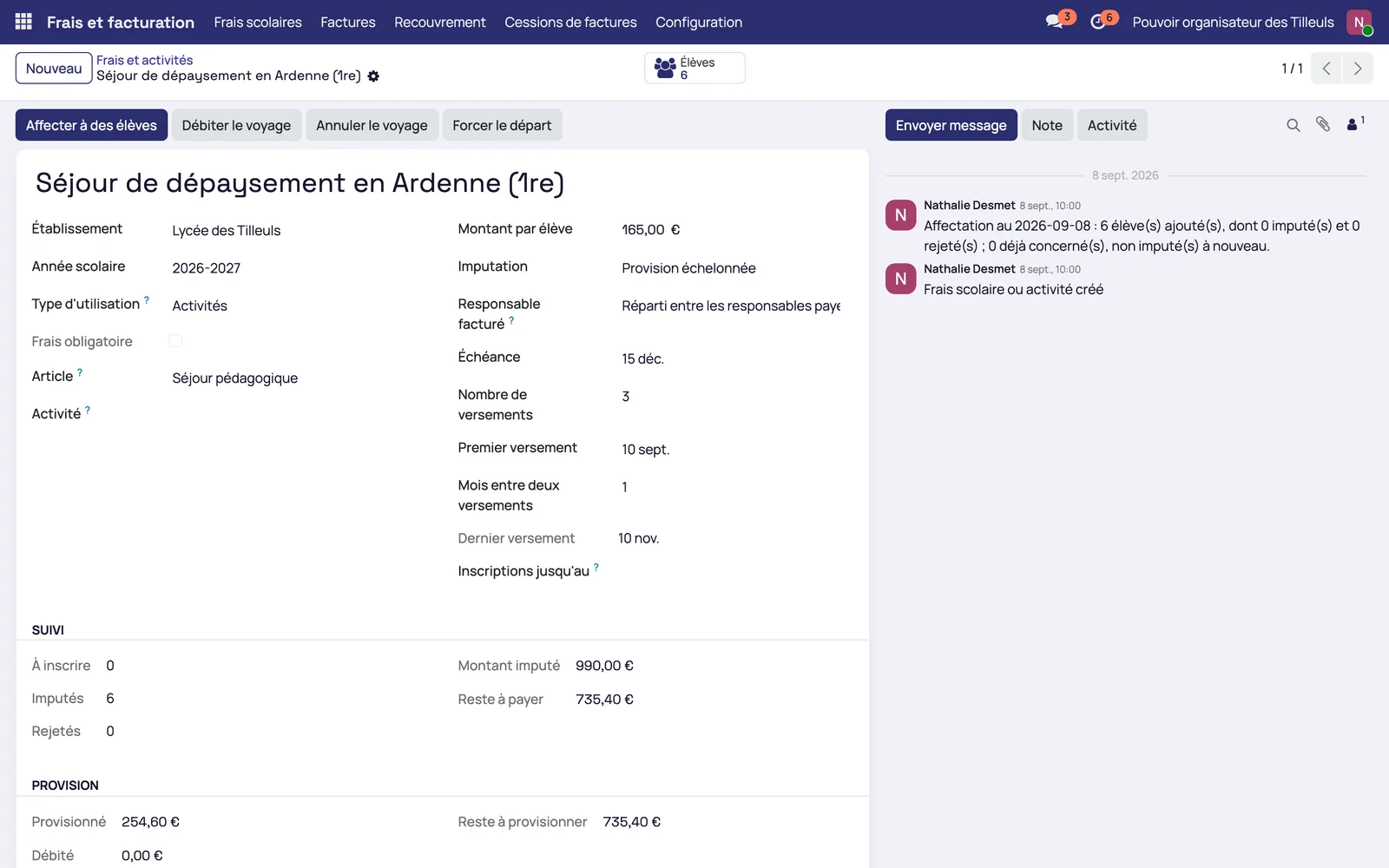
An unpaid invoice follows a written procedure
Reminders and the payment plan come before the collection file
Reminders are sent on the set due dates. A balance can be spread over a payment plan. If the debt remains, the bursar opens a collection file with a number, a person in charge and a status.
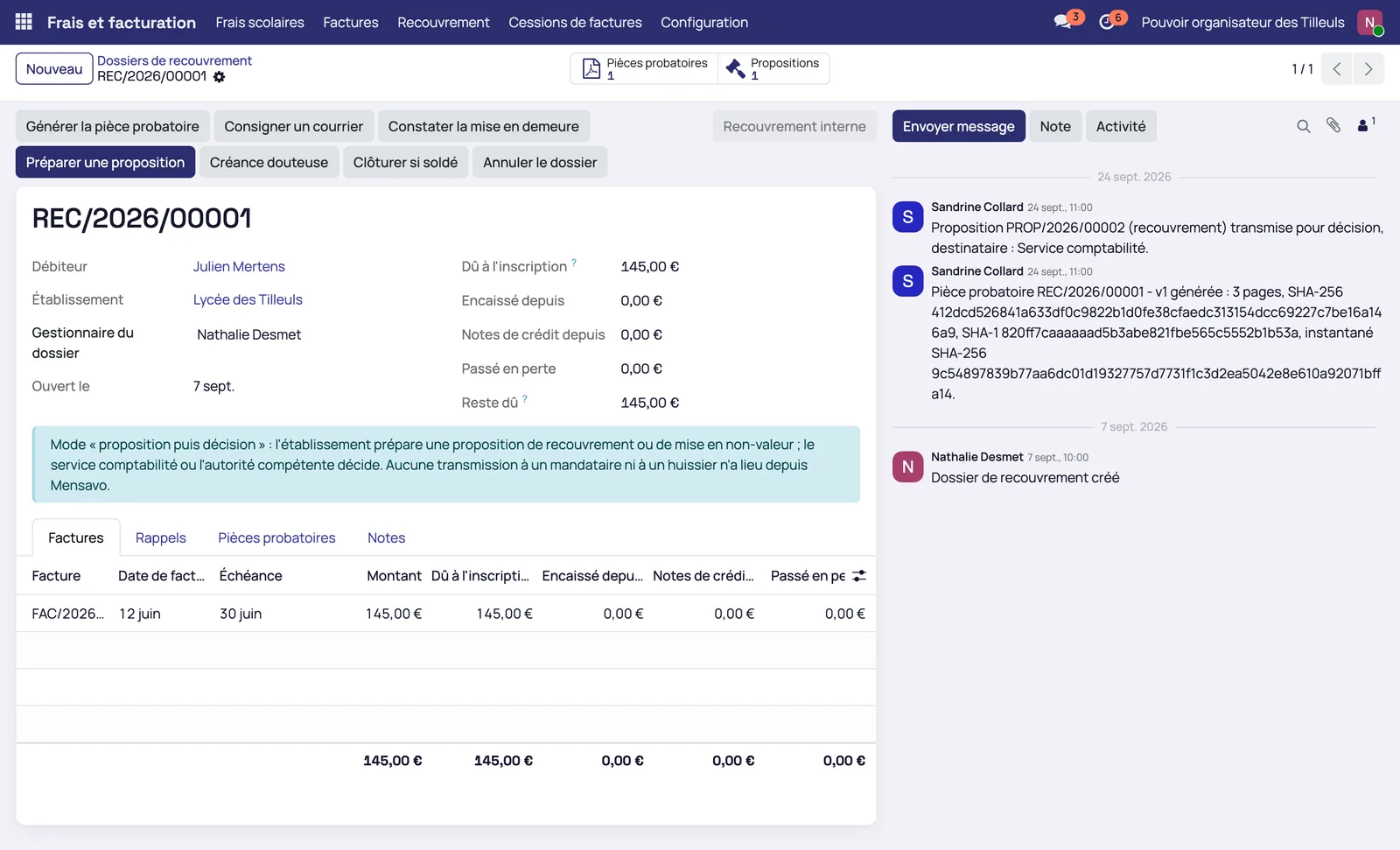
The file produces a supporting document in PDF
The PDF contains the full identification of the debtor, the invoices and the reminders. It can be sent to the tax collector, a lawyer or a bailiff, and the debt can be assigned to a third-party body.
- Reporting of the files in Excel or CSV
The month's meal statement becomes one invoice per parent
A parent receives a single invoice for all their children
The bursar or the treasurer invoices the meals due for the past month in one go: one invoice per paying parent, one line per child and per item. Invoices are created as drafts, reviewed, then validated, and the official PDF is produced without sending anything.
- One paying parent per child
- An invoice cancelled or refunded by credit note makes its meals invoiceable again
- Running it again never invoices the same meal twice
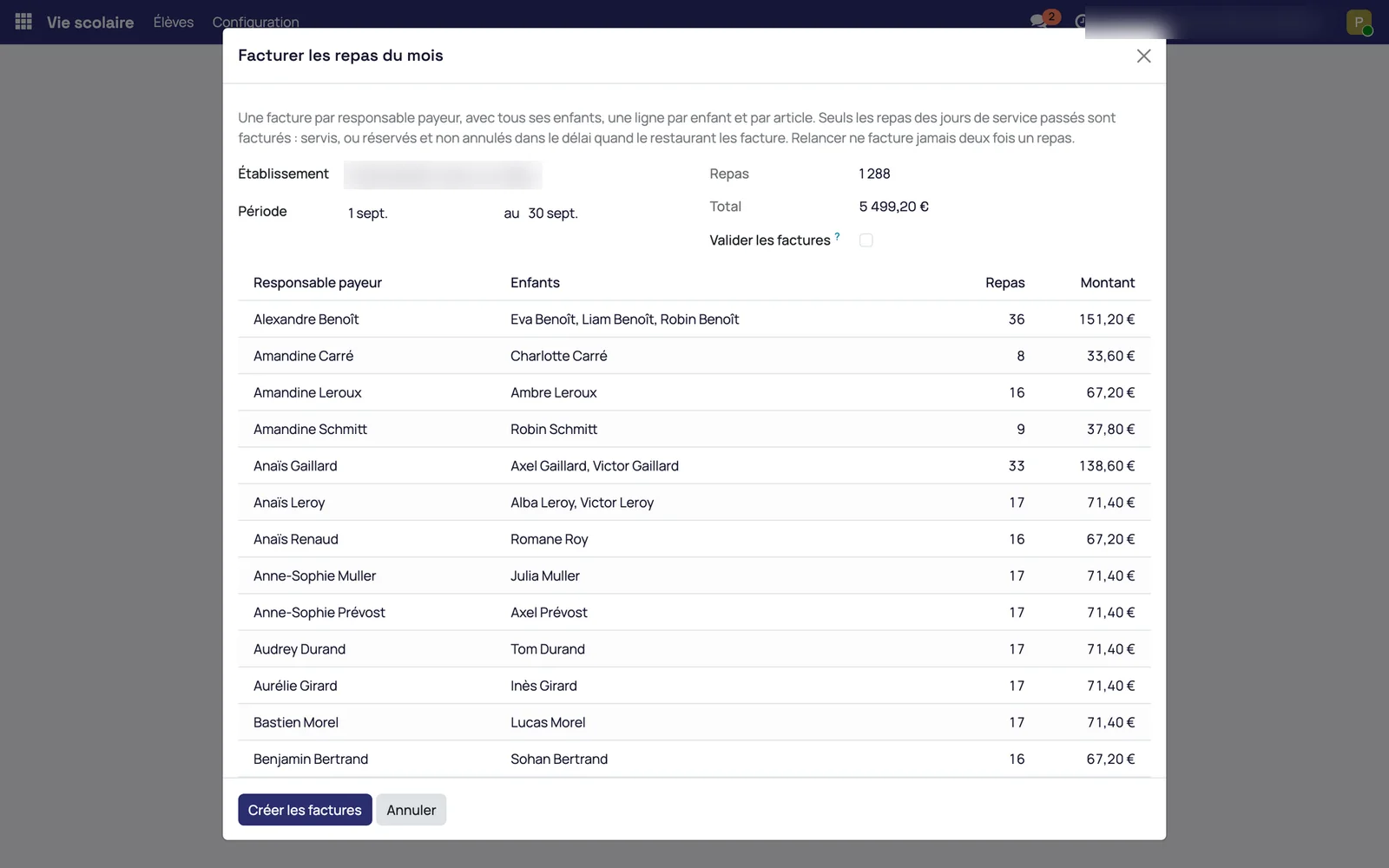
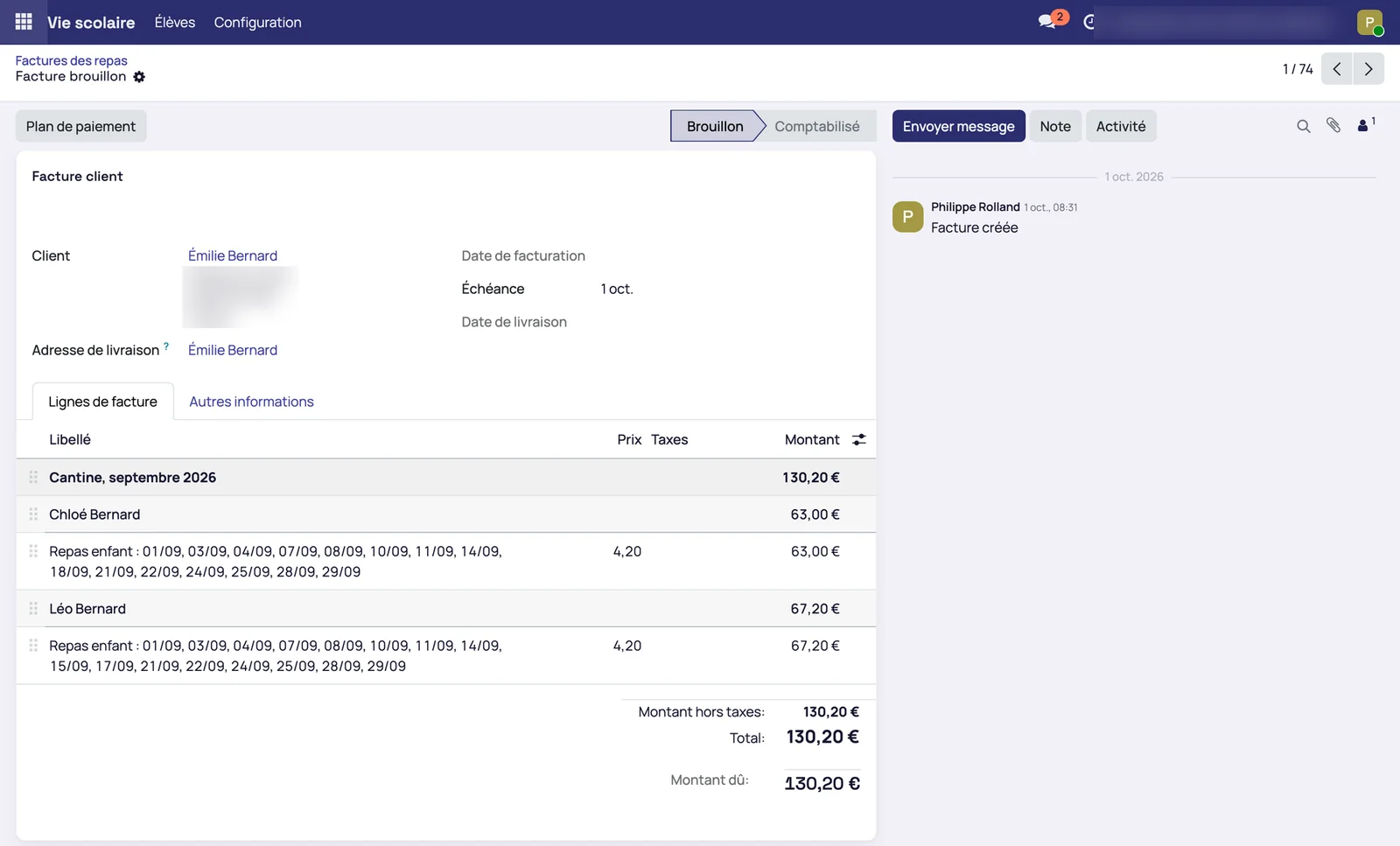
The detail for each child stays readable on the invoice
The sibling invoice carries one section for the month and one block per child, with the meal days listed. The family downloads it with its statement from the app.
The families' standing orders are reconciled from the bank statement
Each paying parent has a family reference
The reference follows the European RF standard and stays the same on all of the parent's meal invoices. The family enters it once in its standing order.
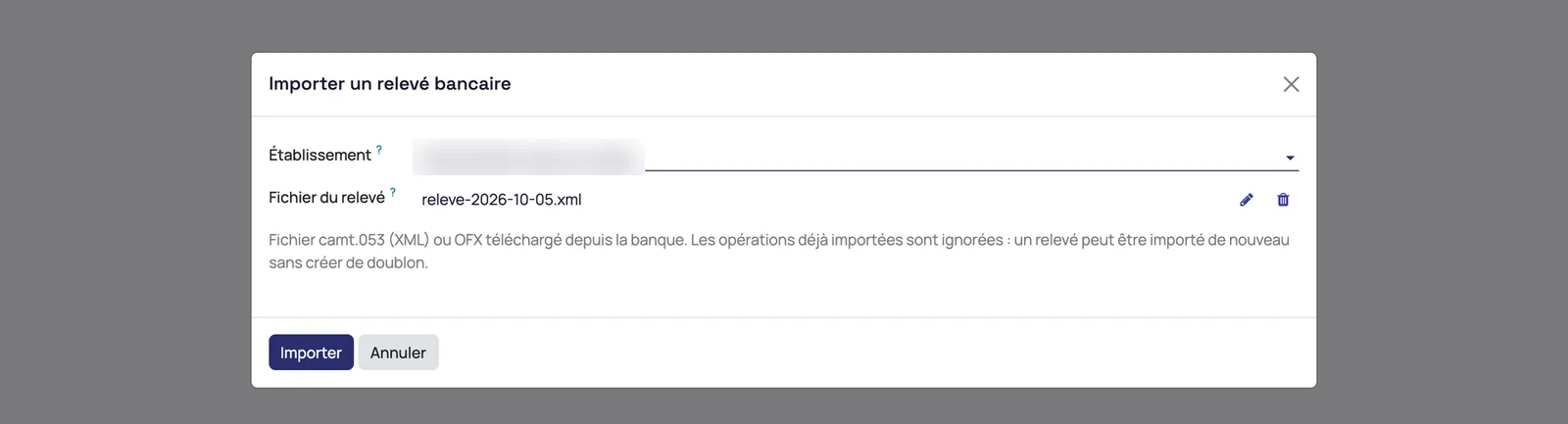
The treasurer imports the camt.053 or OFX statement
The file downloaded from the bank is imported in one step. Transactions already imported are skipped: a statement can be imported again without creating duplicates. A statement whose balances do not add up is not reconciled until it has been checked.
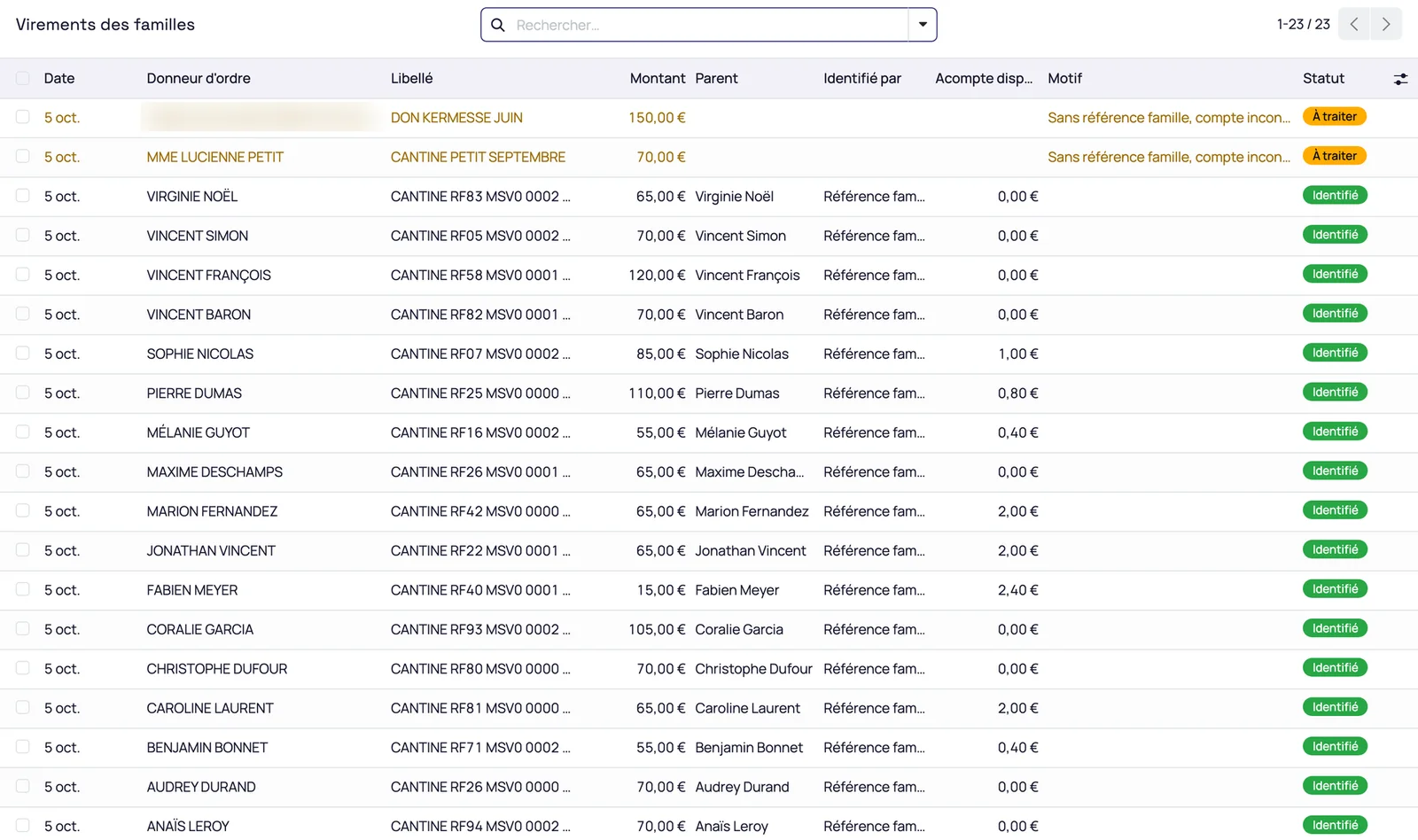
Each transfer is recognised by its reference, then by the sending account
A recognised transfer settles the family's invoices from oldest to newest, and any remainder becomes a payment on account. The sending account is remembered for later transfers without a reference. Never by name or amount: without a reference or a known account, the transfer waits in a queue, to be assigned to a parent or ignored, for example a donation or a grant.
- An account shared by two families goes to the queue
- A transfer received before the invoice pays the invoice when it is validated
- Bank charges stay with the accountant
The families' balance shows what was invoiced, what was paid and the gap
For each family, the statement shows the amount invoiced, the amount paid and the gap to settle. It replaces the end-of-month adjustment spreadsheet.
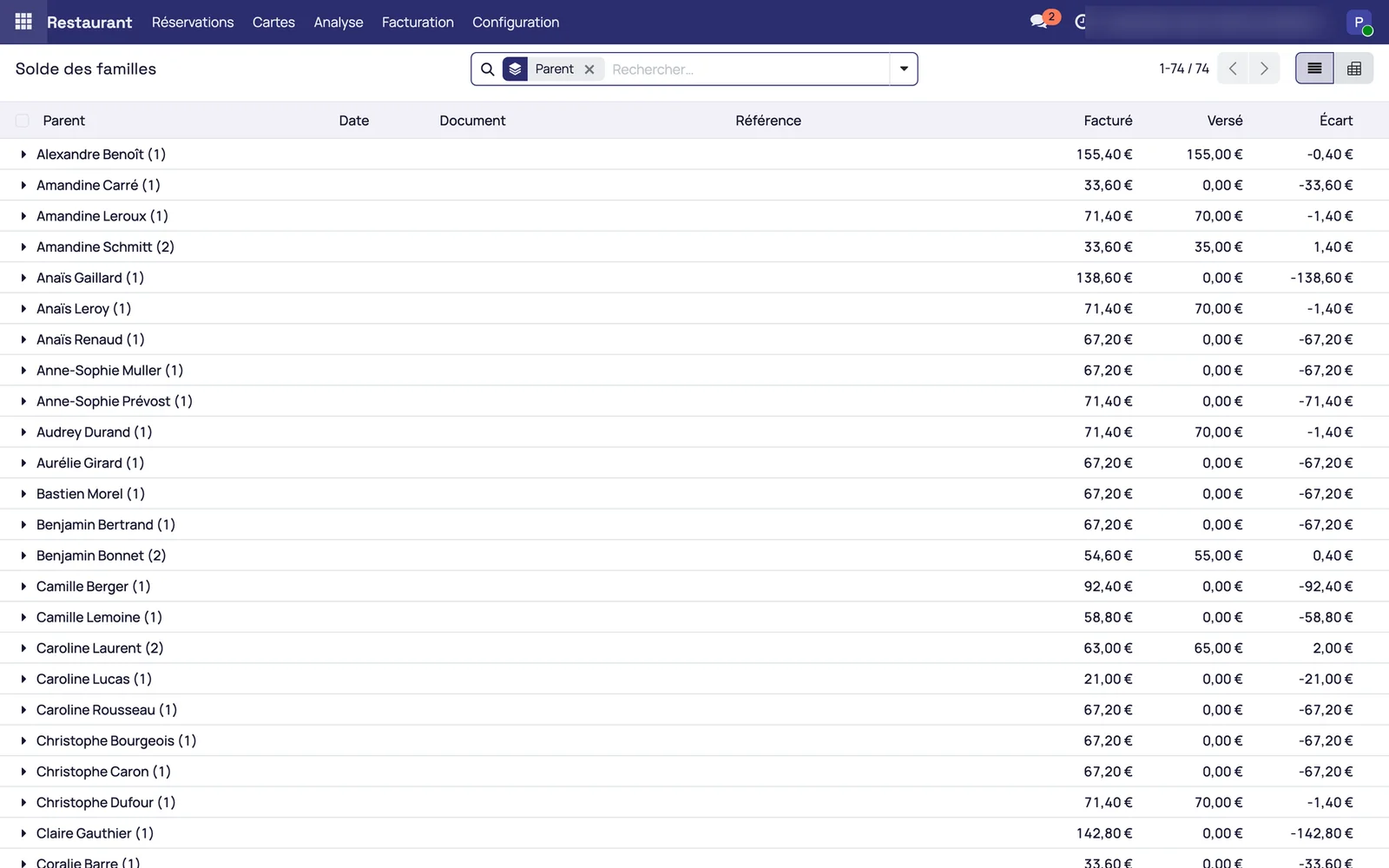
The names, amounts and statements shown in these screenshots are fictitious demonstration data.
Wallet movements are exported to the accounting with their accounting codes
Top-up is a provision, consumption is income
Money topped up is a debt owed to the family. It becomes income when the child consumes. The provision account is reconciled in Odoo. General accounting, in the same database, is available with Odoo Enterprise.
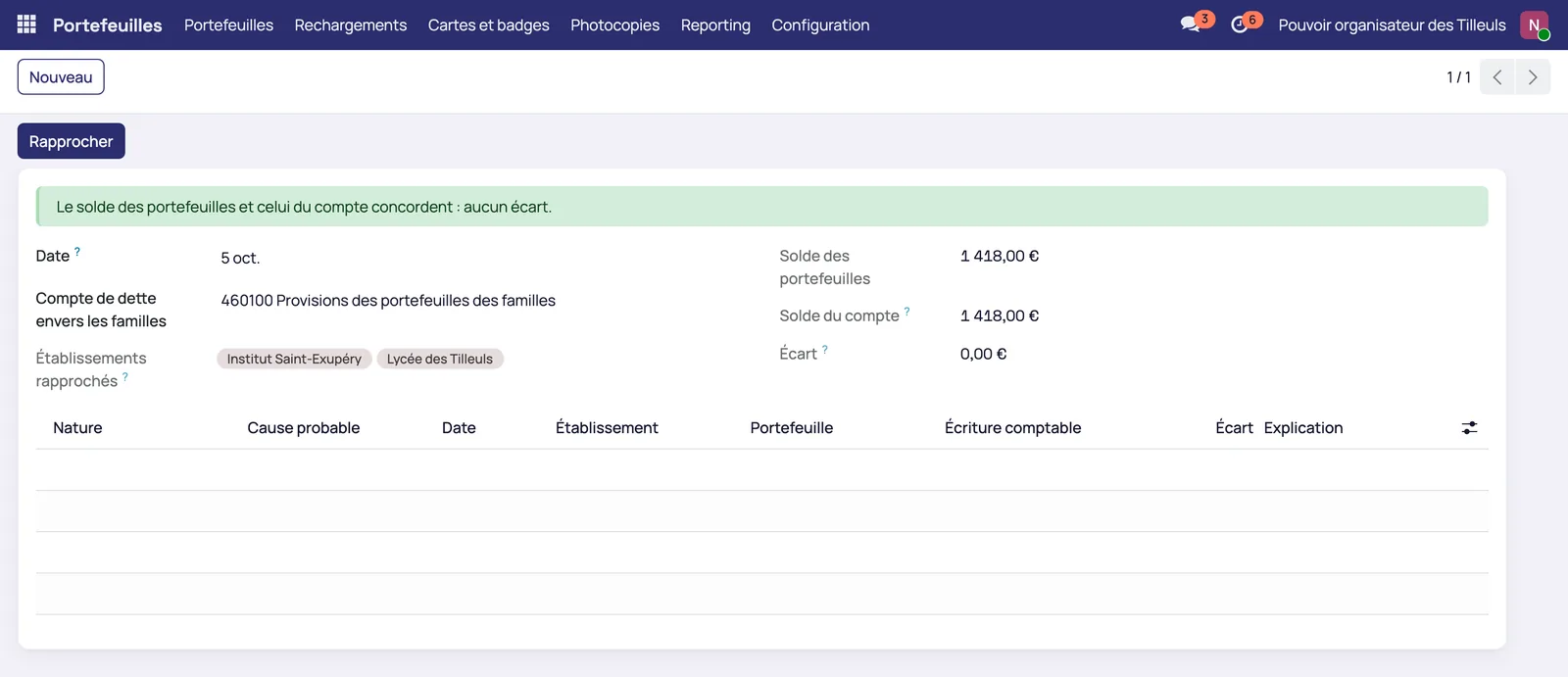
Movements are exported with their accounting codes
Transactions by individual account, grouped by the accounting code chosen at export, in Excel or CSV, to join the accounting software of the governing body.
Periodic statements are set up
Frequency, items and print template are settings. The parent receives an alert on publication and downloads the document from the portal.
Each school keeps its own settings
The meal not taken, partial payment and the second meal are set per school
The direction sets a general setting for the whole school group. Each school then adjusts it to its own operations: handling of the meal not taken, authorisation of partial payment, management of a second meal and activation of automatic debit of the wallet.
The bursar only sees the data of their own school
A bursar accesses the information of their school, without the accounts of the governing body or those of the other schools. Separation is strict: no data from another school appears in their workspace.
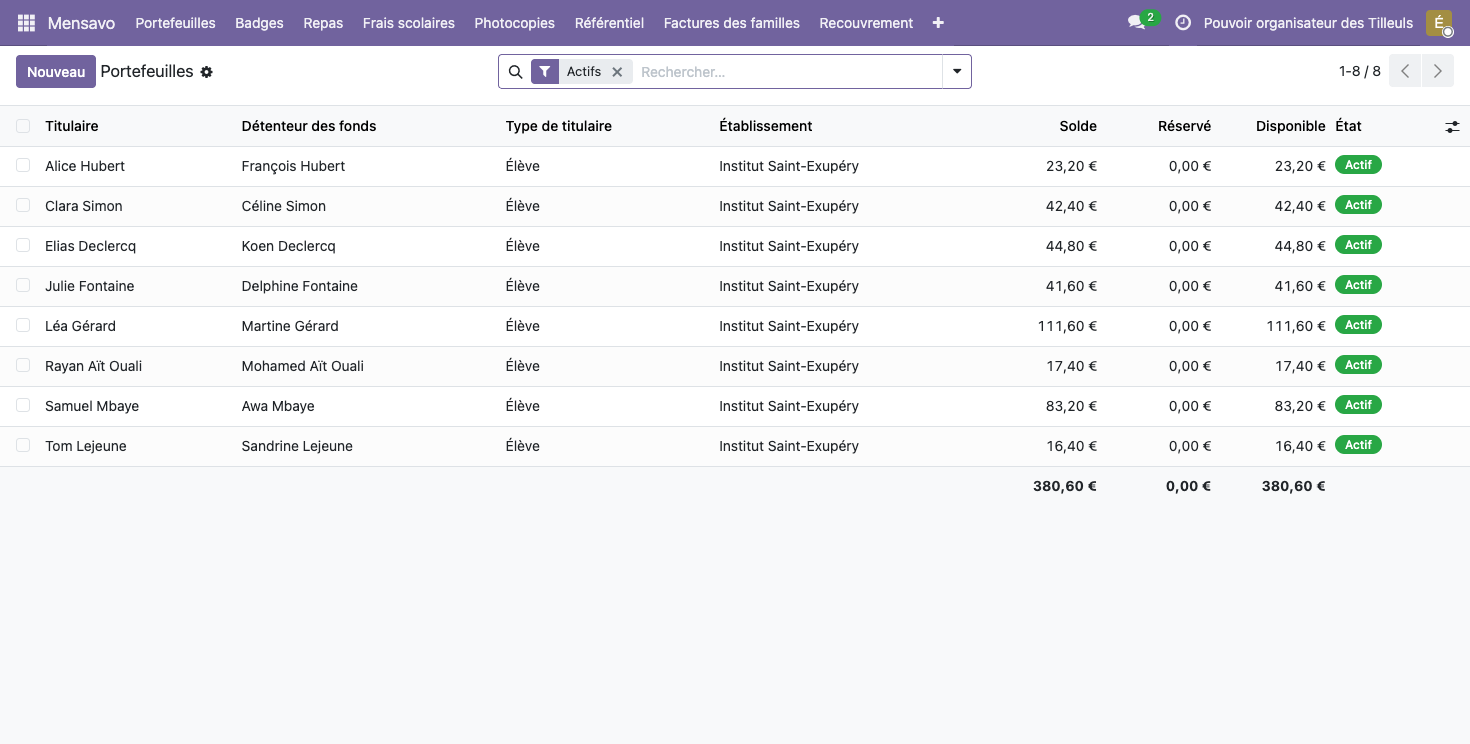
Meal reporting distinguishes pupils, staff and outside guests
Each meal invoiced carries its type of diner. The reporting separates pupils, staff members and outside guests, for monitoring that follows the pricing rules specific to each category.
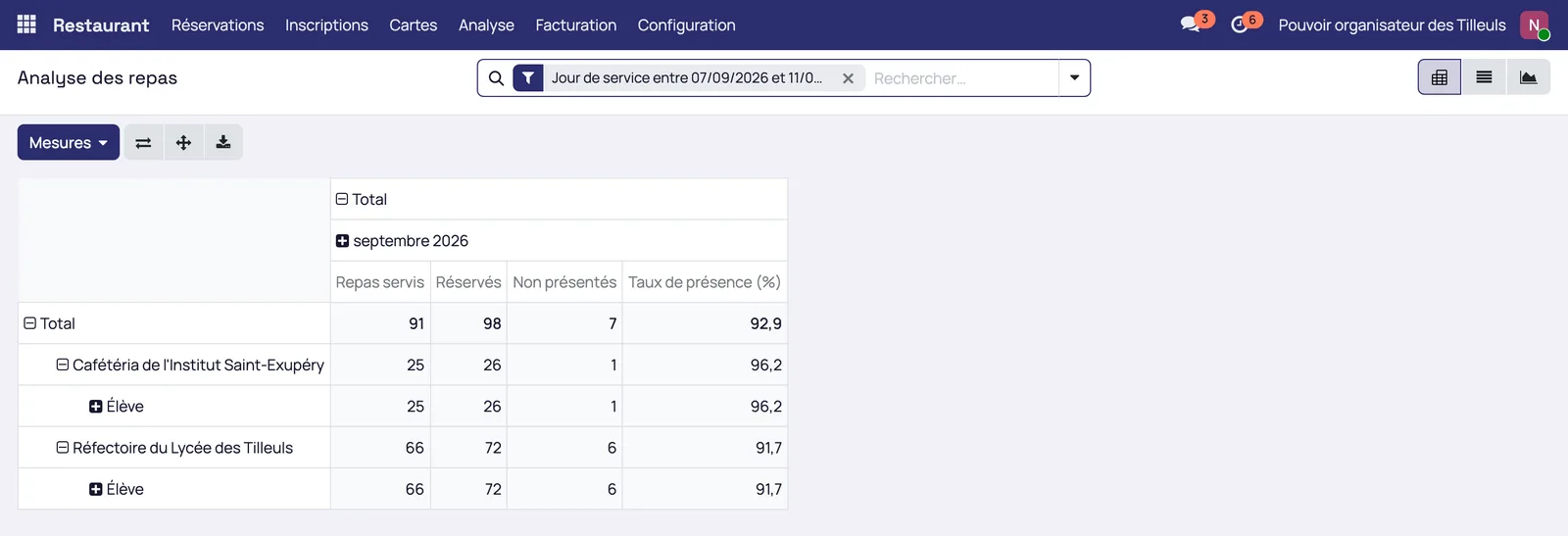
Attendance and communication with families
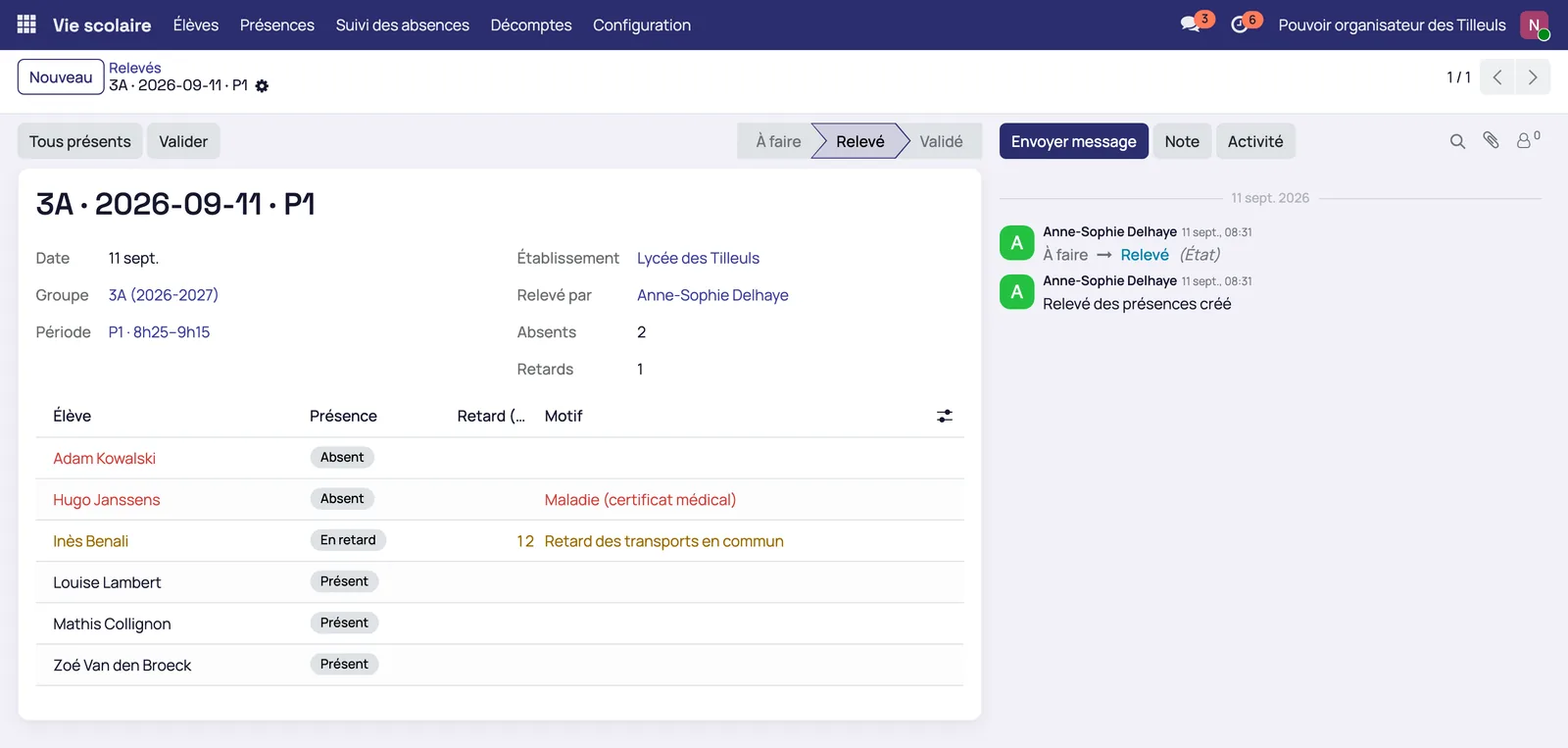
Attendance is recorded by group and by period
The teacher closes the record, the school office follows up the supporting documents, and parents receive one grouped message a day.
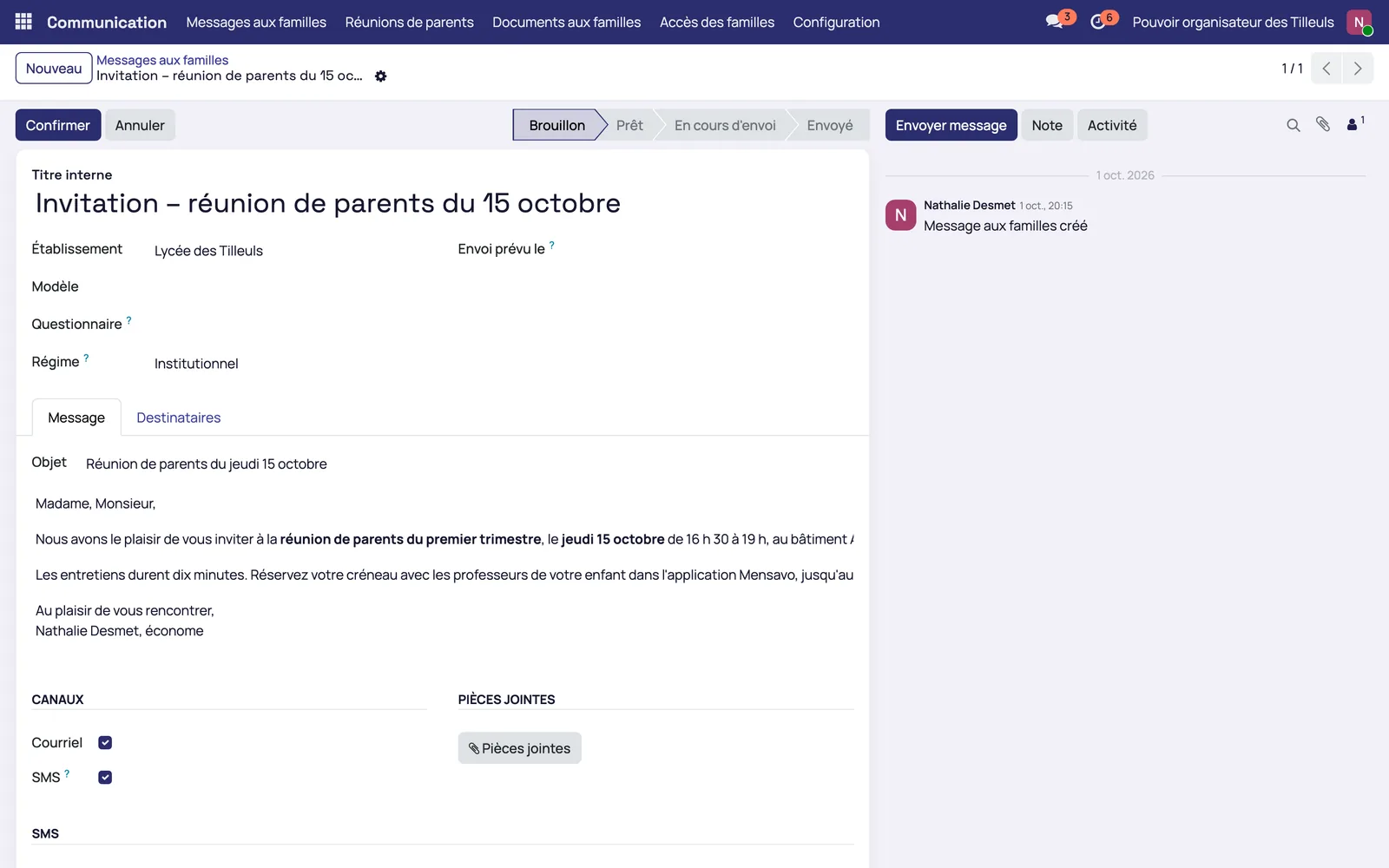
Messages to families are targeted by school group
Email, SMS or questionnaire to the parents of a class or a year group, from the school's message templates.
Request a Mensavo demo
About thirty minutes to see the wallet, the canteen, the invoicing and the families portal on the cases you choose.
Request a demo