Home / Parent-run canteens and small schools
Parent-run canteens and small schoolsMensavo for the canteen of a small school run by a parents' association
A parents' association that runs the canteen of a school of about a hundred pupils must book meals, invoice each family once a month and reconcile the transfers. Mensavo's simple package covers these tasks and removes from every screen the wallet, the badge, the till and the top-up.
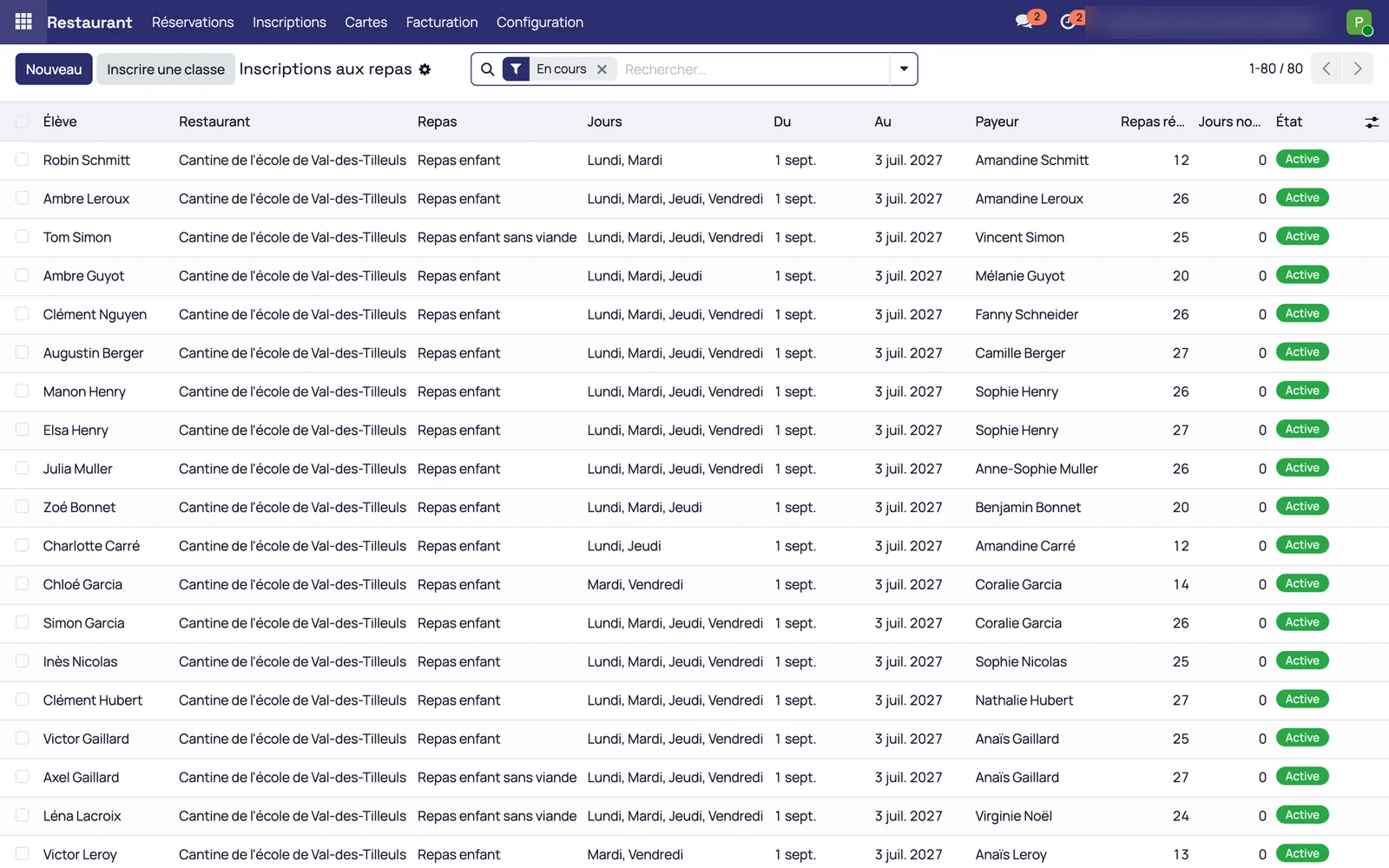
Each child is enrolled on their days for the whole school year
The treasurer enrols a child, or a whole class at once
They choose the days of the week and the school year, and the meals are booked for the whole period. The enrolment list gives, for each child, their days, their paying parent and the number of meals booked.
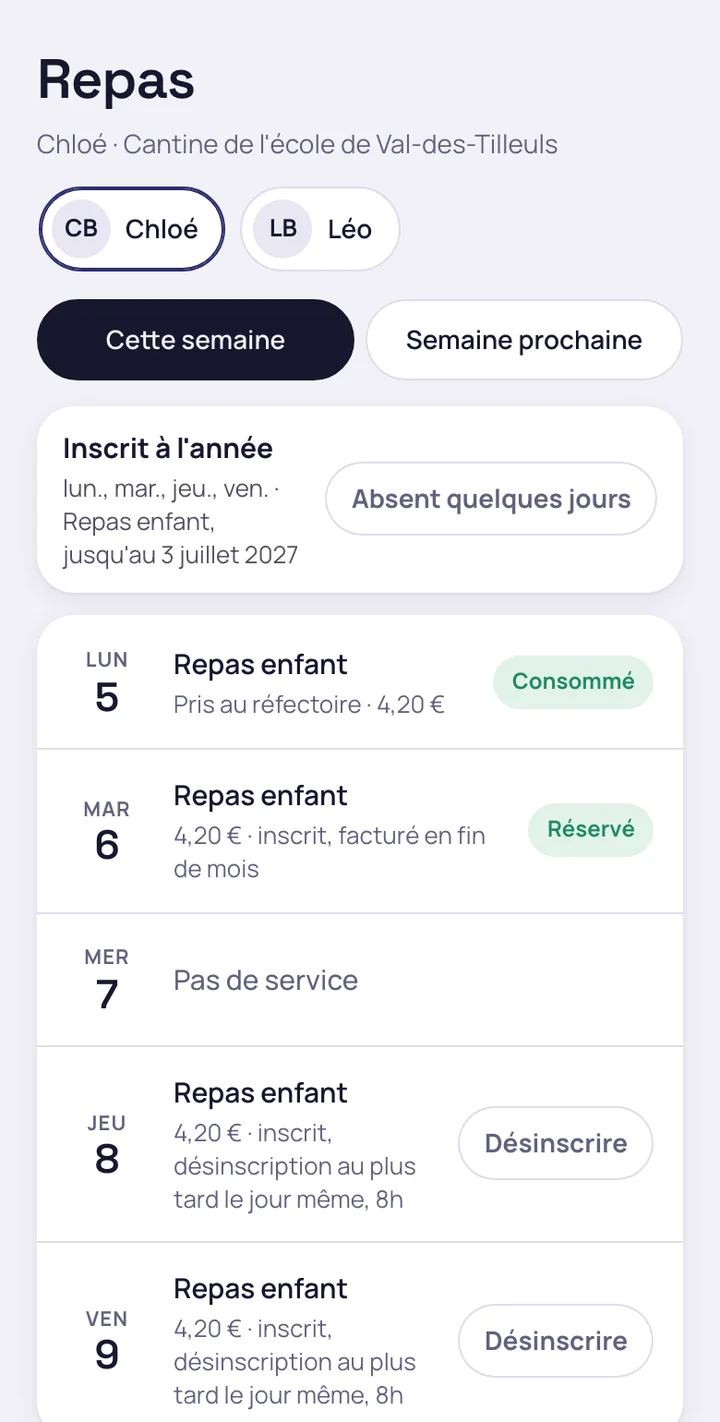
The family books nothing for an enrolled child
They deregister their child on a day of absence, up to the time set by the canteen, for example 8 a.m. on the same day. After that time, deregistration is refused and the meal remains due.
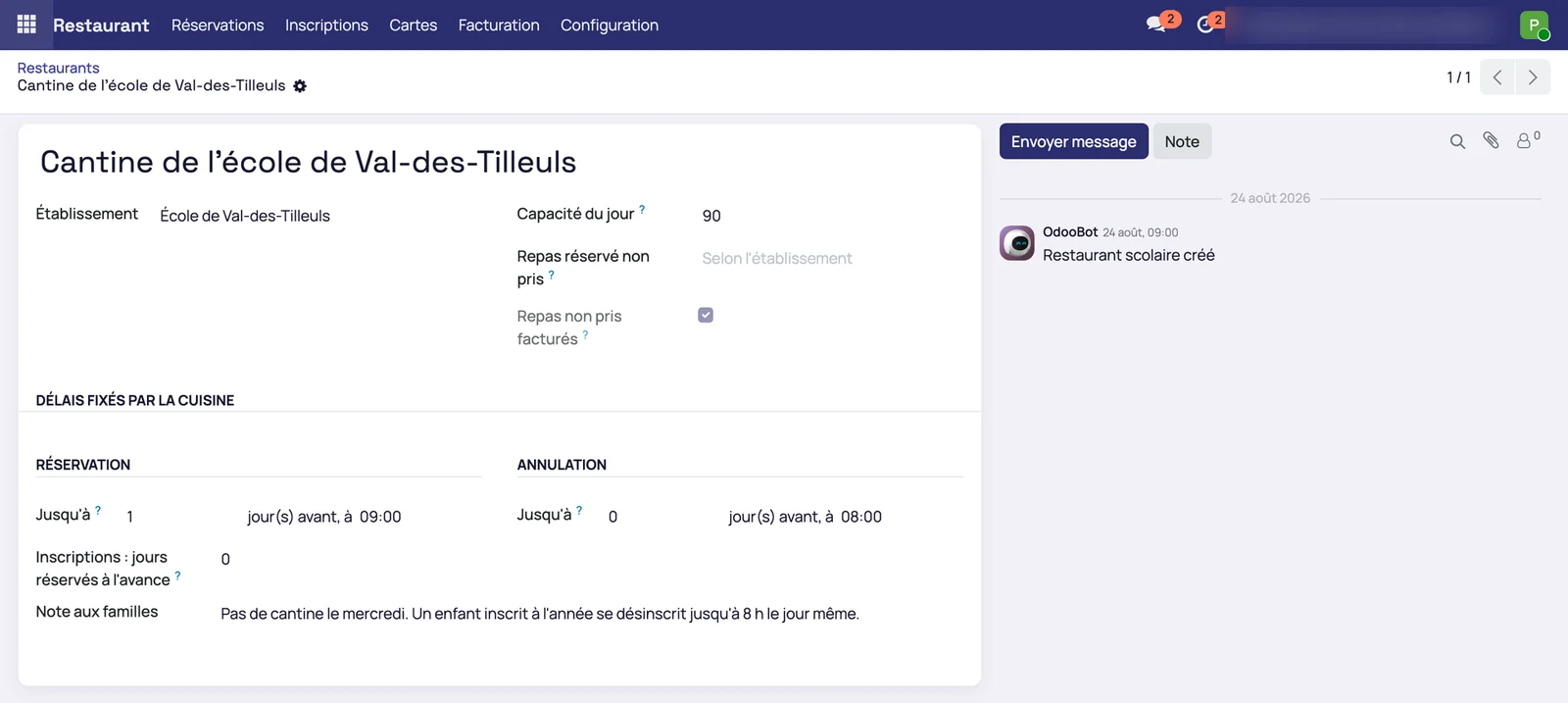
The canteen sets its own deadlines
The canteen record holds the booking deadline, the cancellation deadline, the daily capacity and the note to families. It holds no wallet, no till and no payment method.
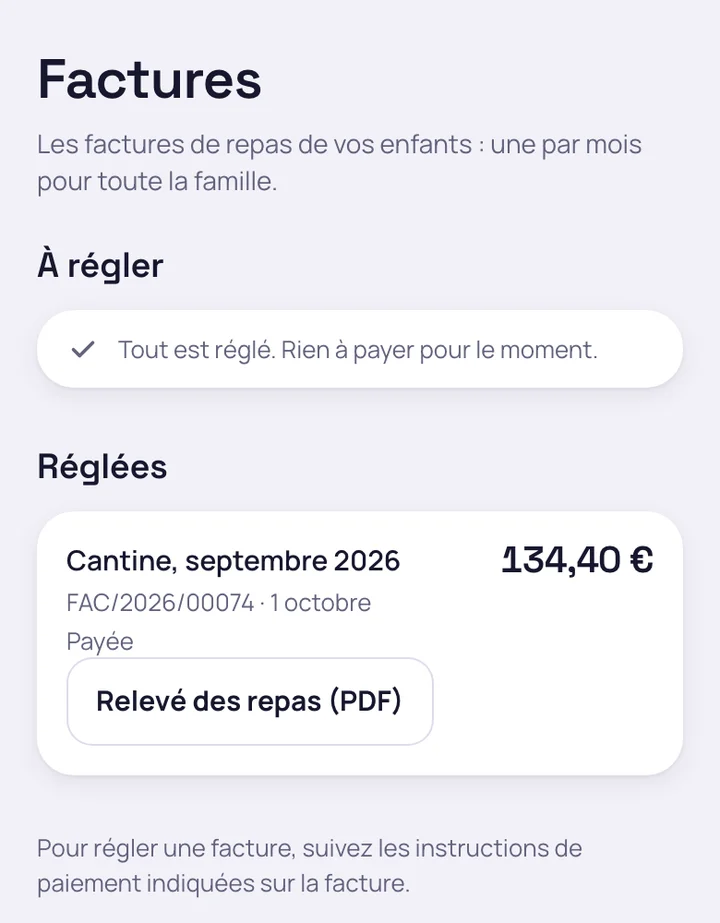
One invoice per paying parent, paid by standing order
At the start of the month, a single invoice for all the parent's children
The invoice groups the siblings and comes with the meal statement. The family finds it in the app, next to their documents.
The treasurer imports the bank statement
The families' transfers are reconciled with their invoices and settle them. How the reconciliation works is described on the page administrative and accounting management.
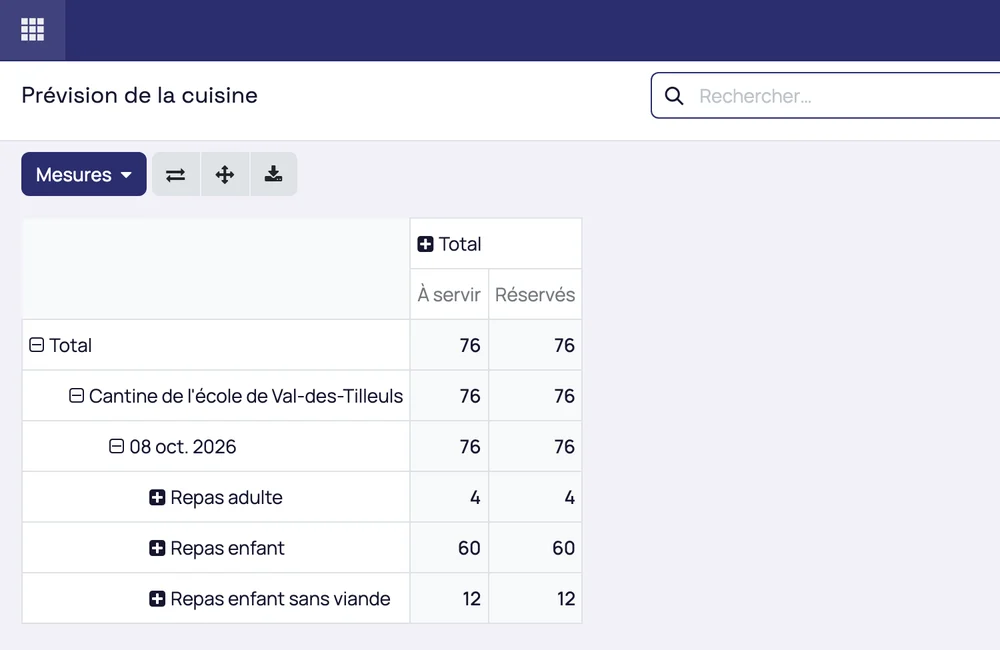
The cook reads the number of meals per dish the day before
The kitchen forecast gives, for the next service day, the meals booked and the meals to serve per dish, for children and adults alike.
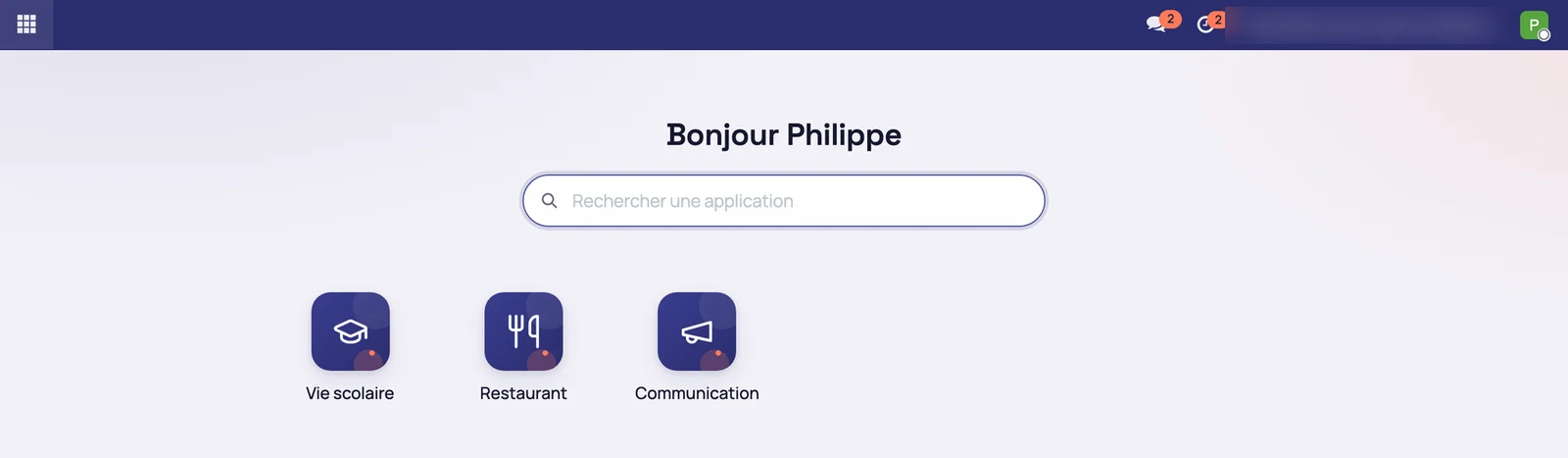
A back office of three applications and a families home screen with no balance
The treasurer works in School life, Restaurant and Communication
The menu offers only these three applications. The screens for the wallet, the badge, the till and the top-up do not appear.
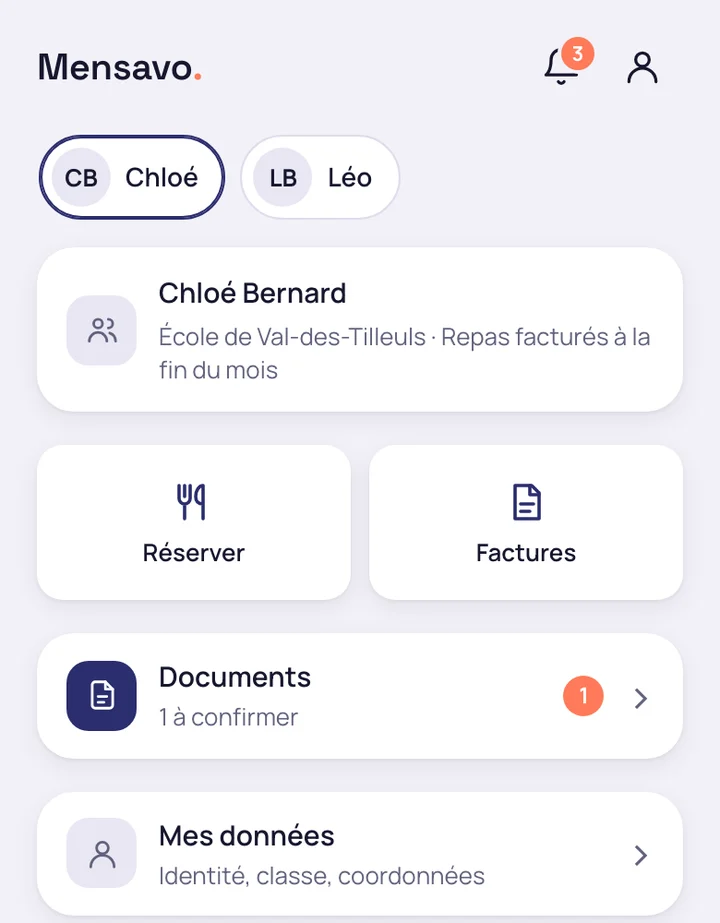
The family sees the child, Book, Invoices, their documents and their messages
The application's home screen has no balance to watch and no top-up tile. Parents' accounts are opened by importing the school's list or by a QR code: see the families portal.
The package is activated by a module and removed in the same way
The module installs on an Odoo Community database, without any Enterprise module. It has been checked on new databases, in French and in English: no field or label for the wallet, badge, till or top-up appears in the screens reached through the menus.
- A deregistration after the deadline is refused: the meal is due
- The old top-up address returns to the home screen and the server refuses the top-up
- A database that worked with wallets is not switched silently: the canteen first moves to monthly invoicing
- Uninstalling the module returns the product to its full state, with no repair needed
The names, amounts and statements shown in these screenshots are fictitious demonstration data.
Request a Mensavo demo
About thirty minutes to see the enrolments, the monthly invoice and the families app on the case of your canteen.
Request a demo