Home / Childcare and extracurricular care
Childcare and extracurricular careChildcare and extracurricular care: booking by parents, tablet check-in and departure with an authorised person
The school describes its morning, evening and Wednesday care sessions. Parents book from their phone and keep the list of adults authorised to collect their child. The childcare worker records an arrival with one tap and a departure with two, on a tablet, even without a network. A departure with an adult who is not on the list is blocked, and the actual attendance is added to the monthly canteen invoice.
Parents book childcare and keep the list of authorised persons from their phone
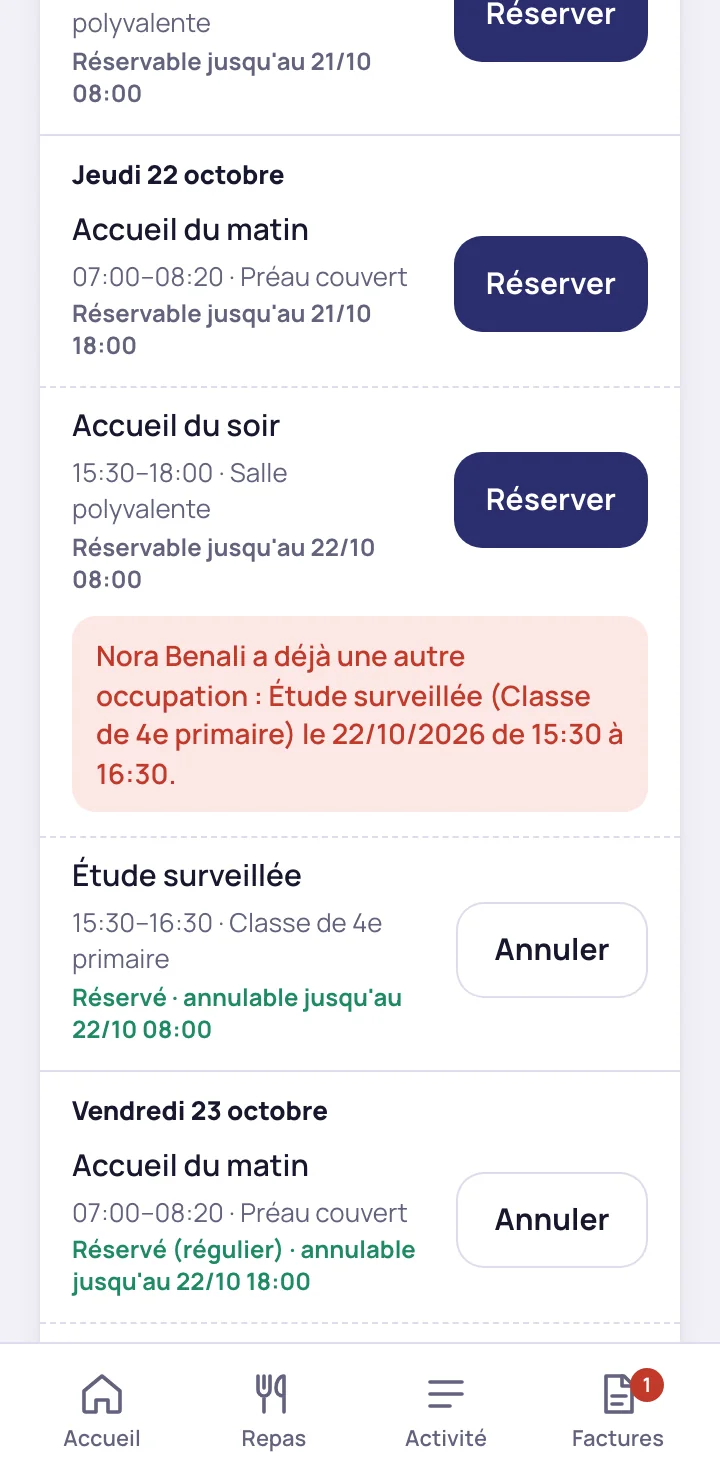
A session is booked once or every week, and a booking that overlaps another is refused
The parent books a session or sets up a regular booking, for example on Monday and Thursday evenings, and cancels up to the deadline set by the school. When the child already has another activity at the same time, the refusal names that activity, its day and its time.
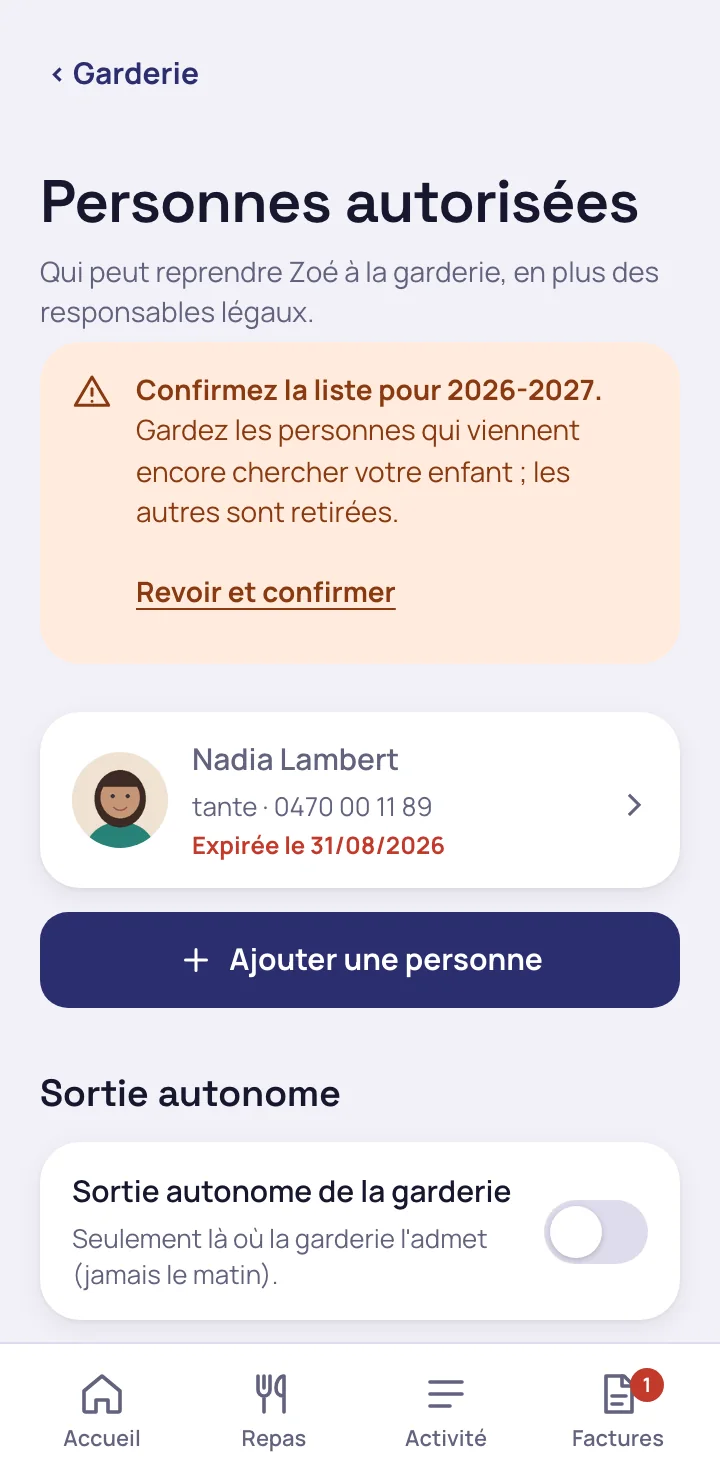
The parent keeps the list of adults authorised to collect their child
Each person has a name, a relationship to the child, a phone number, an optional photo and a validity date. The parent also sets independent exit. At the start of the school year, the app asks them to confirm the list, and expired persons are flagged.
The parent sees the arrival time, the departure time and the person who collected the child on the same day
When parents are separated, each of them sees the child's day with their own account.
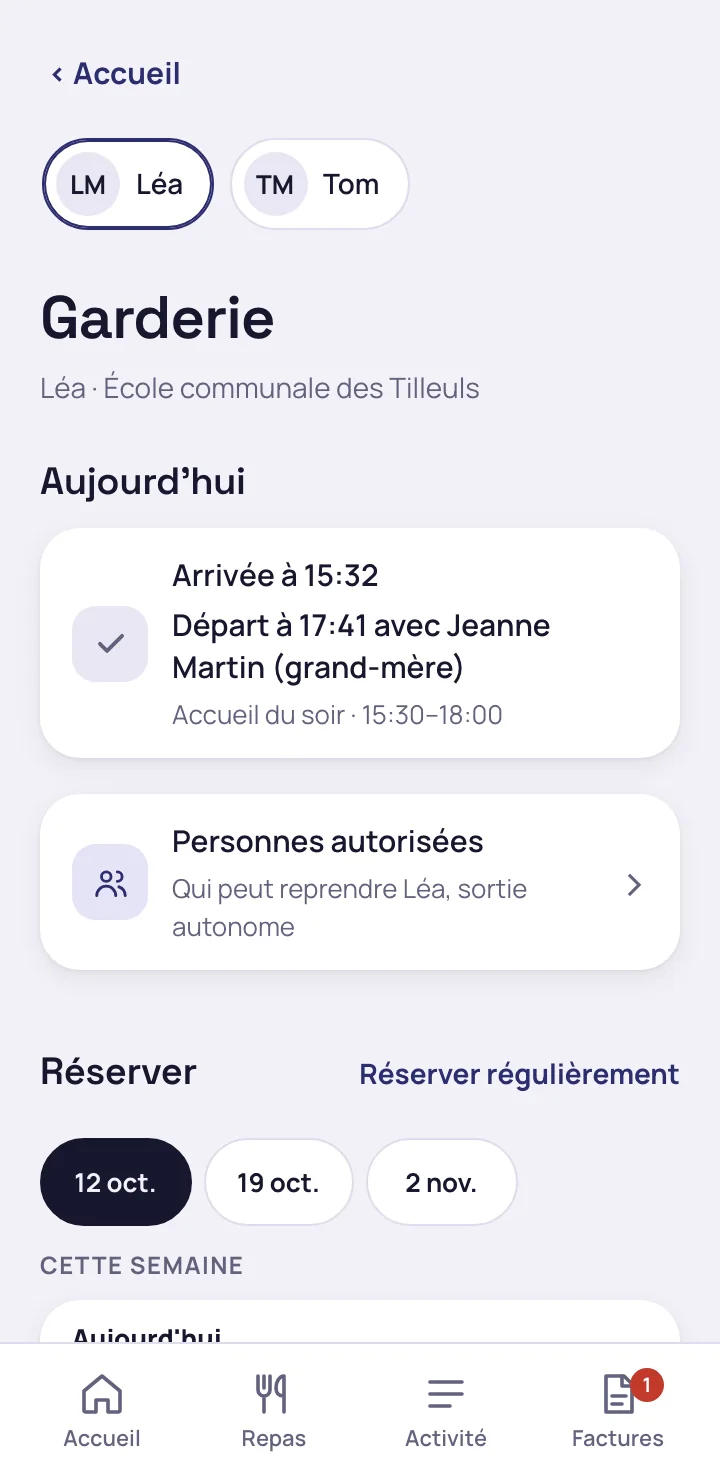
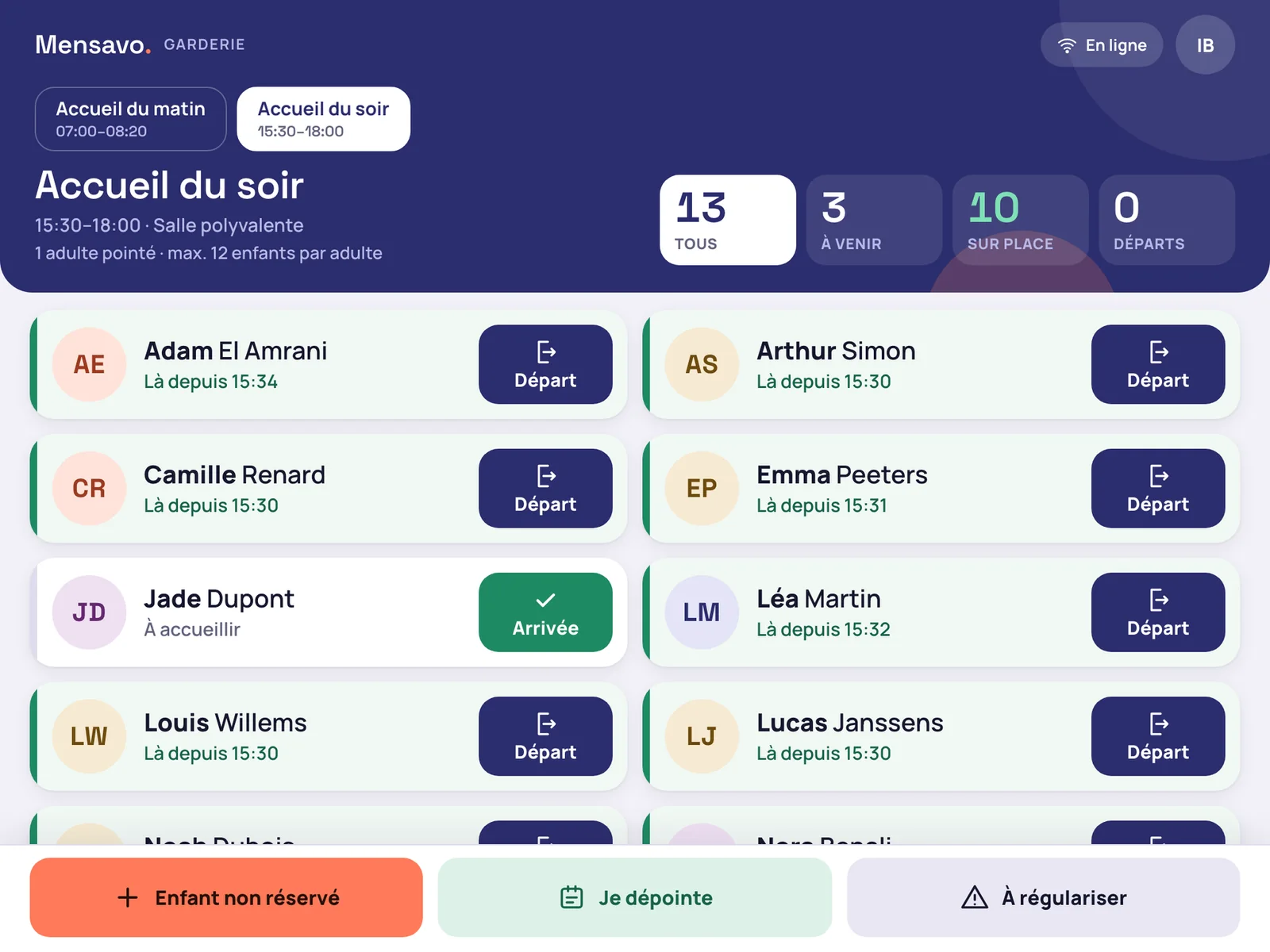
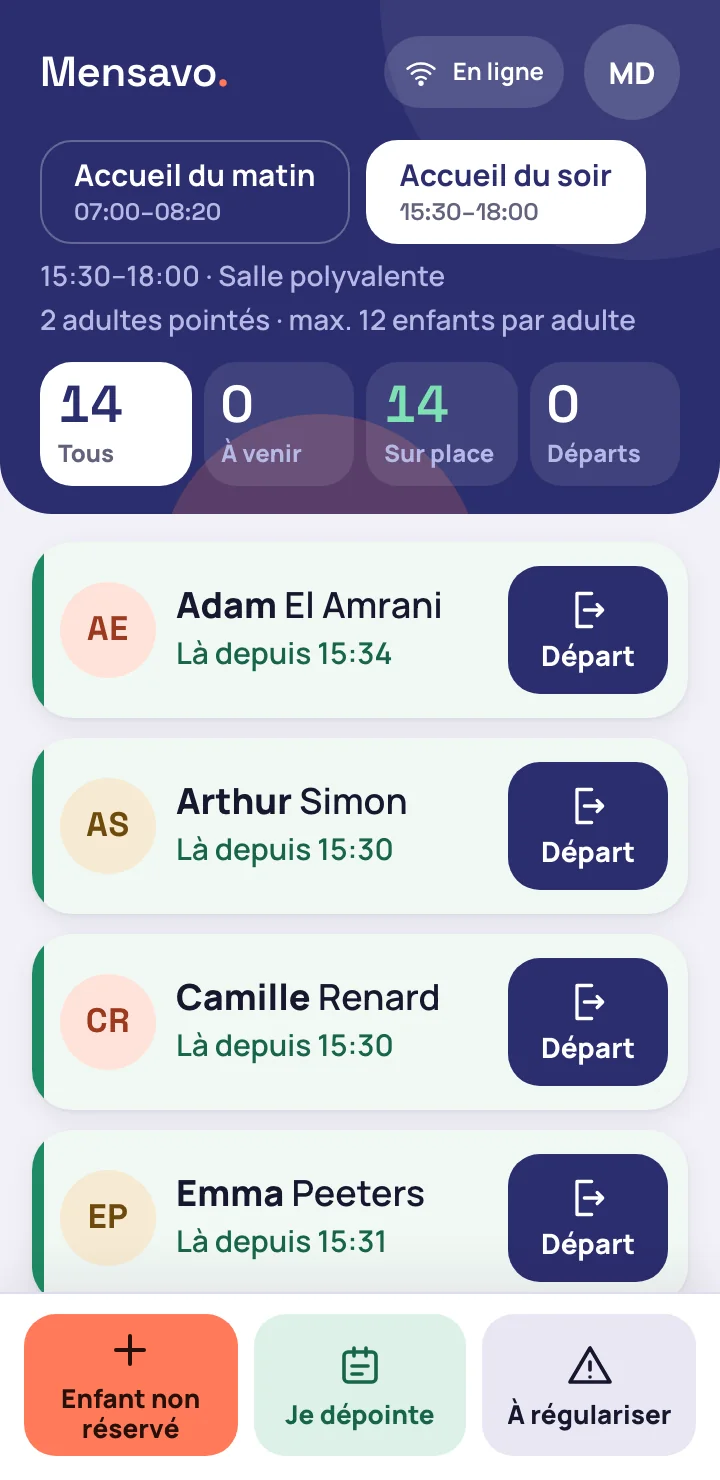
The childcare worker records an arrival with one tap and a departure with two, on a tablet held in one hand
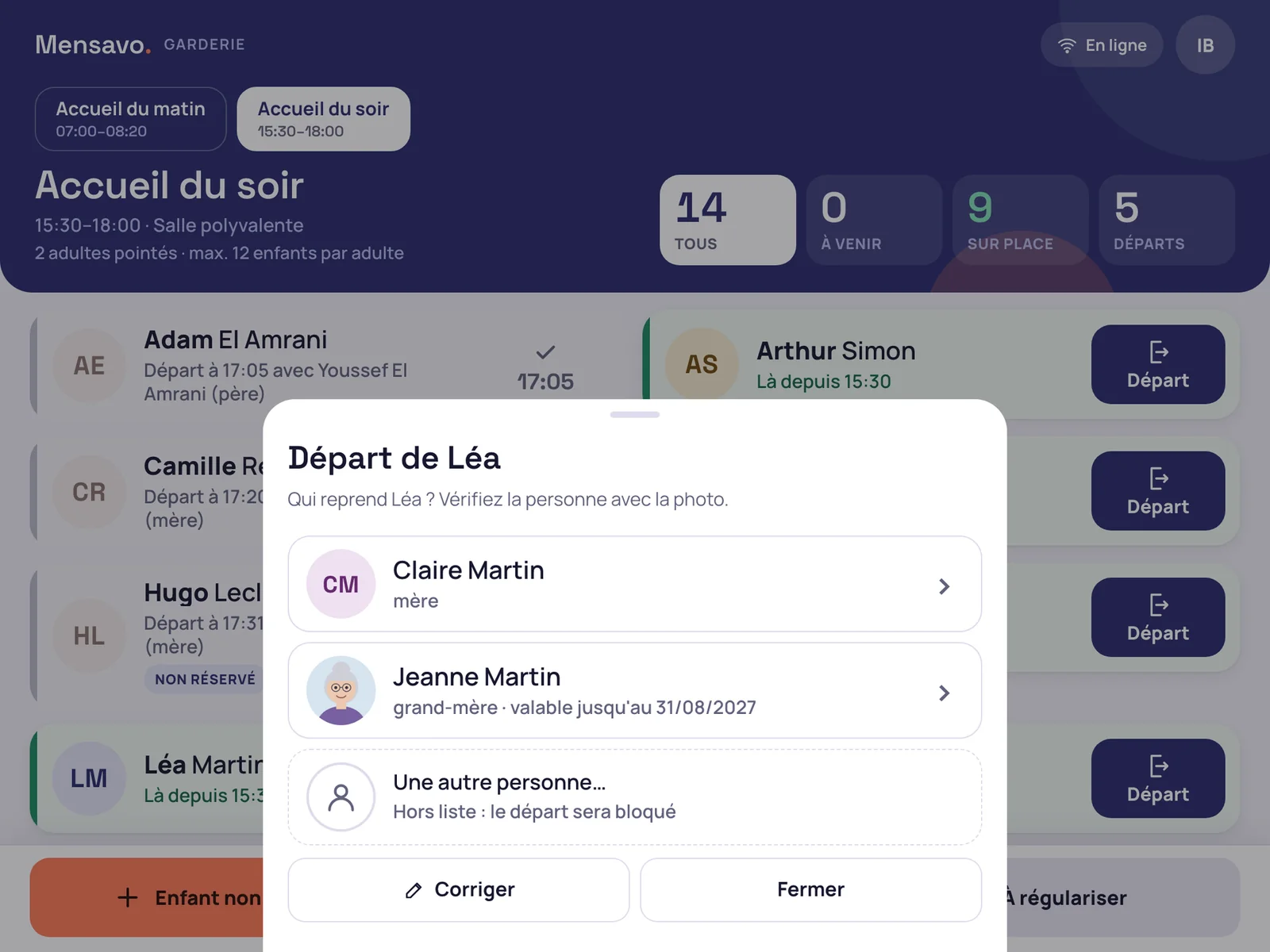
One tap on “Departure” shows the persons who can collect the child that day
They appear with their photo, so that the childcare worker can check the person in front of them. The second tap records who collected the child.
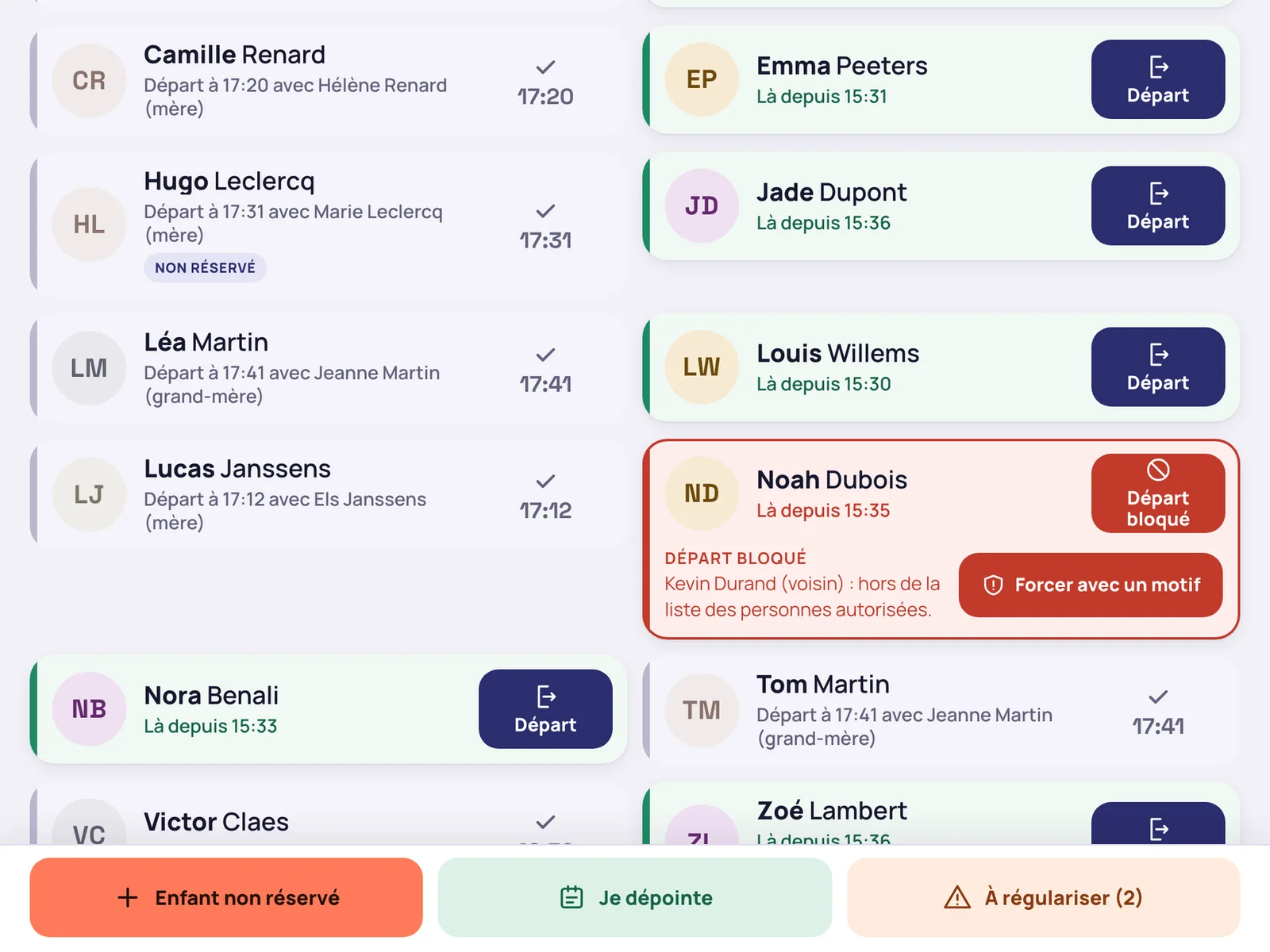
An adult who is not on the list is refused
The child's card turns red and names the adult. The server refuses this departure: the screen is not the only barrier.
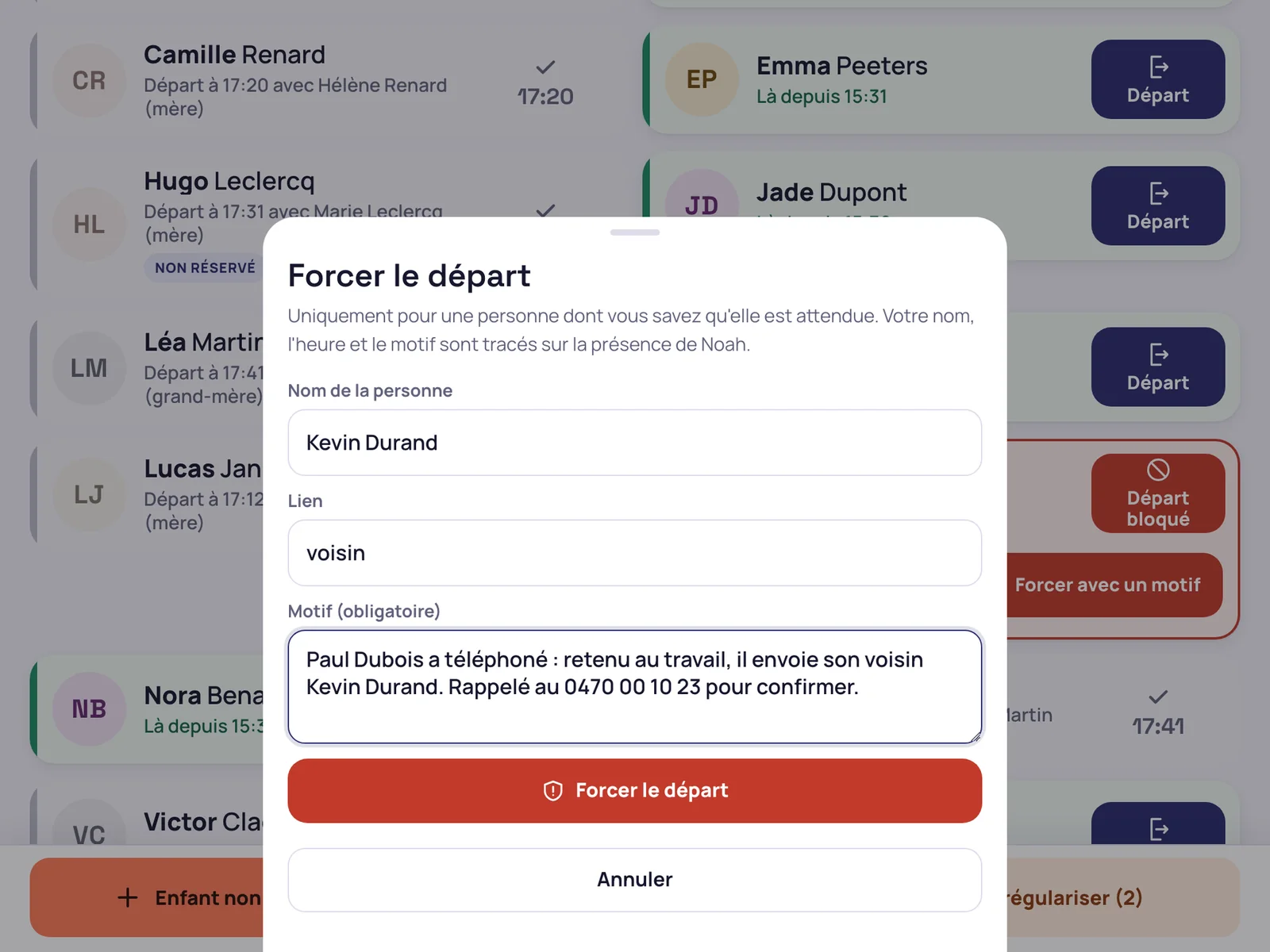
Only a childcare supervisor can force the departure, with a mandatory reason
The person's name, their relationship to the child, the time and the reason are recorded on the child's attendance record.
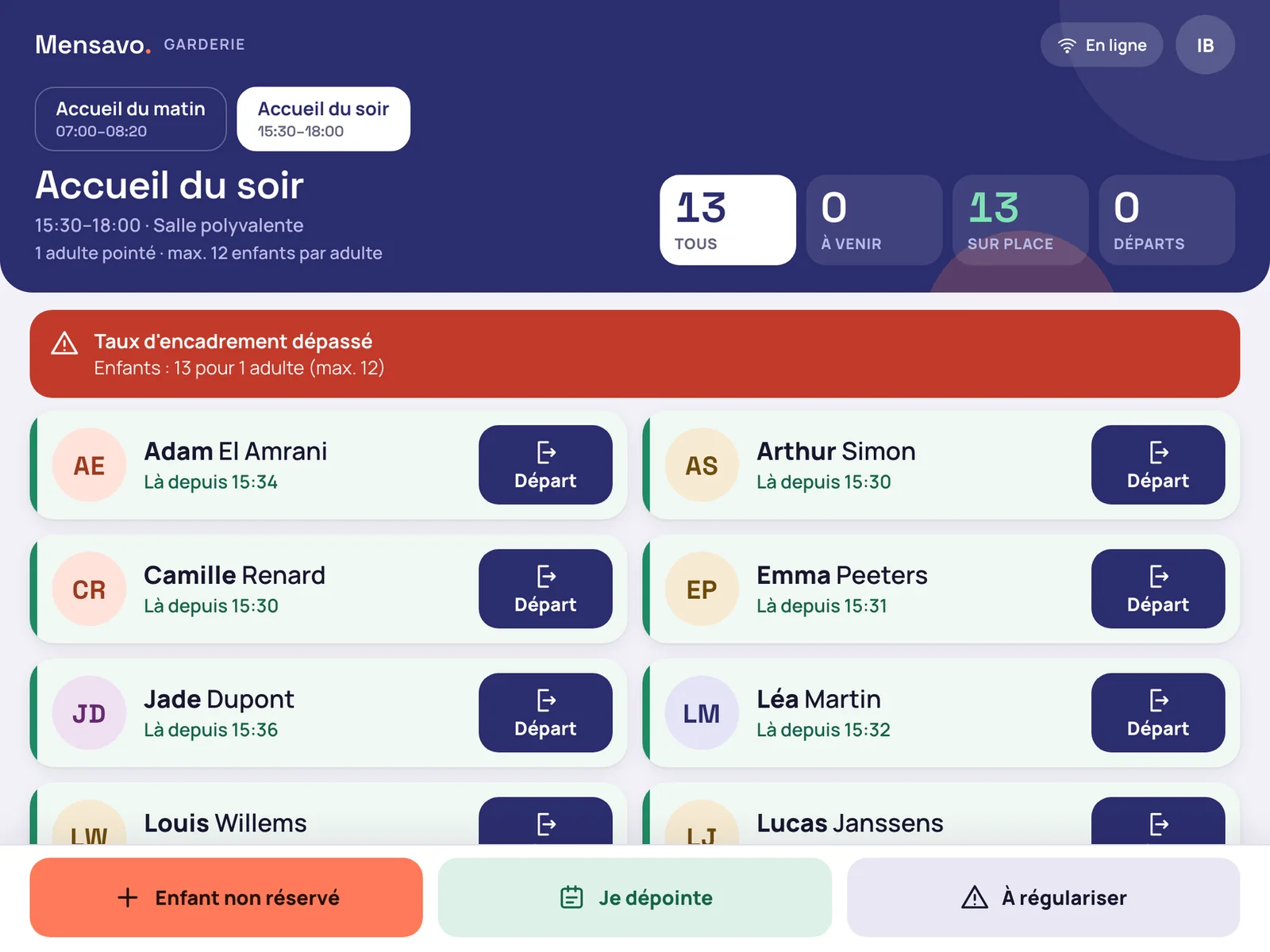
A child who has not booked is added in two taps
The child is checked in on arrival and will be invoiced as such, according to the school's setting.
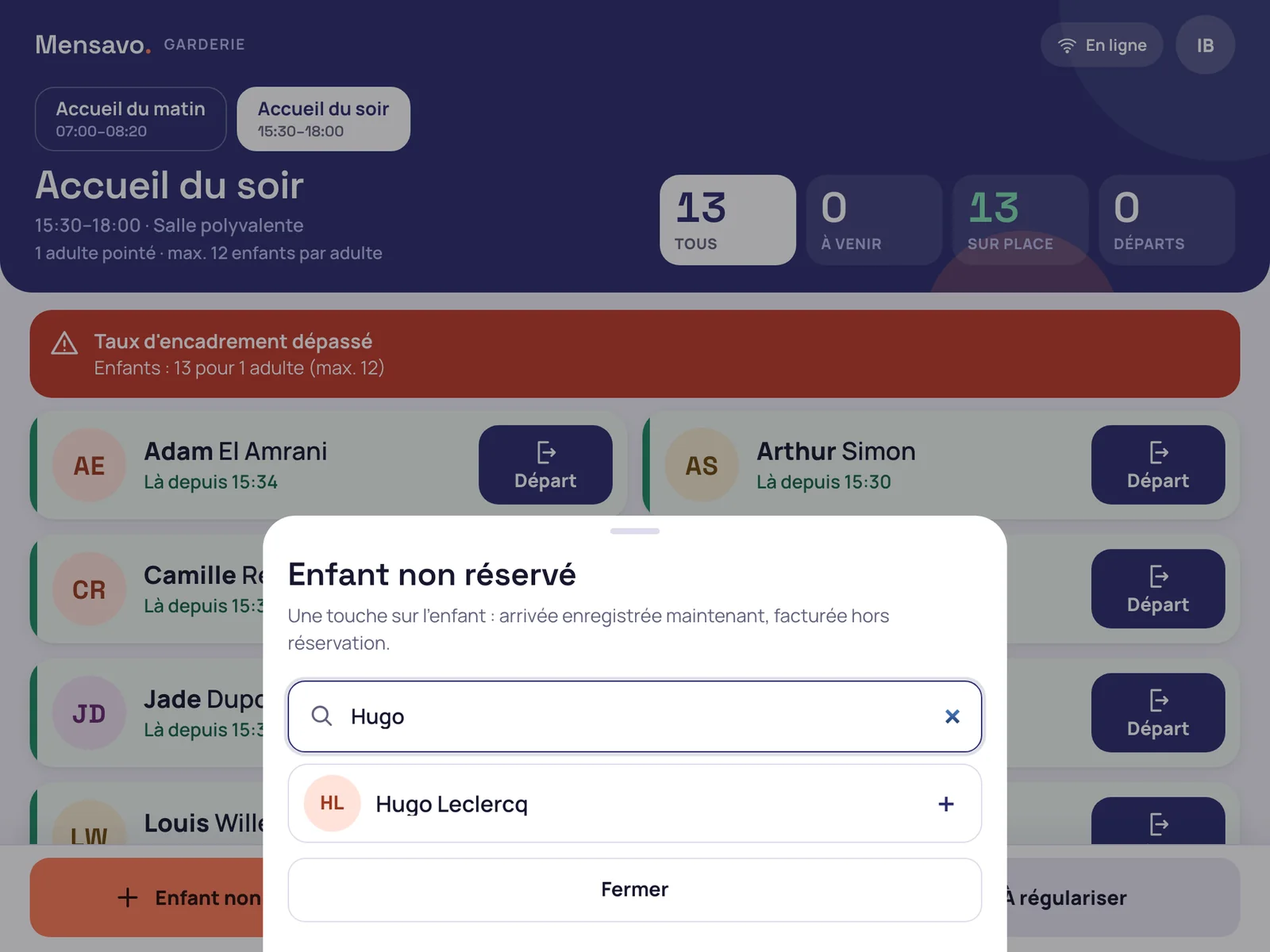
When there are too many children for the adults checked in, a banner appears
In the demonstration, which uses fictitious data, 13 children are on site with a single adult checked in, for a rule of one adult for 12 children. The banner disappears when the second childcare worker checks in, and the supervisor is notified.
Each attendance keeps its record, and the actual attendance is invoiced at the end of the month
The record gives the arrival time, the departure time, the childcare worker who checked the child in and the person who collected the child. A refusal, a forced departure and a correction each leave a line in the history.
- Correction of a check-in on site, with the old and the new time, the author and the reason
- At the end of the month, the actual attendance is added to the monthly canteen invoice, in a Childcare section, or debited from the pupil's wallet, according to the school's setting
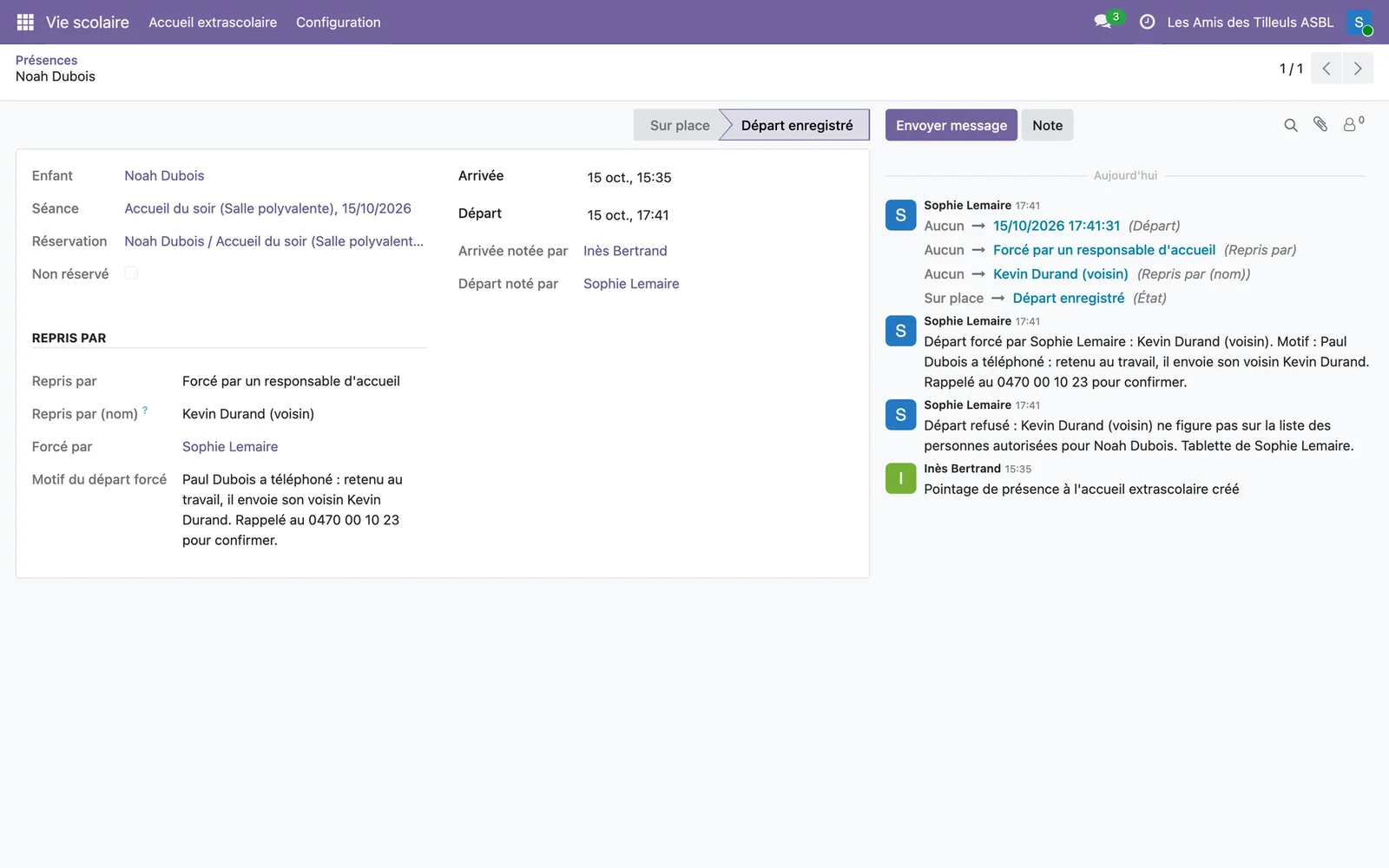
The server refuses unauthorised departures, whichever screen is used
- A person who has expired or been removed from the list, or a parent whose right to collect the child has been withdrawn by the school: the departure is refused by the server, not just hidden on screen
- Network loss: each action is kept on the tablet and sent in order when the network returns, once only; no name, phone number or photo is kept on the device
- A child still present after closing time: the supervisor is notified, with the phone numbers of the authorised adults
- Separated parents: each sees the child's day with their own account
The paper attendance sheet, the folder of authorised persons and the recount at the end of the month
The childcare worker no longer has to phone a parent to find out whether the adult at the door is known, or look for the list of authorised persons in a folder. The school office no longer recounts attendance at the end of the month to invoice childcare alongside the canteen. Families' bookings open from the family portal and invoicing follows the administrative and accounting management.
Request a demo of Mensavo
About thirty minutes to see booking by parents, tablet check-in, a refused departure and the invoicing of attendance on the cases you choose.
Request a demo